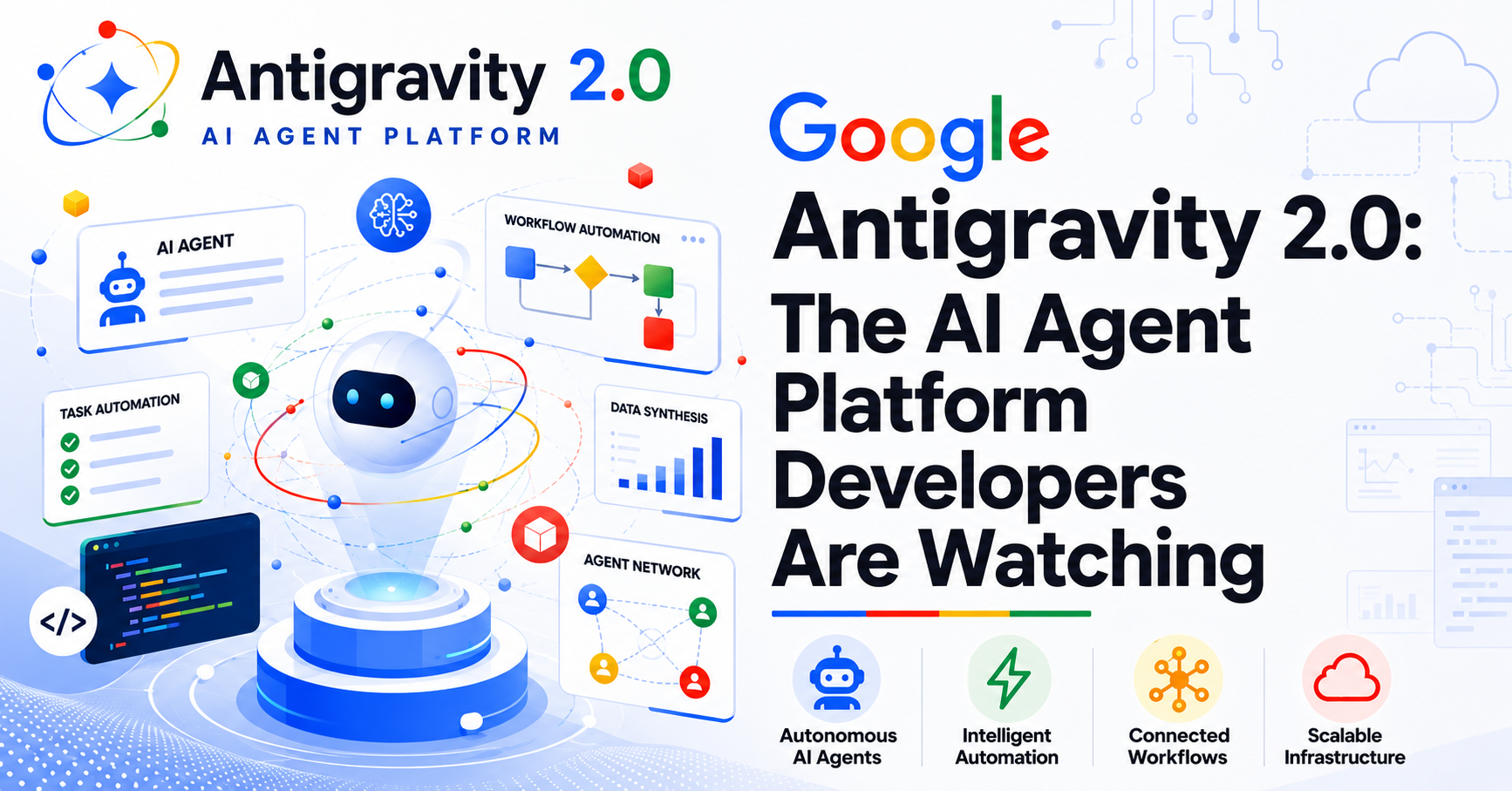
On 19 May 2026, at Google I/O, Google Antigravity 2.0 launched not as an incremental improvement to an AI-assisted IDE, but as a full-scale, agent-first development platform. Developers worldwide started to find their familiar coding environments fundamentally redesigned around:
- Autonomous AI agents
- Multi-agent orchestration
- Asynchronous task execution
Whether you are a professional developer, a technical architect, or a knowledge worker beginning to engage with generative AI, understanding Google Antigravity 2.0 is now a professional imperative.
What Is Antigravity 2.0?
Google Antigravity 2.0 is Google's agent-first development platform, designed to take a developer's idea from initial prompt to a production-ready application, with minimal manual intervention at every step.
Antigravity first launched in November 2025 as an AI-powered code editor competing in the space occupied by tools like Cursor. The May 2026 update transformed it into categorically different: a full-stack, autonomous agent ecosystem.
Core transformation in Antigravity 2.0:
- The fundamental model shifts from a human writing code to a human supervising agents that write, test, deploy, and iterate code.
- The interface transitions from an Integrated Development Environment (IDE) to an agent orchestration console.
- The scope expands from single-agent code completion to multi-agent collaboration across the full software development lifecycle, including planning, coding, testing, deployment, and ongoing iteration across multiple repositories and projects.
For those looking to transition from basic prompt engineering into designing these autonomous workflows, enrolling in the free Getting Started with Agentic AI course provides a structured starting point.
Learn to design AI agents that can perform tasks autonomously, from problem-solving to automating workflows, without any prior experience.
How Does Antigravity 2.0 Move Beyond the Traditional IDE Model?
Antigravity 1.0 remained closely integrated with the IDE environment, allowing developers to work within a familiar code editor while leveraging AI as an enhancement layer.
Antigravity 2.0 represents a complete architectural shift. It operates as a standalone desktop application available natively on macOS, Windows, and Linux, while keeping software development as its core focus.
Rather than positioning AI as a feature within a development tool, Antigravity 2.0 functions as an independent desktop platform for AI agents. Users engage directly with agents that can:
- Execute Tasks
- Generate Artifacts
- Operate Asynchronously
- Orchestrate Specialized Subagents
This setup removes the need to navigate complex IDE interfaces, manage multiple panels, or switch between countless file tabs.
If you want to understand how to design and interact with architectures that support this level of independence, the free Building Intelligent AI Agents course offers excellent technical guidance.
Free AI Agents Course: Learn to Build and Use AI Agents
Learn how to build, train, and deploy AI agents for free! Explore hands-on techniques and tools to create intelligent, autonomous systems.
What Is the Difference Between Editor View and Agent-First View in Antigravity 2.0?
Antigravity 2.0 introduces two primary interaction modes designed for different workflows: Editor View and Agent-First View.
Editor View- The Editor View provides a familiar environment for developers who prefer traditional coding workflows while benefiting from AI assistance.
Key capabilities include:
- A dedicated workspace for manual coding and single-agent interactions.
- Direct review, editing, and refinement of AI-generated code.
- Retention of essential coding context for developer oversight.
- Support for standard development practices such as version control, code management, and artifact organization.
Agent-First View (The Core Innovation)- The Agent-First View serves as a centralized dashboard for managing multiple AI agents working simultaneously across different tasks.
Key capabilities include:
- Spawning and monitoring multiple AI agents from a single interface.
- Running agents in parallel, allowing one agent to develop backend systems while another builds frontend components at the same time.
- Dynamic subagent creation, where primary agents delegate specialized subtasks to focused subagents that operate independently before reporting results.
- Background task scheduling through natural language commands using the /schedule slash command.
- Inline visibility into plans, code diffs, markdown documents, task lists, and other artifacts generated across active agent workflows.
To truly leverage Antigravity 2.0’s multi-agent orchestration, developers must evolve from AI consumers to AI architects. The Certificate Program in Applied Generative AI by Johns Hopkins University, featuring weekly live sessions, directly supports this transition by teaching you to master the tools and techniques behind generative AI.
Certificate Program in Applied Generative AI
Master the tools and techniques behind generative AI with expert-led, project-based training from Johns Hopkins University.
By covering foundational and advanced generative and agentic AI concepts, ranging from large language models and prompt engineering to multi-agent systems and enterprise deployment, this expert-led training equips working professionals with the skills needed to design, deploy, and effectively supervise autonomous agent workflows.
What Features Does Antigravity 2.0 Offer for Developers?
Antigravity 2.0 introduces a set of developer-centric capabilities that shift interaction from manual, step-by-step control to more autonomous, intent-driven agent workflows.
1. Slash Commands and Agentic Interactions
Antigravity 2.0 provides a powerful set of slash commands that redefine how developers communicate with AI agents:
- /goal - Instructs the agent to continue working until the entire task is completed without requiring constant human confirmations. It is designed for long-horizon autonomous execution.
- /reelme - Prompts the agent to ask clarifying questions before execution begins, helping refine ambiguous requirements and improve prompt clarity.
- /schedule - Converts a prompt into a recurring automated workflow. This enables tasks such as daily analytics reviews, weekly reporting, continuous deployment monitoring, or overnight code refactoring to run automatically without additional input.
- /browser - Launches browser-based subagents for UI testing, interaction validation, and real-world feedback collection.
2. Voice Input with Live Transcription
Antigravity 2.0 supports real-time voice input, allowing developers to interact with agents using natural speech. This feature delivers live transcription feedback, enabling smoother and more conversational workflows. The system also filters filler words and restructures spoken input into clean, structured prompts, improving clarity and execution quality for complex multi-step tasks.
3. Hooks and Behavioral Customization
Developers can extend and modify agent behavior using hooks and custom scripts, allowing logic to be injected at specific stages of the agent workflow. This provides deeper control over execution flows and enables integration with external systems and custom development pipelines.
4. Memory and Context Management
Earlier multi-agent systems often struggled with context limitations during long or complex tasks. Antigravity 2.0 addresses this challenge through dynamic subagent orchestration:
- Instead of relying on a single large context window, tasks are broken into smaller, manageable units.
- A primary orchestrator agent delegates these units to specialized subagents.
- Each subagent operates independently within a focused context.
- Outputs are then consolidated back into the main workflow.
How Does the Project-Based Architecture Work in Antigravity 2.0?
A structural change in Antigravity 2.0 is the shift away from repository-bound workspaces to broader Projects. This matters for several reasons:
- Multi-folder projects allow agents to span multiple codebases, contexts, and workflows simultaneously, removing the hard constraint imposed by earlier versions on single-repository thinking.
- Each project maintains isolated security environments, ensuring that agent actions in one project do not bleed into another.
- Per-project permissions and policies allow developers to define fine-grained access controls (always-allow/never-allow/requiring-approval commands), custom scripts via hooks, and MCP integrations.
- Projects integrate with Google AI Studio and support MCP integrations, enabling streamlined development workflows.
What Components Make Up the Antigravity Ecosystem?
Google I/O 2026 introduced Antigravity as more than a standalone desktop application. It is part of a broader ecosystem of tools designed to work together across multiple development environments, enabling developers to build, deploy, and manage AI-powered workflows more efficiently. The table below highlights the key components of the Antigravity ecosystem:
| Component | Primary Use Case | Key Differentiator | Best For |
|---|---|---|---|
| Antigravity 2.0 Desktop App | Agent orchestration and parallel task execution | Multi-agent workspace with subagent spawning, scheduled tasks, and asynchronous background operations | Professional developers building complex applications |
| Antigravity CLI | Terminal-based agent management | Lightweight command-line interface for direct agent interaction | Developers who prefer terminal-centric workflows |
| Antigravity SDK | Programmatic access to agent capabilities | Enables developers to embed agent capabilities into custom applications and workflows | Teams creating custom agentic systems and automation pipelines |
| Managed Agents & Interactions API | Scalable agent deployment and management | Supports deployment and orchestration of customized agents via APIs | Organizations integrating AI agents into external products and services |
Key Ecosystem Integrations
Alongside the desktop application, Google also announced several integrations that extend Antigravity’s capabilities:
- Google AI Studio Integration: Enables seamless movement between AI experimentation, prototyping, and production workflows.
- Live Audio Transcription: Uses Google's audio models to convert spoken input into structured prompts while automatically removing filler words and improving clarity.
- MCP Integrations: Allows tools, skills, and Model Context Protocol (MCP) integrations to be configured and managed at the project level for greater flexibility and control.
Together, these components position Antigravity as a unified ecosystem for building, orchestrating, and scaling AI-powered development workflows across desktop, terminal, cloud, and API-driven environments.
Understanding the generative AI models that power these integrations, including how Gemini fits into Google's broader AI strategy, is well-covered in the overview of generative AI models.
If you want a broader orientation before going deeper into these tools, Generative AI Explained: An Overview of LLMs and Their Business Impact is an excellent 20-minute primer.
What Powers Antigravity?
The entire Antigravity platform is built on a key technical foundation: Gemini 3.5 Flash, launched alongside Google I/O 2026. This model is designed specifically to support high-speed, multi-agent systems where real-time coordination is critical.
Performance Benchmarks of Gemini 3.5 Flash
Gemini 3.5 Flash is not just optimized for speed; it is engineered for agentic workloads, where multiple AI agents must reason, communicate, and act in parallel without latency delays.
| Model | Tokens Per Second | Notes |
|---|---|---|
| Gemini 3.5 Flash | ~700–800 tps | Optimized for real-time agent coordination |
At 700–800 tokens per second, Gemini 3.5 Flash reaches a performance level where responses, reasoning, and even code generation can complete almost instantly, often before a user finishes reading the prompt.
This speed makes parallel agent execution practical at scale, enabling real-time multi-agent workflows that were previously constrained by latency limitations.
This represents more than an incremental improvement. It is a fundamental architectural enabler for the Antigravity ecosystem.
The Agent Harness Architecture
The Managed Agents API exposes a core internal system known as the agent harness, which powers Google's own agent-based products. This architecture defines how agents operate, interact, and scale.
Key Technical Capabilities
- Persistent execution environments
Agent sessions maintain state across multiple interactions, enabling long-running, multi-step workflows without losing context.
- Tool usage and autonomous code execution
Agents can reason through tasks, invoke external tools, and execute code directly within their environment, reducing the need for manual intervention.
- Co-optimization with Gemini models
The harness is tightly integrated with Gemini 3.5 Flash, allowing the system to fully leverage its speed and reasoning performance for agentic workloads.
Gemini 3.5 Flash and the agent-harness architecture form the computational backbone of Antigravity, enabling high-speed, multi-agent coordination at a level previously infeasible in traditional AI systems.
For context on how Gemini's unified model family supports these capabilities across modalities, the Great Learning deep-dive on Gemini Omni is a useful reference.
Enterprise Scalability: Gemini Enterprise Agent Platform
For organizations operating at scale, Google has extended Antigravity's capabilities into the enterprise through the Gemini Enterprise Agent Platform.
Key Enterprise Features
- Direct Google Cloud Integration: Google Cloud customers can connect Antigravity directly to their Cloud projects, enabling agent workflows to interact with cloud-hosted data, services, and infrastructure.
- Isolated Security at Scale: Enterprise deployments maintain the same isolated, sandboxed environment model as individual developer setups, ensuring that production agentic workflows meet enterprise security and compliance requirements.
- Google Workspace API Native Calls: Agents in enterprise deployments can invoke Google Workspace APIs directly, enabling automated workflows that span document creation, email, calendar management, and collaboration tools without manual API integration.
| Plan | Price | Usage Limit | Target User |
|---|---|---|---|
| Pro | Bundled with Google AI Pro | 1× baseline | Individual developers |
| Ultra | $100/month | 5× Pro | Production workflows and power users |
| Ultra Premium | $200/month | 20× Pro | Enterprise teams at scale |
Understanding how generative AI enhances predictive analytics and enterprise modeling becomes especially relevant as enterprises begin deploying always-on agents that continuously process operational data.
How to Get Started with Google Antigravity 2.0?
Step 1: Access the Platform
- Visit antigravity.google and download the desktop application for macOS, Windows, or Linux.
- Existing Google AI Pro subscribers have Antigravity 2.0 access bundled at the base usage tier.
- Upgrade to Google AI Ultra ($100/month) for 5× higher usage limits and access to the full agent orchestration capabilities.
Step 2: Explore the Getting Started Codelabs
Google has published official developer codelabs at codelabs.developers.google.com/getting-started-google-antigravity, providing guided, hands-on tutorials covering:
- Setting up the desktop app and configuring your first project.
- Launching and orchestrating multiple agents using the Agent Manager View.
- Building and deploying agents via the Managed Agents API.
- Migrating from the Gemini CLI to the new Antigravity CLI.
Step 3: Migrate to the Antigravity CLI (If Applicable)
For developers currently using the Gemini CLI, migration to the Antigravity CLI is necessary- Google has confirmed the Gemini CLI will shut down on 18 June 2026.
The migration is technically straightforward, with commands shifting from Gemini to anti-gravity with similar structural syntax, but the timeline is aggressive, and teams should prioritize this immediately.
Step 4: Explore the Managed Agents API
Access Managed Agents via the Interactions API or through Google AI Studio. With a single API call, you can spin up agents that reason, use tools, and execute code in persistent, isolated Linux environments. The Antigravity SDK provides the programmatic layer for teams building custom agent workflows at scale.
Step 5: Build for the Ecosystem
Take advantage of ecosystem integrations:
- Use the Google AI Studio mobile app (available for pre-registration) to prototype ideas on the go.
- Enable Google Workspace API integration for agents that automate document, email, and collaboration workflows.
- Explore Firebase and Android integrations for end-to-end mobile application development driven by agents.
Conclusion
Google Antigravity 2.0 is the most significant signal yet that the age of the traditional IDE is winding down. The platform does not merely assist developers; it restructures the developer's role from operator to orchestrator. Multi-agent parallelism, subagent delegation, scheduled autonomous workflows, and enterprise-grade cloud integration represent a coherent and well-funded bet on an agentic future.
For developers, the professional opportunity is clear: those who learn to design, supervise, and optimize multi-agent systems will define the next generation of software production. For organizations, the question is not whether to adopt agentic development infrastructure, but how quickly they can build the internal capability to do so effectively.