- Understanding the Underlying Protocol SMTP
- A Critical Note on Security and App Passwords
- Sending a Simple Plain Text Email
- From Scripting to Professional Mastery
- Enhancing Communications with HTML Emails
- Advanced Functionality: Sending Attachments
- Crucial Security Best Practices
- Handling Errors and Ensuring Reliability
- Conclusion
In today's digital economy, whether you are a system administrator needing server alerts, a marketer sending personalized newsletters, or a developer building a notification system for an application, the ability to programmatically dispatch emails is a crucial skill.
Manual emailing is slow, error-prone, and difficult to scale. Fortunately, Python provides robust, built-in libraries that make this process easy and highly customizable. By mastering Python email automation, you can regain control of your time and ensure critical communications are delivered instantly and reliably.
This comprehensive guide will walk you through everything you need to know to build a reliable Python script to send an email. We will move from basic text messages to complex HTML designs and include attachments, ensuring you have the latest information to handle modern security requirements.
Understanding the Underlying Protocol SMTP
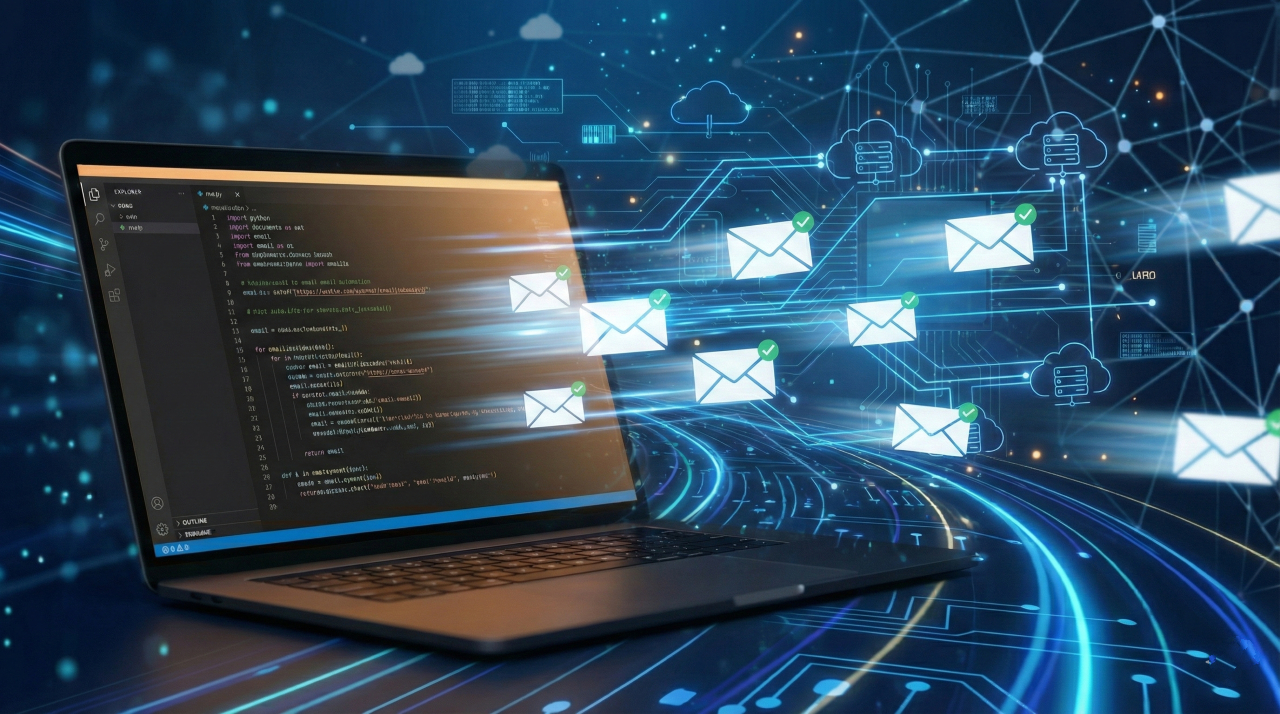
Before writing code, it is essential to understand the mechanism that powers email delivery. Python does not magically send emails on its own; it interacts with an existing infrastructure known as SMTP, or Simple Mail Transfer Protocol.
SMTP is the standard protocol used for sending emails across the Internet. When you send an email, your Python script acts as the sender, dropping a letter in the mailbox.
The SMTP server acts as the provider, sorting the email and directing it to the recipient's mail server (such as Gmail or Outlook), which then places it in the user's inbox.
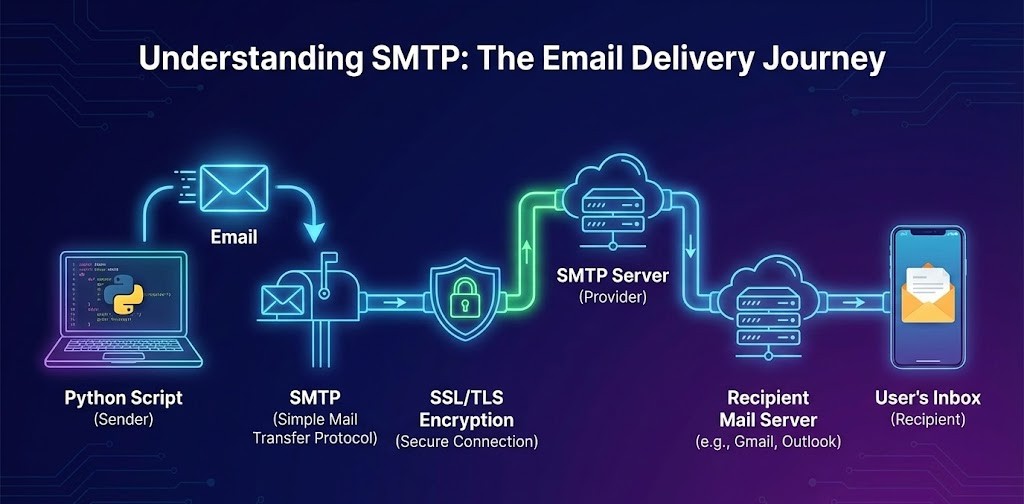
To ensure the security of these messages as they travel across the internet, we rely on encryption layers:
- SSL (Secure Sockets Layer) and TLS (Transport Layer Security): These protocols encrypt the connection between your Python script and the SMTP server. Without this encryption, sensitive data, including your login credentials and the email content, could be intercepted. Modern email providers require encrypted connections.
Prerequisites and Modern Security Configuration
To follow along, you will need Python installed on your machine. We will primarily use two libraries that come standard with Python, meaning you do not need to install anything via pip:
- smtplib: This library defines an SMTP client session object that can be used to send mail to any Internet machine with an SMTP or ESMTP listener daemon.
- email: This package is used to create email messages, including headers, bodies, and attachments.
A Critical Note on Security and App Passwords
In the past, you could simply use your regular email address and password in your script. However, for major providers such as Gmail, Outlook, and Yahoo, this is no longer possible due to security measures such as Multi-Factor Authentication (MFA). If you try to use your standard login password, the connection will likely be blocked.
To successfully send an email using Python with these providers, you must generate a specific "App Password." This is a 16-character passcode that gives a non-human device or script permission to access your account.
- For Gmail users, you need to go to your Google Account settings, navigate to the Security tab, ensure 2-Step Verification is turned on, and then create an App Password specifically for "Mail" on your device.
- Other providers have similar setups in their security settings.
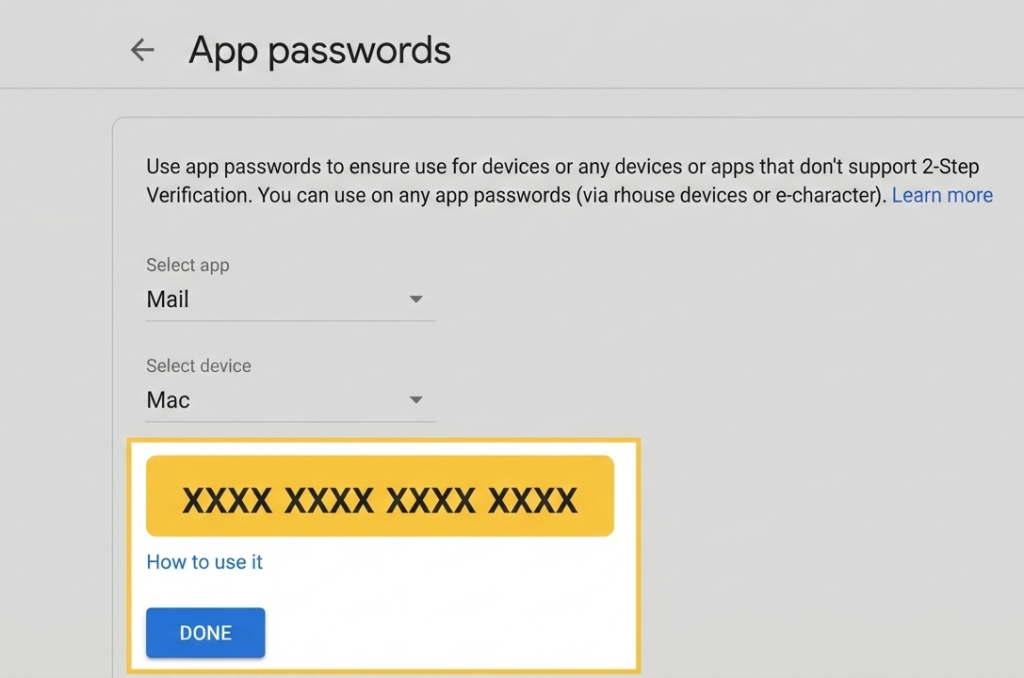
Always use this generated App Password in your scripts, never your main account password.
Sending a Simple Plain Text Email
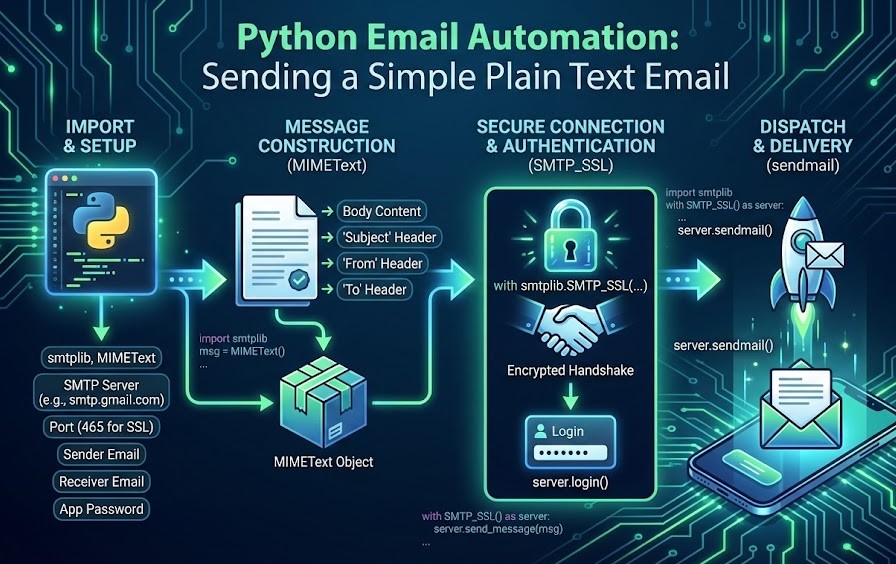
The foundation of Python email automation begins with sending a simple, plain-text message. This involves setting up the SMTP connection, logging in securely, constructing the message with appropriate headers (Subject, From, To), and dispatching it.
We use the email.mime.text.MIMEText class to construct the message content and smtplib.SMTP_SSL to establish a secure connection right from the start.
Using SMTP_SSL is generally preferred over connecting insecurely and then upgrading with TLS, as it ensures the entire handshake is encrypted.
Below is the conceptual structure of how you build a basic Python script to send an email:
- Import necessary modules: smtplib and MIMEText.
- Define variables for your SMTP server (e.g., smtp.gmail.com), port (usually 465 for SSL), sender email, receiver email, and your App Password.
- Create a MIMEText object containing your message body.
- Add standard email headers like 'Subject', 'From', and 'To' to the MIMEText object.
- Use a with smtplib.SMTP_SSL(...) block to connect to the server. The with statement ensures the connection is automatically closed even if errors occur.
- Inside the block, call server.login() to authenticate.
- Finally, call the server.sendmail() to dispatch the message.
From Scripting to Professional Mastery
While mastering these security configurations is essential for a working script, the transition from "writing code that works" to "building professional-grade systems" requires a deeper command of the language. To truly scale your efficiency, you need to understand the architectural logic that powers modern software.
If you are ready to move beyond basic automation and become a highly-skilled developer, the Master Python Programming program is your gateway. This premium course provides the comprehensive depth needed to turn simple scripts into robust, production-ready solutions.
In this course, you will learn the fundamentals of Python: from basic syntax to mastering data structures, loops, and functions. You will also explore OOP concepts and objects to build robust programs.
How This Program Helps You
According to the program details, this course is designed to transform your technical trajectory in several key ways:
- Comprehensive Python Foundations: You will cover the "A-Z of Python," moving beyond snippets to master the full syntax and logic of the language.
- Career-Ready Skillset: The curriculum is tailored to the most in-demand Python skills currently sought after by top-tier recruiters and global tech firms.
- Practical Application: The program focuses on hands-on learning, ensuring you can build complex, real-world applications that solve business problems.
- Flexible Professional Development: As a self-paced premium course, it allows you to gain advanced expertise without sacrificing your current professional commitments.
- Formal Certification: You will receive a certificate from a recognized academy, providing a verified credential to showcase your expertise on your resume or LinkedIn profile.
Enhancing Communications with HTML Emails
While plain text is functional, modern communication often requires formatting, hyperlinks, and visual appeal. To send an email using Python that looks professional, you need to utilize HTML.
The process is very similar to sending a text email, but instead of just putting plain text into your message object, you provide HTML code. Crucially, when initializing the MIMEText object, you must specify the subtype as 'html'. This tells the receiving email client to render the content as a webpage rather than raw text.
You can include typical HTML tags such as <b> for bolding, <i> for italics, <br> for line breaks, and <a> tags for hyperlinks. This allows you to create dynamic reports, richly formatted newsletters, or attractive alert messages directly from your code.
Advanced Functionality: Sending Attachments
The ability to send files alongside your message is a common requirement for automation tasks.
Whether it is a generated PDF report, a CSV data dump, or an image log, Python handles attachments using the email.mime.multipart.MIMEMultipart and email.mime.base.MIMEBase classes.
Because SMTP was originally designed for text, sending binary files like images or PDFs requires encoding them into a text-friendly format known as Base64.
To visualize this, imagine the email as an envelope (the Multipart object) that contains several smaller envelopes inside it: one for the text body, and one for each file attachment.
Here is the workflow for adding attachments:
- Instead of MIMEText, start by creating a MIMEMultipart object. This is a container that will hold both the body text and the attachment.
- Attach the body text to this container using MIMEText.
- Open the file you wish to attach in binary reading mode ('rb').
- Create a MIMEBase object and set its payload to the file's contents.
- Encode the payload in Base64 using the email.encoders module.
- Add a header to the attachment object indicating the filename so the recipient's email client knows what to call it.
- Finally, attach this encoded object to the main MIMEMultipart container.
Crucial Security Best Practices
When you send an email with Python, you are handling sensitive credentials. Hardcoding passwords directly into your script is a severe security risk. If you accidentally share your code on GitHub or another public forum, your account could be immediately compromised.
To secure your credentials, you should use environment variables. Environment variables are values set by the operating system that your code can read.
- You can set these variables in your terminal or operating system settings.
- In Python, you access them using the os library: import os; password = os.environ.get('EMAIL_PASSWORD').
- Alternatively, you can use a .env file alongside a library like python-dotenv to load credentials locally without committing them to version control platforms.
Handling Errors and Ensuring Reliability
Network issues, incorrect credentials, or server downtime can cause your email script to fail. To build robust tools when you send an email with Python, you must implement error handling using Python's try except blocks.
Wrapping your SMTP connection logic in a try block lets youcatch specific exceptions. For instance, you can catch smtplib.SMTPAuthenticationError if login fails, or a generic Exception for connection timeouts.
In the except block, you can log the error to a file or print a helpful message to the console instead of letting the program crash unexpectedly. This is vital for automated scripts running on servers without a human to monitor the output.
Conclusion
Mastering the art of sending emails programmatically opens up a vast array of possibilities for automation and communication. By using Python's standard smtplib and email libraries, you can move beyond manual drafting and create systems that respond to data and events in real time.
Remember to prioritize security by using App Passwords and environment variables, and ensure reliability by handling errors properly. With these skills, you are well-equipped to implement powerful Python email automation solutions that can save significant time and effort in any project.