Errors are an inevitable part of the programming journey. Whether you are a seasoned developer or a newcomer, you will eventually encounter code that refuses to run as expected.
That is why learning how to debug Python code is the most essential skill you can acquire to transform your journey from a frustrated coder into a productive engineer.
In this blog, you’ll learn to debug Python code effectively using practical techniques that help you identify errors faster, reduce rework, and save valuable development time.
Understanding the Python Debugging Mindset
Effective debugging is not just about fixing a specific error; it is about understanding the logic of your program and optimizing your workflow.
A systematically organized plan will help you to cut down on the number of hours that you waste behind a screen and rebuild Impactful features.
Most Python errors fall into three categories:
- Syntax Errors: Caught by the interpreter before the code runs (e.g., a missing colon).
- Runtime Errors: Occur during execution (e.g., ZeroDivisionError).
- Logical Errors: The code runs, but the output is wrong. These are often the hardest to find.
To debug Python code successfully, you must be patient and methodical. Rushing to "guess" a fix often leads to more bugs later on.
How to Debug Python Code Step by Step
If you find yourself stuck, follow this structured framework to isolate and resolve the issue. This step-by-step guide to debugging Python code ensures you don't miss any obvious culprits.
1. Reproduce the Bug
You cannot fix what you cannot see. Make sure that you have a steady input set that causes the error each and every time. In case of the bug being intermittent, attempt to isolate the number of the environment or the state of data that triggers the bug.
2. Read the Traceback
Python’s "Traceback" is a report of the function calls made just before the crash.
- Look at the bottom: The last line tells you the type of error.
- Identify the line number: Python is quite accurate at pointing you to the failure point.
3. Isolate the Problem
Try to delete parts of your code that aren't related to the error. If you have a 500-line script, try to reproduce the bug in a 10-line script. This is known as a Reproducible Example.
Hands-On Tutorial: Debugging Your First Script
Let’s move from theory to practice. Imagine you are building a simple calculator to determine the average price of items in a shopping cart, but it keeps crashing.
The "Broken" Code
Copy this into your editor (e.g., main.py):
def calculate_average(prices):
    total = sum(prices)
    count = len(prices)
    average = total / count
    return average

cart_items = [10.50, 20.00, "15.75", 5.25] # Note the string!
result = calculate_average(cart_items)
print(f"The average price is: {result}")
Step 1: Analyze the Runtime Error
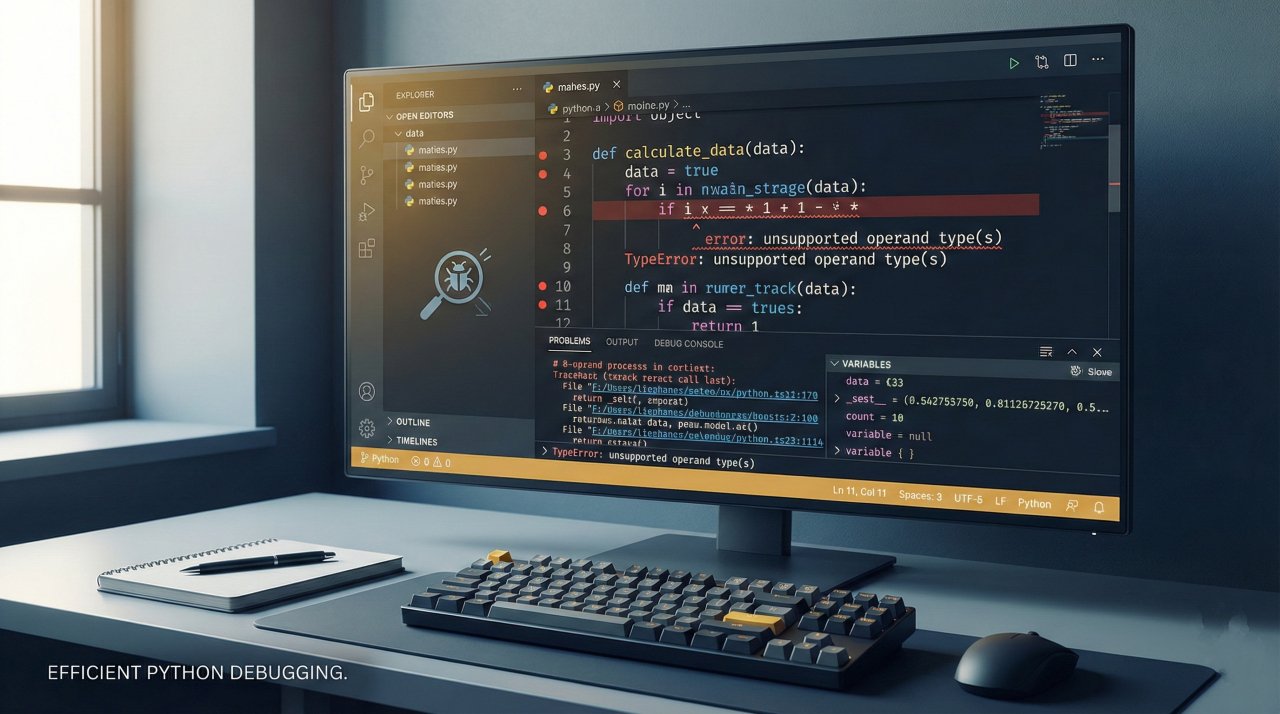
When you run this, Python throws a TypeError: unsupported operand type(s) for +: 'float' and 'str'. This tells us how to debug Python code when types conflict: you are trying to add a string to a number.
Step 2: Use the pdb Debugger to Inspect Data
To see exactly what is happening inside the function, we use Python’s built-in debugger. Update your code by adding a breakpoint():
def calculate_average(prices):
    breakpoint() # The code pauses here
    total = sum(prices)
Run the script. Your terminal will show a (Pdb) prompt.
- Type prices: You'll see the list [10.5, 20.0, '15.75', 5.25].
- The Fix: You realize you need to convert all inputs to floats.
Step 3: Implement the Fix
def calculate_average(prices):
    if not prices: return 0
    clean_prices = [float(p) for p in prices] # Convert to float
    return sum(clean_prices) / len(clean_prices)
Final Corrected Tutorial Code
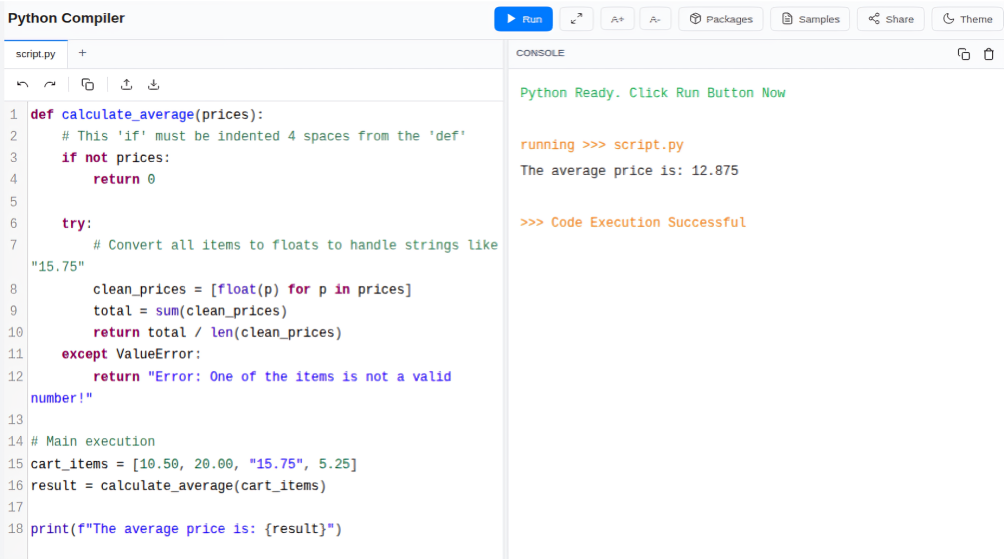
Copy and paste this exact block. I have ensured the indentation is perfect so you can see how to debug Python code by structuring it correctly.
def calculate_average(prices):
    # This 'if' must be indented 4 spaces from the 'def'
    if not prices:
        return 0

    try:
        # Convert all items to floats to handle strings like "15.75"
        clean_prices = [float(p) for p in prices]
        total = sum(clean_prices)
        return total / len(clean_prices)
    except ValueError:
        return "Error: One of the items is not a valid number!"

# Main execution
cart_items = [10.50, 20.00, "15.75", 5.25]
result = calculate_average(cart_items)
print(f"The average price is: {result}")
Result Output
While mastering debugging is a massive leap forward, truly "saving time" comes from writing robust, professional-grade code from the start. If you want to move beyond basic scripts and master industry-standard practices like Object-Oriented Programming (OOP), Regular Expressions, and advanced exception handling, you should enroll in the Master Python Programming Course.
In this course, you will learn the fundamentals of Python: from basic syntax to mastering data structures, loops, and functions. You will also explore OOP concepts and objects to build robust programs.
This premium program offers 11.5 hours of self-paced video content, 51 coding exercises, and 3 hands-on projects (like building a Virtual Banking System) to ensure you don't just fix bugs, you build software that scales.
Essential Tools to Debug Python Code
While print() is common, modern Python development in 2026 offers more professional alternatives to debug Python code.
Integrated Development Environments (IDEs)
Modern IDEs like VS Code and PyCharm provide visual interfaces.
- Breakpoints: Click next to a line number to pause execution.
- Watch Window: Track specific variables as you "Step Over" lines of code.
Logging Over Printing
For professional applications, use the logging module. Unlike print(), logs can be saved to files and categorized by severity (DEBUG, INFO, ERROR), which is vital for finding bugs in production.
Static Analysis and Linters
Prevent bugs before they happen using tools like Ruff or Mypy. These tools scan your code for errors (like undefined variables) as you type, significantly reducing the time you spend learning how to debug Python code.
Summary Table: Debugging Tools Comparison
| Tool | Best Use Case | Benefit |
| print() | Very simple logic checks | No setup required. |
| pdb / breakpoint() | Inspecting live data in the terminal | Built into Python. |
| IDE Debugger | Complex projects / Web Apps | Visual and intuitive. |
| Logging | Long-term monitoring | Doesn't clutter the console. |
Conclusion
Mastering how to debug Python code effectively is the difference between a project taking three days or three hours. You save yourself the painful stress of having to repeat an error when, through a systematic method, you re-create the bug, scan the state with pdb or an IDE, and introduce defensive checks.
This is not about writing flawless code on the first attempt, but instead about developing the resiliency and the capability to write code that will fail, and then having the capability to fix it. Whenever you next encounter a red error message, consider the error message as a puzzle to be solved.