1000+ Courses for Free

Free Powerpoint Courses




University Programs
 UNIVERSITY




MIT IDSS
12 weeks • Online

Free Powerpoint Courses

 FREE




Learn PowerPoint for Free
These free PowerPoint courses provide a practical learning path for creating clear, polished, and professional presentations. Whether you are starting with presentation basics or improving the way you design and deliver slides, you will learn how to structure presentations, use Slide Master, add animations and SmartArt, work with charts and Excel data, and present ideas more effectively.
As you progress, you will build skills in slide design, layout planning, text and image integration, data visualization, transitions, custom templates, sharing options, and presentation delivery. You will also see how tools like ChatGPT and Google Gemini can support slide deck creation, while topics such as VBA, macros, and chart types help you work more efficiently. By the end of this free powerpoint courses online, you will be better prepared to create engaging presentations for business, academic, and professional use, with greater confidence and a stronger visual impact.
Skills You’ll Gain in These Best Free PowerPoint Courses
Basic to Advanced Design: Layout design, theme selection, custom template creation, and learning the Slide Master.
Data Visualization: Incorporating Excel charts, tables, and graphs.
Collaboration: Using shared, real-time editing and comments.
Visuals & Multimedia: Adding images, 3D models, audio, video, charts, and SmartArt.
- Animation & Transition: Creating engaging motion graphics and fluid slide transitions.








Frequently Asked Questions
What do these free PowerPoint courses cover?
These free PowerPoint courses cover presentation creation, slide design, Slide Master, animations, SmartArt, chart usage, Excel data integration, presentation delivery, VBA-based slide deck creation, macros, and AI-assisted presentation workflows.
Are these free PowerPoint courses online suitable for beginners?
Yes. These courses are beginner-level, and the course content starts with basics such as presentation types, the PowerPoint interface, slide creation, and core design elements before moving on to VBA, macros, and AI-supported workflows.
How long does it take to complete these PowerPoint courses?
These free PowerPoint courses offered by Great Learning Academy contain self-paced videos allowing learners to learn necessary PowerPoint skills at their convenience.
Why do learners choose these as some of the best free PowerPoint courses?
Learners get a focused learning path that combines core PowerPoint skills with practical topics such as Excel charts, design principles, transitions, custom templates, and AI-assisted slide creation.
Will I have lifetime access to these PowerPoint courses with certificates?
Yes. You will have lifelong access to these free PowerPoint courses Great Learning Academy offers.
What specific presentation skills will I build through these free PowerPoint training courses?
You will build skills in creating presentations, planning slide layouts, using Slide Master, adding animations, working with SmartArt, integrating text and images, improving data visualization, using charts, and delivering messages more effectively. You will also strengthen audience engagement and presentation structuring skills.
What modules or topics are included across the overall learning path?
Across the overall collection, the modules cover PowerPoint basics, presentation types, interface overview, key elements of a presentation, slide design, multimedia and effects, collaboration tools, ChatGPT-assisted slide creation, Google Gemini-assisted content generation, and VBA-based automation for slide decks. These modules help learners move from basic presentation-building to faster, more structured workflows.
Will I learn how to create more polished and engaging slides?
Yes. The course set teaches slide design principles, Slide Master, SmartArt, animation, transitions, and message delivery. Those topics help you create slides that look cleaner, communicate ideas more effectively, and hold the audience's attention.
Will these best online PowerPoint courses teach charts and Excel integration?
Yes. The overall learning path includes working with Excel data and charts, using live charts, chart types, and data visualization. This is useful for learners who build business, academic, or reporting presentations that need data-backed slides.
Will I get certificates after completing these free PowerPoint courses?
PowerPoint courses are free. A certificate is available for a nominal fee upon successful completion of the course
What knowledge and skills will I gain upon completing these free PowerPoint courses?
Through these free PowerPoint courses, you will gain essential PowerPoint features and techniques that help make your presentation more engaging.
Do these free PowerPoint courses include VBA and macros?
Yes. The collection includes VBA code for slide deck creation, PowerPoint macros, and AI-supported workflows that use generated VBA to speed up slide creation and formatting. This helps learners save time on repetitive presentation tasks.
How do AI tools fit into these PowerPoint presentation courses online free?
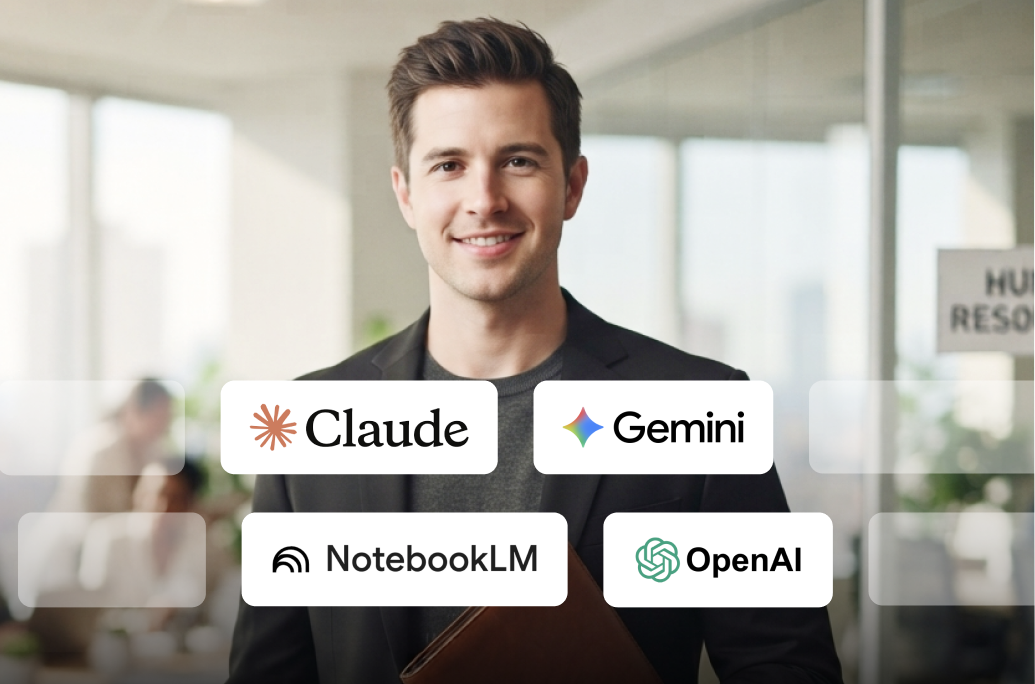
The overall collection includes AI-focused courses built around ChatGPT and Google Gemini for Microsoft PowerPoint. These courses show how AI helps generate slide content, organize ideas, structure presentation flow, create headings and bullet points, and support VBA-based automation.
How much do these PowerPoint courses cost?
These PowerPoint courses are provided by Great Learning Academy for free, allowing any learner to learn PowerPoint and gain crucial skills for free.
Who are eligible to take these free PowerPoint courses?
Learners, from freshers to working professionals who wish to gain essential PowerPoint skills, can enroll in these free PowerPoint courses and earn certificates of course completion.
What will I learn from the AI-assisted presentation workflow in these best PowerPoint presentation courses?
You will learn presentation design principles, text and image integration, content generation, slide layouts, export and sharing options, custom templates, and ways to structure presentations for informative, persuasive, or instructional goals. You will also learn how AI helps speed up planning and slide drafting while improving clarity and flow.
What are the steps to enroll in these free PowerPoint courses?
Choose the free PowerPoint courses you are looking for and click on the "Enroll Now" button to start your PowerPoint learning journey.
Will I learn presentation types and how to match slides to the audience?
Yes. The learning path includes presentation types, key presentation elements, and audience engagement strategies. This helps learners choose the right structure and tone for informational, persuasive, educational, or professional presentations.
Why take PowerPoint courses from Great Learning Academy?
Great Learning Academy is the farsighted initiative by Great Learning, the leading e-Learning platform, to offer free industry-relevant courses. Free PowerPoint courses contain courses ranging from beginner-level to advanced-level to help learners choose the best fit for them.
Do I need any prior experience to start these free PowerPoint training courses?
No prior knowledge is required. The individual course pages for PowerPoint for Beginners, Microsoft PowerPoint Tutorial, and ChatGPT for Microsoft PowerPoint state that learners do not need prior knowledge before enrolling.
Are these free PowerPoint courses self-paced, and will I retain access later?
Yes. The individual course pages state that the courses are self-paced, and the free course pages say learners retain access after enrollment to revisit the material later. This works well for learners who want flexible learning schedules.
How will these best free PowerPoint courses help me in work, school, or client presentations?
These courses help you create clearer slides, present data more effectively, improve storytelling and message delivery, and reduce manual slide-building work through templates, VBA, and AI-assisted workflows. That makes the learning path useful for business presentations, academic work, reporting, training, and client-facing communication.
What knowledge and skills will I gain upon completing these free PowerPoint courses?
Through these free PowerPoint courses, you will gain essential PowerPoint features and techniques that help make your presentation more engaging.
Media spotlight and awards
-
Wharton Online Kickstarts the First Cohort for Its 12-Week Advanced Digital Marketing and Growth Strategies Program in Collaboration With Great Learning
Read Article
-
3 ways women can reach the C-suite even though research shows the odds are against them
Read Article
-
Helping High School Students Develop Real-Life Tech Skills
Read Article
-
How this leader is morphing education to meet the needs of today’s economy
Read Article
-
How Upskilling Can Help You Advance in Your Career
Read Article
-
OPINION: Companies will be more likely to retain top talent by investing in employees’ professional growth and development
Read Article
-
Learning opportunities will cultivate a talented, motivated workforce
Read Article
-
Great Learning Collaborates with Wharton Online to Expand Access to Premier Business Courses
Read Article
-
The Great Resignation & The Future Of Work: Mohan Lakhamraju Of Great Learning On How Employers and Employees Are Reworking Work Together
Read Article
-
Hispanic Heritage Month: Great Learning celebrates the inspiring stories of resilience and courage of its Hispanic American Learners
Read Article