Free PLC Programming Course
PLC Programming for Industrial Automation
Learn how a controller reads an input and changes an output in this free PLC programming course. Enroll to follow ladder logic, understand timing decisions, and trace a control problem before considering changes to a machine.





About this course
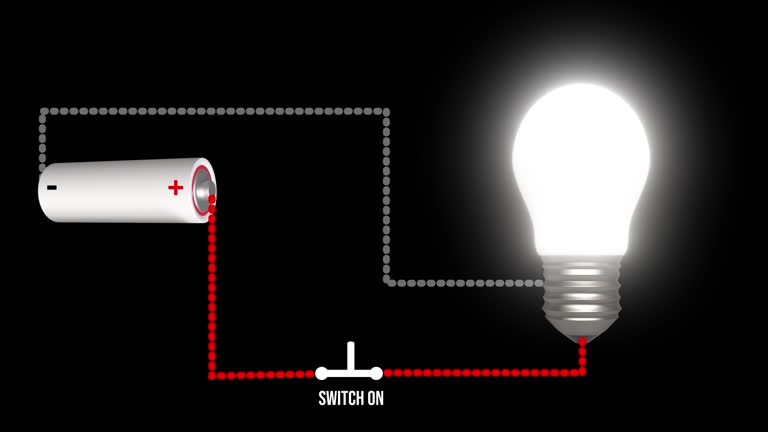
The free PLC programming course follows a simple control question: what should an output do when an input changes? You learn how the PLC scan cycle handles that decision, then read ladder logic using contacts, coils, and branches. Timers and counters extend the same reasoning to events that depend on a delay or a repeated action.
Industrial automation lessons also introduce analog signals, structured text, and connections between a PLC and an HMI. The curriculum references Studio 5000 and Ethernet/IP, without promising software access or hardware. Safety topics include NFPA 70E awareness and lockout/tagout in US industrial settings, so troubleshooting is considered alongside limits on safe work. Basic electrical knowledge is expected. You gain a foundation for further supervised practice, not authorization to modify energized equipment or safety controls.
Course outline
Foundations of PLCs & Industrial Control Systems
In this module, you’ll learn what a PLC is, how the scan cycle works, common PLC types and brands, memory and addressing, and getting started with Studio 5000.
PLC Hardware, I/O Systems & Wiring
In this module, you’ll learn PLC hardware parts, digital and analog I/O modules, wiring field devices, sourcing versus sinking, reading schematics, panel grounding, mounting, and NFPA 70E safety.
Ladder Logic Programming Fundamentals
In this module, you’ll learn ladder logic symbols, contacts and coils, latching, start-stop-seal circuits, branching, internal bits, one-shots, clear commenting, online testing, and common mistakes to avoid.
Timers, Counters & Data Manipulation Instructions
In this module, you’ll learn on-delay and off-delay timers, counters, math, compare and move instructions, arrays, sequencers, designing multi-step processes, and debugging your timing and counting logic.
Function Block Diagrams & Structured Text Programming
In this module, you’ll learn function block diagrams, structured text syntax, conditions and loops, add-on instructions, state machines, choosing the right language, documenting code, and editing programs online.
Analog I/O, PID Control & Process Applications
In this module, you’ll learn analog scaling and inputs, closed-loop control, PID tuning, cascade and ratio control, alarms and interlocks, batch sequencing, drive control, and fixing analog problems.
HMI Integration & Industrial Communication Networks
In this module, you’ll learn to design HMI screens, link tags to a PLC, set up alarms and trends, use Ethernet/IP, connect SCADA, secure networks, and monitor remotely.
Troubleshooting, Safety & Advanced PLC System Design
In this module, you’ll learn a step-by-step troubleshooting method, diagnostic tools, lockout/tagout, safety PLCs, program backups, change management, preventive maintenance, scaling projects, career paths, and a capstone design.
Get access to the complete curriculum once you enroll in the course




Frequently Asked Questions
What electrical knowledge is expected before the PLC course?
How does the course explain the PLC scan cycle?
What ladder logic will I study in this free PLC programming course?
How are timers different from counters in PLC training?
Does the curriculum name PLC software or network tools?
Why are analog signals included after basic ladder logic?
Will I learn how an HMI communicates with a PLC?
How does structured text compare with ladder logic in the course?
What safety topics accompany industrial automation lessons?
What will I learn about troubleshooting a PLC system?




Recommended Free Engineering & Technical Trades courses
-
FREE
 2.5 hrs
 -
FREE
2.5 hrs
-
FREE
-
FREENEW
-
FREE
-
FREE
-
FREE
-
FREE
 FREE
FREE

.jpeg "Course thumbnail image")
.jpg "Course thumbnail image")