
ChatGPT for Excel Free Course

ChatGPT for Excel

Upgraded with GPT-5 Prompts
star 4.51  Beginner level 3.0 learning hrs 116.9K+ Learners

Learn the fundamentals of AI and ChatGPT, genrating excel functions, and automate tasks like financial analysis. Enroll in our free ChatGPT for Excel course to see how it simplifies pivot tables, functions, and dashboard creation.

Instructor:

Dr. Bala Balachandran
Key Highlights

Get free course content

Master in-demand skills & tools

Test your skills with quizzes

About this course

This free course on ChatGPT for Excel, now updated with GPT-5 prompts, will equip you with the skills to enhance your Excel capabilities using AI, making you more efficient and effective in your work. By the end of the course, you’ll be able to automate calculations, streamline tasks, and apply AI to various financial activities, such as budgeting, analysis, and forecasting. You’ll gain practical knowledge on how to use Excel functions with ChatGPT to save time and improve accuracy.


Throughout the course, you’ll also master Pivot Tables and Pivot Charts, learning how to summarize and analyze large datasets to support better decision-making quickly. Additionally, you’ll learn how to create interactive financial dashboards using ChatGPT, which provides valuable insights into your data. With these skills, you’ll be able to present financial information clearly and make more informed decisions.

By the end of the course, you’ll have a solid understanding of both Excel and ChatGPT, empowering you to automate tasks, improve data analysis, and enhance your financial decision-making, ultimately boosting your productivity and giving you a competitive edge in your career.


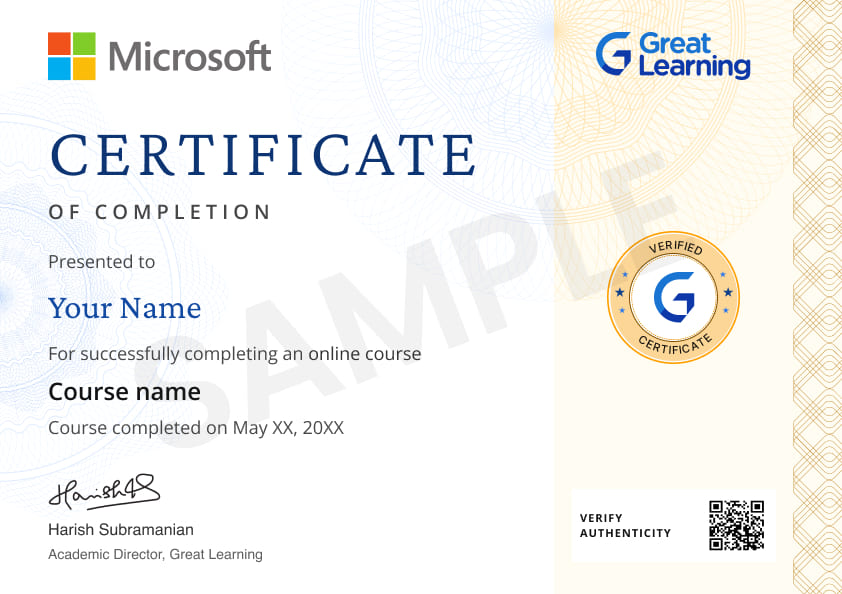
Stand out with an industry-recognized certificate

10,000+ certificates claimed, get yours today!

Get noticed by top recruiters

Share on professional channels

Globally recognised

Land your dream job

Certificate Image

Course outline

Introduction to AI and ChatGPT

This module provides an overview of Artificial Intelligence and introduces ChatGPT, an AI-powered language model developed by OpenAI, highlighting its capabilities and potential applications.

Generating Excel Functions using ChatGPT

This module explores how ChatGPT can be utilized to generate Excel functions, enabling users to automate tasks and perform complex calculations within Excel spreadsheets.

Using Excel for Accounting and Finance

In this module, you will learn the format of Balance Sheet and Income Statement, and of creating financial statements in Excel using ChatGPT. Also you will learn the current assets, fixed assets, long-term debt, current liabilities, incomes, and expenses.

Pivot Tables and Pivot Charts using ChatGPT

In this module, you will learn the concept of Pivot Tables, Pivot Charts, the importance of pivot charts and tables, financial ratios, analysis, and interpretations of financial statements.

Financial Report Dashboard Analysis using ChatGPT

In this module, you will learn to create dashboards using ChatGPT, the uses or importance of dashboards, steps to create dashboards, and yearly analysis of income statements and balance sheets.

Get access to the complete curriculum once you enroll in the course

This course is ideal for

  • Data analysts looking to speed up reporting.
  • Financial professionals wanting to automate spreadsheets.
  • Office administrators managing large datasets.
  • Business users seeking to improve Excel productivity.

ChatGPT for Excel

rating icon 4.51

3.0 Hours

Beginner

116.9K+ learners enrolled so far

Get free course content

Master in-demand skills & tools

Test your skills with quizzes

Earn certificates from world-renowned universities

Learn from top faculty with live mentorship and hands-on learning.

UNIVERSITY
Program course thumbnail image
partner logo

Johns Hopkins University

Applied Generative AI and Agentic AI

16 weeks · Online

Career support

for your dream job

Industry-ready curriculum

designed by faculty

Mentorship

from industry experts

Hands-on learning

with real-world scenarios

View Program

Level up with advanced skills & become job ready with Pro+

Subscribe to Pro+ today to build skills with 50+ Pro courses and prep for jobs with advanced AI tools.

PRO
Pro+ course thumbnail image
ChatGPT for Working Professionals
2 projects 12 hrs video content

Practice exercises

Guided Projects

AI Resume Builder

AI mock interviews

Start 7-Day Free Trial

Trusted by 10 Million+ Learners globally

Learner reviews of the Free Courses

4.51
72%
19%
6%
1%
2%
Reviewer Profile

5.0

India
“Mastering Excel with ChatGPT: A Game-Changer!”
I loved how ChatGPT streamlined complex Excel tasks like data analysis and formula creation, making it easier to work efficiently. The integration of AI into everyday Excel functions really boosted my workflow, allowing me to automate repetitive tasks and focus on data insights. The course was practical, engaging, and has changed the way I use Excel professionally.
Reviewer Profile

4.0

India
“Unlocking Excel’s Potential with ChatGPT: A Comprehensive Guide”
This course offers a fantastic blend of foundational Excel skills and advanced AI integration. The modules are well-structured, starting with Excel basics and progressively introducing how ChatGPT can automate complex tasks. The practical applications in finance, such as budgeting and financial analysis, are particularly valuable. The inclusion of pivot tables and dashboard creation using ChatGPT adds a dynamic element to data visualization and decision-making.
Reviewer Profile

5.0

India
“Learning Excel with ChatGPT: Interactive Guidance and Practical Examples”
Learning Excel with ChatGPT provides interactive guidance, instant feedback, and personalized assistance. It offers practical examples and step-by-step explanations for mastering Excel functions, formulas, and features. This dynamic learning approach helps users quickly understand concepts, troubleshoot issues, and apply knowledge effectively in real-world scenarios, enhancing their Excel proficiency.
Reviewer Profile

4.0

India
“ChatGPT for Excel Course: Highly Useful”
The ChatGPT for Excel course was insightful and well-structured, covering essential functions, formulas, and data analysis techniques. The practical exercises and real-world examples made learning more engaging and applicable. Highly recommended for anyone looking to enhance their Excel skills.
Reviewer Profile

5.0

India
“AI in Excel: Enhancing Data Analysis with ChatGPT”
AI in Excel leverages machine learning to enhance data analysis and decision-making. It offers features like automated data visualization, predictive analytics, and natural language processing to generate insights. These capabilities streamline tasks such as trend identification, anomaly detection, and forecasting, empowering users to make informed decisions with greater efficiency and accuracy.
Reviewer Profile

5.0

India
“ChatGPT: Your Excel Task Assistant”
ChatGPT can help with a vast array of Excel tasks—from simple calculations to building complex dashboards, automating tasks with macros, solving errors, and optimizing performance. Whether you’re a beginner or an advanced user, ChatGPT can guide you step-by-step to become more efficient and productive in Excel.
Reviewer Profile

5.0

India
“Optimizing the Use of MS Excel through ChatGPT”
I liked the detailed and steady explanation of each function and how it can be run through GPT. It is really helpful to everyone whose future job requires the use of an electronic device. This is such an important skill that I feel everyone must pursue.
Reviewer Profile

5.0

India
“Using ChatGPT for Excel: Enhance Productivity and Understanding”
Here are some ways you can leverage ChatGPT for Excel-related tasks: 1. Function Guidance: Ask for explanations of specific functions (e.g., SUM, VLOOKUP, INDEX, MATCH, etc.). Get examples of how to use functions in formulas. 2. Formula Troubleshooting: Describe a problem you’re facing with a formula, and get suggestions for fixes or alternatives. 3. Data Analysis Tips: Inquire about best practices for data analysis, such as using PivotTables, charts, or conditional formatting.
Reviewer Profile

5.0

India
“ChatGPT for Excel by Great Learning”
ChatGPT has proven to be a powerful tool for those working with Excel, offering a seamless way to get real-time help and guidance on a wide range of Excel functions.
Reviewer Profile

5.0

India
“Excel with ChatGPT: Easy Learning Experience”
The course was excellent, the teachers were wonderful, and it was very easy to learn. I enjoyed it throughout.

What our learners enjoyed the most

Our course instructor

instructor img

Dr. Bala Balachandran

Founder, Dean, and Professor

ChatGPT and Generative AI Expert

learner icon
121.8K+ Learners
video icon
2 Courses

Professor Balachandran's is a recipient of the fourth highest civilian award of the Government of India - the Padmashri, which he was awarded in 2001 in recognition of his contribution towards higher education in India. He has been voted among the top 10 Global Thought Leaders in a recent article published by the Economic Times. Prof. Bala serves several Indian ministries in the advisory capacity. He also serves on the International advisory Board of the UniRazak at KualaLumpur and renders consulting/advisory services to the top brass of the Malaysian Government. His teaching interests include Managerial Accounting, Auditing, Management Information Systems, and Mathematical Programming.

Frequently Asked Questions

Will I receive a certificate upon completing this free course?

Yes, upon successful completion of the course and payment of the certificate fee, you will receive a completion certificate that you can add to your resume.

Is this course free?

Yes, you may enroll in the course and access the course content for free. However, if you wish to obtain a certificate upon completion, a non-refundable fee is applicable.

Can ChatGPT write Excel formulas?

Yes. ChatGPT for Excel can generate and explain formulas such as SUM, AVERAGE, VLOOKUP, INDEX-MATCH, and IF statements.

This Excel with AI course covers:

  • Prompting ChatGPT to write and debug Excel formulas
  • Building pivot tables and pivot charts
  • Creating financial dashboards

The course is 3 hours long, self-paced, and co-developed with Microsoft.

How long is the Free ChatGPT for Excel Course?

The Excel with AI course is 3 hours long and self-paced. It has 5 modules:

  1. AI and ChatGPT basics
  2. Generating Excel functions with ChatGPT
  3. Excel for accounting and finance
  4. Pivot tables and pivot charts with ChatGPT
  5. Financial report dashboard analysis

What will I learn in the Free ChatGPT for Excel Course?

This ChatGPT for Excel course covers practical Excel automation using AI. Key outcomes include:

  • Writing Excel formulas (SUM, AVERAGE, IF, VLOOKUP)
  • Building pivot tables and pivot charts
  • Automating financial reporting
  • Analyzing accounting and finance data
  • Designing financial dashboards

Taught by Dr. Bala Balachandran across 5 modules.

Do I need to know Excel before taking the Free ChatGPT for Excel Course?

No prior Excel or ChatGPT experience is required. The Excel with AI course free begins with AI and ChatGPT basics and progresses to advanced Excel automation. Suitable for beginners as well as working professionals from accounting, finance, and operations roles.

Who is eligible to take this Free ChatGPT for Excel Course?

None. No prior knowledge of Excel, ChatGPT, or AI is required. This Excel with AI course free with certificate is designed for beginners and progresses step by step from basics to advanced automation.

Will I have lifetime access to the Free ChatGPT for Excel Course?

Yes. Once enrolled, you retain lifetime access to the ChatGPT for Excel course on Great Learning Academy. You can log in and resume learning at your own pace at any time.

Can ChatGPT be used in Excel for accounting and finance work?

Yes. Common accounting and finance use cases for ChatGPT for Excel include:

  • Variance analysis
  • P&L statement reviews
  • Budget vs actuals tracking
  • Ratio analysis
  • Automated reporting

Module 3 of the course covers these use cases with worked examples.

Is the certificate from the Free ChatGPT for Excel Course professionally recognized?

The certificate is a Great Learning completion certificate co-developed with Microsoft. It is not equivalent to a Microsoft Office Specialist (MOS) certification but is widely accepted as a learning credential on resumes and LinkedIn.

How much does the Free ChatGPT for Excel Course cost?

The ChatGPT for Excel course is 100% free to enroll and complete. A one-time non-refundable certificate fee applies only if you wish to claim the completion certificate. There are no subscriptions, upsells, or hidden charges.

Can I retake the Free ChatGPT for Excel Course?

Yes. There is no limit on retakes. With lifetime access, you can revisit the course content as many times as required. There is no time bar or restart fee.

Subscribe to Academy Pro+ & get exclusive features

$29/month

No credit card required

Learn from 40+ Pro courses

Access 500+ certificates for free

700+ Practice exercises & guided projects

Prep with AI mock interviews & resume builder

FREE
ChatGPT for Marketing
star   4.57 48.3K+ Learners
1 hr
FREE
Prompt Engineering for ChatGPT
star   4.58 229.4K+ Learners
2 hrs
FREE
ChatGPT for Shopping Intelligence
377 Learners
1 hr
FREE
Build Python app using ChatGPT
star   4.43 8.1K+ Learners
0.5 hr

Similar courses you might like

FREE
ChatGPT for Customer Support
star   4.64 6.1K+ Learners
1.5 hrs
FREE
Getting Started with Gemini (Bard)
star   4.51 36.8K+ Learners
2 hrs
FREE
ChatGPT for NLP
star   4.51 6.4K+ Learners
0.5 hr
FREE
Asana Project Management
star   4.64 10.5K+ Learners
1 hr
Enroll For Free