
Front End Development Free Course
Front End Development - HTML
 4.51
Beginner level
3.0 learning hrs
Learn how HTML structures web pages and gain the hands-on practical skills. Enroll in this free frontend development course and build a strong foundation in front-end development.
Instructor:
Mr. Faizan Parvez






About this course
This Front end development free course introduces you to the foundation of web development. You will begin with the basics, including HTML features, recommended editors, comments, and structure. As you move forward, you will learn about key elements, attributes, table tags, and form tags, all explained with clear examples to help you build functional and well-structured web pages. The course strengthens your problem-solving skills and prepares you for advanced front-end technologies like CSS and JavaScript.
Looking for a trusted source for learning advanced software concepts and skills? Great Learning offers the Best Software Development Courses. Enroll in the paid PG program that best suits you and gain industrial required skills and a certificate of course completion.
Course outline
HTML Attributes
Attributes help you control the behavior of the HTML tag. This module aims to help you know about HTML attributes, and you will understand its role and go through global attributes. Appropriate code examples are demonstrated to help you understand attributes better.
What is HTML?
In this module, you will be introduced to the HyperText Markup Language (HTML) and discuss the extension used to save the HTML files.
HTML Features
This module explains the HTML features that makes HTML the main building block of any website with its features such as videos, audios, and graphics.
HTML Editors
This module shares information on different types of editors that can be used for writing HTML, like Notepad, Notepad++, Atom, and Sublime Text.
HTML Comments
In this module, you will learn how to write comments in HTML. You will also go through the three ways of adding comments with the help of code examples.
HTML Elements
This module helps you learn about HTML elements and their usage. The basic HTML structure and the usage of its elements are illustrated with appropriate code examples.
Types of Elements
This module focuses on the types of HTML elements - Block level and Inline. The block-level concept is explained in-depth with appropriate code demonstration for better understanding.
Basic Tags
Tags define the basic structure of a web page this module discusses on basic HTML tags such as<title>, <p>,<strong>, <em>, <ol>, <ul>,<li>,<div>,<span>, <a>, and self closing tags like <hr>, <br>, <img> all of which are explained in detail with the help of the coding examples.
HTML Skeleton
This module will assist you in becoming acquainted with the skeleton of the HTML document. That is nothing but you will get to comprehend all the tags involved in writing and their significance.
Table Tag
Table is used to arrange data in the form of rows and columns. This module focuses on the HTML table tag for creating an HTML table. The process of creating a table and the essential tags used are demonstrated with code examples.
Form Tag
Form is used to take user inputs. This module focuses on the various input elements and their attributes used to create a form. The same is illustrated with coding example.
Introduction to HTML5
In this module, you will use HTML5 Tags, Form Elements and Media Tags that will help improve interactivity and multimedia experiences effectively over the webpage.
Get access to the complete curriculum once you enroll in the course
 4.51
Level up with advanced skills & become job ready with Pro+
Subscribe to Pro+ today to build skills with 50+ Pro courses and prep for jobs with advanced AI tools.
 PRO


Practice exercises
Guided Projects
AI Resume Builder
AI mock interviews









What our learners enjoyed the most
Skill & tools
62% of learners found all the desired skills & tools
Our course instructor

Mr. Faizan Parvez
IT & Software Expert


Frequently Asked Questions
Will I receive a certificate upon completing this free course?
Is this course free?
Is front-end development easy?
Front-end development can be challenging, but it varies from person to person. It's often considered more accessible than back-end development due to its focus on user interfaces.
What are the skills required for a front-end developer?
Key skills for a front-end developer include proficiency in HTML, CSS, JavaScript, responsive design, and knowledge of front-end libraries and frameworks.
How do I start front-end development?
Begin by learning HTML, CSS, and JavaScript. Practice building websites and explore front-end frameworks like React or Angular to deepen your skills.
Is frontend easier than backend?
Front-end is generally considered easier to get started with compared to the complex server-side logic of back-end development.
Who earns more, front-end or backend developers?
Salaries can vary, but full-stack developers (who know both front-end and back-end) often command higher pay due to their broader skill set.
Is the Front-End Development with HTML course a certification course?
Is front-end coding hard?
Front-end coding can be challenging, but it becomes easier with practice and continuous learning.
What is the future of front-end development?
The future of front-end development looks promising, with increasing demand for responsive web and mobile app design.
Will AI replace front-end developers?
While AI can automate certain tasks, front-end developers will continue to play a crucial role in creating user-friendly interfaces and experiences.
Is front-end still in demand?
There are many talented front-end developers, and the "best" depends on specific criteria and project requirements. It's a diverse field with many experts.
Will I have lifetime access to the free course?
There are no restrictions on the time limit on any of Great Learning's free courses. Thus, you can plan your schedule according to your convenience and complete this free front-end development course.
Is it worth learning HTML?
HTML can be considered the foundation for developing web pages. To start your Front End Development journey, you must know HTML well. Hence, this free front-end web development course is the initial step for your long run in software skills.
What is HTML used for?
HTML is a markup language for describing web pages. It is used to create structured documents on the World Wide Web. It was initially designed as an easy way for web developers to share hypertext with other people on the Internet. HTML tags are used in order to add formatting, images, and links to a webpage.
Will I get a certificate after completing this course?
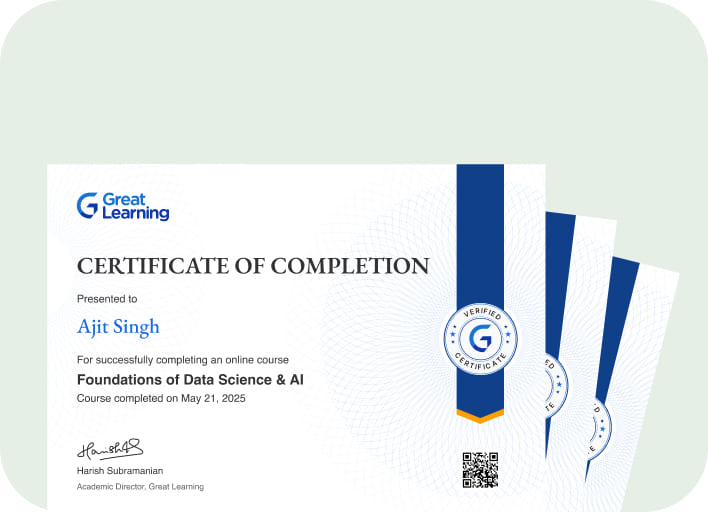
Yes, Great Learning Academy will award you the free course completion certificate in Front End Development-HTML after you successfully complete all the mentioned modules and a quiz.
Can I sign up for multiple courses from Great Learning Academy at the same time?
Yes, Great Learning Academy is full of knowledgeable resources, and you can jump into as many courses that help you upskill.
What are the steps to enroll in this course?
You can follow as suggested below:
- Visit Great Learning Academy to find the free front-end development course you are interested in.
- Search your preferred course through the search bar.
- Once you have the course with you, enroll in it through the "ENROLL NOW" button and start learning

Recommended Free Front End Development courses
-
FREE

-
FREE
-
FREE
-
FREE
-
FREE
-
FREE
-
FREE
-
FREE
 FREE


Similar courses you might like
-
FREE
-
FREE
-
FREE
-
FREE
.jpg "Course thumbnail image")

Related IT & Software Courses

-
McCombs School of Business at The University of Texas at Austin
Post Graduate Program in Cyber Security20 weeks · Online
Know More