Free Course on Front-End Development Using CSS

Front End Development - CSS

star 4.51  Beginner level 2.25 learning hrs 199.1K+ Learners

Initiate your learning journey and boost your career in Software Development. This free CSS Front End Development course aims at familiarizing you with the essentials to help you begin developing the front end of an application.

Instructor:

Mr. Faizan Parvez
Key Highlights

course content icon

Get free course content

handyman icon

Master in-demand skills & tools

quiz icon

Test your skills with quizzes

About this course

This course will introduce you to Front End Development with CSS, along with a few demonstrated samples. You will learn to design a website using CSS editors, selectors, comments, and syntax of CSS as you follow the first half of the course. The second part engages you by helping you understand inline, internal, and external CSS, along with demonstrating how to use attributes such as color, background, border, and box models. The course also comprehends the history of CSS to add additional knowledge on the subject. You can refer to the attached study materials anytime after enrolling. You will have to take up the assessment at the end of the course to test your skills and evaluate your gains to avail the certificate. 

Upon completing this free, self-paced, beginner’s course, you can embark on your IT career by enrolling in top-rated Software Development courses and learning various concepts in depth with millions of aspirants worldwide!

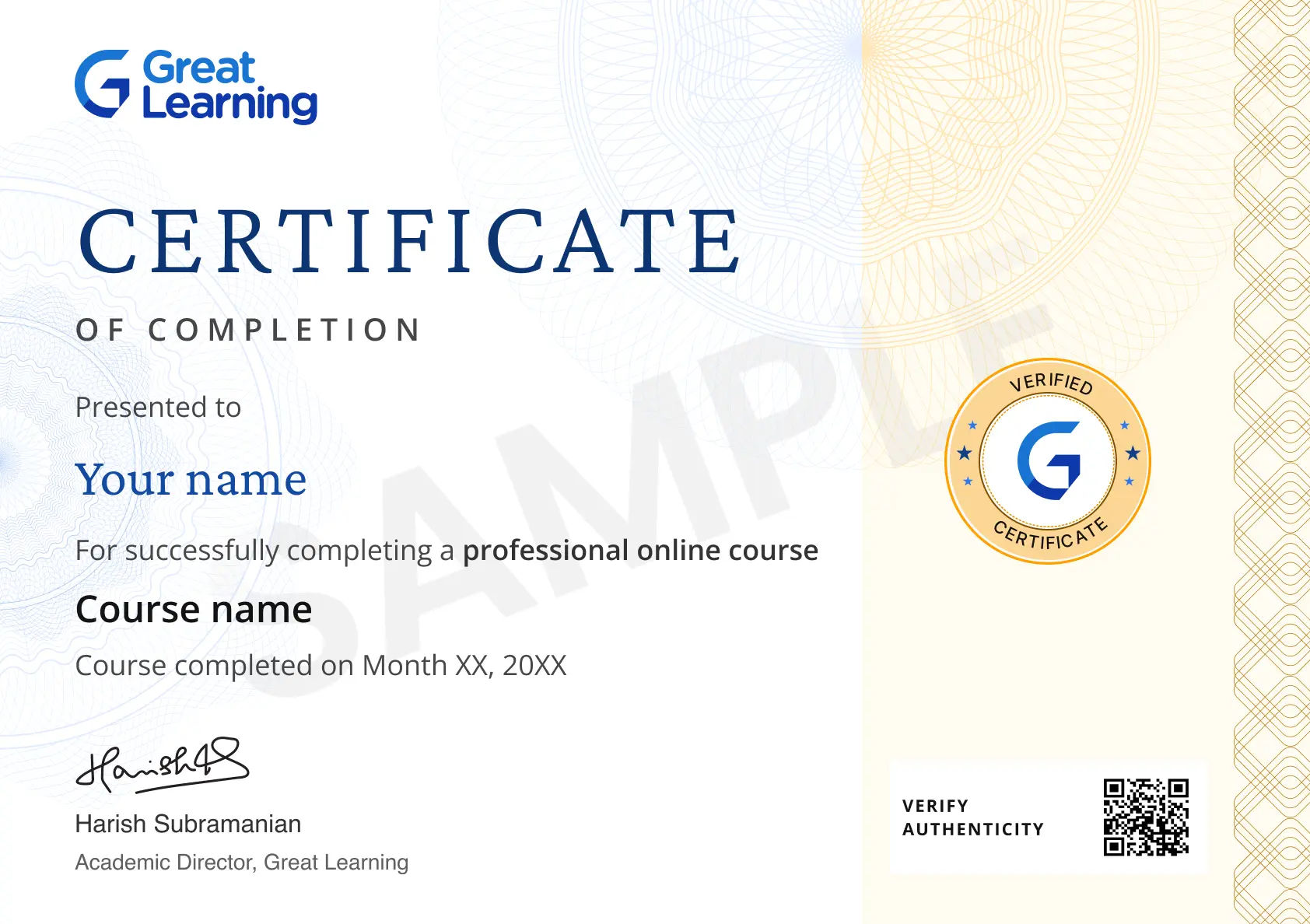
Stand out with an industry-recognized certificate

local_fire_department

10,000+ certificates claimed, get yours today!

blue-tick

Get noticed by top recruiters

blue-tick

Share on professional channels

blue-tick

Globally recognised

blue-tick

Land your dream job

Certificate Image

Course outline

What is CSS?

This section answers what Cascading Style Sheets are. It also says how HTML is associated with CSS and how JavaScript codes are imbibed in CSS snippets. 

History of CSS

This section gives insights into what was used before CSS was explicitly released as a tool and also includes history of how it was developed. 

CSS Editors

This section includes a brief on several CSS editors, like Atom, Brackets, Espresso, Notepad++, Komodo Edit, and Sublime Text, which you can use to style your HTML codes in CSS. You can choose from the pool after learning which tool is best suited for what purpose. 

Basic Structure of CSS

This section helps you understand the basic structure of CSS. It includes the syntax to define selectors, attributes, and values to make the code well designed. 

Comments in CSS

Comments are not the display part on the website or the webpage but make the critical part of codes. It helps understand what and why the particular chunk of code is written for. You will understand briefly about comments in this section. 

Inline CSS

This section introduces you to every styling that was dependent on inline CSS previously. It demonstrates how inline CSS is applied and also speaks about its advantages and disadvantages with examples.

Internal CSS

This section helps you eliminate the redundancy in the code using internal CSS and explains how the styling is still not organized with demonstrated examples.

External CSS

This section will brief you on external CSS and explains how it eliminates the limitations that are otherwise encountered in inline and internal CSS.it also illustrates the features and functionalities of styling with a demonstrated example. 

CSS Selectors

This section briefly talks about different selectors such as element selectors, ID selectors, and class selectors, and the priority between them. Further, you will also understand a few advanced selectors such as Universal selector and Descendant Combinator selector.  

CSS Color

This section gives you insights into the different color schema used in CSS and explains two commonly used techniques with sample code chunks. It also discusses how it impacts the style of the webpage when used for a particular value. 

CSS Background

Background attributes can manipulate HTML elements such as color, repeat, image, attachment, and position. This module includes the description of where all the background attributes can reflect to add to the visuals of the webpage. 

CSS Border

This section demonstrates how the border attribute sets margins to the HTML elements and describes the width, style, color, and radius properties used to set CSS borders with code snippets. 

CSS Box Model

This module demonstrates an example of how to manipulate the HTML elements using a box model. Later, it speaks about content, padding, margin, and border edge, and also explains the basic structure to define each of these elements. 

Get access to the complete curriculum once you enroll in the course

Front End Development - CSS

rating icon 4.51

2.25 Hours

Beginner

user icon

199.1K+ learners enrolled so far

blue-tick

Get free course content

blue-tick

Master in-demand skills & tools

blue-tick

Test your skills with quizzes

Level up with advanced skills & become job ready with Pro+

Subscribe to Pro+ today to build skills with 50+ Pro courses and prep for jobs with advanced AI tools.

img icon PRO
Front End Web Development Essentials
1 project 10.5 hrs video content
green-tick

Practice exercises

green-tick

Guided Projects

green-tick

AI Resume Builder

green-tick

AI mock interviews

Start 7-Day Free Trial

Trusted by 10 Million+ Learners globally

Learner reviews of the Free Courses

4.51
67%
24%
6%
1%
2%
Reviewer Profile

4.0

“The Way My Instructor Binds to the Course”
I wanted to take a moment to express my sincere gratitude for the guidance and support you've provided throughout the course. Your passion for the subject and dedication to teaching made a significant impact on my learning experience. The clarity with which you explained complex concepts, coupled with your willingness to answer questions and offer additional help, truly set you apart as an exceptional instructor. I feel much more confident in my understanding, and that's largely thanks to your encouragement and expertise. Thank you for going above and beyond to ensure our success.
Reviewer Profile
Hajra Munir

5.0

“Comprehensive and Engaging Learning Material”
I really appreciated the structured approach of the course, which made complex topics easy to follow. The curriculum was well-designed, with a great balance between theory and practical application. The quizzes and assignments were particularly helpful in reinforcing the material, and the instructor's explanations were clear and engaging. Overall, it provided me with valuable skills that I can immediately apply in real-world scenarios.
Reviewer Profile

5.0

Country Flag India
“Learning CSS Transformed My Web Design Skills”
Learning CSS empowered me to create stunning, responsive designs. I mastered layout techniques like Flexbox and Grid, enhancing my ability to style elements effectively and elevate user experiences across different devices.
Reviewer Profile
Owais Zakir

5.0

“Engaging and Comprehensive Learning Experience”
I had a fantastic experience with this course. The material was detailed and easy to understand, and the instructors were very supportive throughout the learning process. The quizzes and assignments were challenging and helped solidify my understanding of the concepts. I'm grateful for this opportunity to enhance my skills and knowledge. Highly recommend this course to anyone looking to advance their expertise.
Reviewer Profile

5.0

“Learning CSS at Great Learning Involved Mastering Responsive Design, Advanced Styling Techniques, Practical Projects, and Best Practices for Writing Clean, Efficient Code, Enhancing Web Development Skills Comprehensively”
Learning CSS at Great Learning was a comprehensive experience, covering the essentials of web styling. Key highlights included mastering responsive design with media queries, flexbox, and grid, exploring advanced techniques like animations, and engaging in hands-on projects. The course emphasized best practices for writing clean, modular, and maintainable CSS code.
Reviewer Profile

5.0

“Highlight of My Entire Learning Experience”
I found the interactive elements of the learning experience particularly engaging. The hands-on exercises and real-time feedback helped reinforce my understanding of the material. Additionally, the clear and concise explanations made complex concepts more accessible. The variety of resources provided, from video tutorials to interactive quizzes, greatly enhanced my learning process. Overall, the combination of practical application and supportive materials made the experience both enjoyable and effective.
Reviewer Profile

5.0

Country Flag India
“Good Teaching and Very Interesting Topic”
1. General Overview Clarity: The CSS is well-organized and easy to follow. Classes and IDs are named clearly, which aids in readability and maintenance. Purpose: The CSS effectively achieves the intended design and layout goals. 2. Structure and Organization Selectors: Good use of classes and IDs. Consider whether you can reduce specificity to avoid overly complex selectors. Grouping: Group related CSS rules together (e.g., layout styles, typography, colors) for better organization. Consistency: Consistent use of indentation and spacing improves readability. Ensure that all styles follow the same format. 3. Code Efficiency Redundancy: Check for redundant or duplicated styles. Consolidate similar styles to reduce file size and improve performance. Shorthand Properties: Use shorthand properties where applicable (e.g., margin: 10px 15px; instead of margin-top: 10px; margin-right: 15px;). 4. CSS Best Practices Comments: Adding comments to explain complex sections or important design decisions can be helpful. Vendor Prefixes: Ensure vendor prefixes are included for properties that require them for cross-browser compatibility. Responsiveness: Verify that media queries are used to ensure responsiveness across different devices and screen sizes. 5. Performance Considerations Minification: Consider minifying the CSS for production environments to improve load times. Caching: Utilize caching strategies to enhance performance, especially for large CSS files. 6. Accessibility Focus States: Ensure that focus states are clearly defined for interactive elements to enhance keyboard navigation. Contrast: Verify that text and background color combinations meet accessibility standards for contrast. 7. Specific Feedback Selectors: For example, #header .nav-item could be simplified to .nav-item if #header is not adding specificity. Properties: Review the use of position: absolute;—make sure it’s necessary and not creating layout issues. Units: Ensure consistent use of units (e.g., pixels vs. ems) and adjust as needed for responsiveness. 8. Suggestions for Improvement Refactoring: Consider refactoring to improve maintainability. For example, you might extract common styles into a shared class. Tools: Utilize tools like CSS linters (e.g., Stylelint) to enforce coding standards and catch potential issues.
Reviewer Profile

5.0

“Mastering CSS: Essential Concepts for Modern Web Design”
CSS (Cascading Style Sheets) is a powerful tool for styling HTML elements, controlling the appearance of websites with properties like color, font, and layout. It uses selectors such as element, class, and ID to target specific elements. The box model defines the space around elements, consisting of content, padding, border, and margin. CSS includes layout systems like Flexbox for one-dimensional layouts and Grid for two-dimensional designs, making it easier to create responsive designs. Media queries allow styles to adapt to different screen sizes, while positioning properties like static, relative, and absolute control element placement. CSS also supports transitions and animations for smooth visual effects, and CSS variables enable reusable styles. Pseudo-classes like :hover and pseudo-elements like ::before allow advanced styling based on user interaction or element parts. Frameworks like Bootstrap and Tailwind provide pre-built styles for rapid development.
Reviewer Profile

5.0

Country Flag India
“One of the Highlights of Learning Front-End Development with CSS Is Realizing the Power It Holds in Transforming Raw HTML into Visually Appealing and Interactive Websites”
My learning experience with CSS in front-end development has been transformative. Understanding the box model clarified element interactions, while mastering media queries enabled responsive designs that adapt to various screen sizes. Learning Flexbox and CSS Grid simplified complex layouts, and exploring animations added interactivity to my projects. Gaining insights into color theory and typography enhanced my visual design skills.
Reviewer Profile

5.0

Country Flag India
“Comprehensive and Beginner-Friendly CSS Course”
I really appreciated the clear explanations and hands-on approach in this CSS course. Each topic was broken down into manageable sections, making it easy to understand fundamental concepts like selectors, layout, and responsive design. The quizzes and exercises helped reinforce the material, allowing me to build confidence in applying CSS on my own projects. I feel much more comfortable working with CSS now and would highly recommend this course to anyone interested in front-end development.

What our learners enjoyed the most

Our course instructor

instructor img

Mr. Faizan Parvez

IT & Software Expert

learner icon
2M+ Learners
video icon
84 Courses
Faizan has been working as an Instructor of Data Structure and Algorithm for the last 1 year. He has expertise in languages such as Java , JavaScript etc. He is a Subject Matter Expert in the field Computer Science and a competitive programmer. He has been working in the technical content development and is a Research Analyst .

Frequently Asked Questions

Will I receive a certificate upon completing this free course?

Yes, upon successful completion of the course and payment of the certificate fee, you will receive a completion certificate that you can add to your resume.

Is this course free?

Yes, you may enroll in the course and access the course content for free. However, if you wish to obtain a certificate upon completion, a non-refundable fee is applicable.

What are the prerequisites required to learn this Front End Development - CSS course?

You only need to have knowledge of computer science to learn this course. But if you are not already good at HTML, then we recommend you do a little homework to understand the concepts of HTML and handling files to learn frontend development faster and to understand the development of the skeleton of any webpage. 

Will I have lifetime access to the free course?

Yes, once you enroll in the course, you will have lifetime access to any of the Great Learning Academy’s free courses. You can log in and learn whenever you want to. 

What are my next learning options after this Front End Development - CSS course?

Once you complete this free course, you can learn JavaScript or opt for the professional Full-Stack Development course that will help advance your career growth in this leading field.

Is it worth learning CSS Front End Development?

Yes, CSS Front End Development is worth learning. In today's business world, companies are inclined to make their product look exuberant to save money spent on other marketing techniques.

Consequently, there is a growing demand for Front End Developers in the market since user credibility is more important for the success of any business. Therefore, Front End Development is a very powerful field, and the demand for CSS will only escalate shortly.

What is Front End Development used for?

The term "Front End Development" refers to developing user interactive web pages using HTML, CSS, and JavaScript, like scripting and styling languages. It showcases a few details on the company, a product, a service, or just any content over the internet in the user's credible form. It is also responsible for increasing the demand and engaging the customers or readers to drive the motive. 

Why is CSS for Front End Development so popular?

CSS in Front-end development deals with developing attractive, user-friendly, simple, and engaging interfaces for any website. The user does not want to know the complexity of either the database or wants to read the code to understand what they are looking for. So, front-end developers make it easier for users to use the application. 

Will I get a certificate after completing this Front End Development - CSS free course?

Yes, you will get a certificate of completion for Front End Development - CSS after completing all the modules and cracking the quiz/assessment. The quiz/assessment tests your knowledge of the subject and badges your skills. 

What knowledge and skills will I gain upon completing this course?

You will gain the foundational knowledge of CSS Front End Development through this course, where you will get familiar with structuring several tools and techniques used to develop a frontend application and understand the functions, elements, and attributes that are used to develop a user-friendly interface. 

How much does this Front End Development - CSS course cost?

It is a completely free course from Great Learning Academy. Anyone interested in learning Frontend Development with CSS and understanding the basics can get started with this course.

Is there any limit on how many times I can take this free course?

Once you enroll in the CSS Frontend Development course, you have lifetime access to it. So, you can log in anytime and learn it at your leisure. 

Can I sign up for multiple courses from Great Learning Academy at the same time?

Yes, you can enroll in as many courses as you want from Great Learning Academy. There is no limit to the number of courses you can enroll in at once, but since the courses offered by Great Learning Academy are free, we suggest you learn one by one to get the best out of the subject. 

Why choose Great Learning Academy for this free Front End Development - CSS course?

Great Learning is a global educational technology platform committed to developing skilled professionals. Great Learning Academy is a Great Learning project that provides free online courses to assist people in succeeding in their careers. Great Learning Academy's free online courses with certificates have helped over 4 million students from 140 countries. It's a one-stop destination for all of a student's needs.

This course is not only free and self-paced, but it also includes solved problems, demonstrated codes, and presented examples to help you comprehend the numerous areas that fall under the subject. The course is conducted by topic experts and carefully tailored to cater to beginners and professionals.

Who is eligible to take this course?

 Anybody with basic knowledge of computer science and interested in learning frontend development with CSS and understanding its basics can take up the course. You only need to know the basics of HTML to learn this course, so enroll today and learn it for free online.

What are the steps to enroll in this Front End Development - CSS course?

To enroll in this course, you'll need to complete a few steps: 

1. Click on the “ENROLL FOR FREE” button at the top of the page.
2. Create an account by filling out the necessary information.
3. Once you're enrolled, you'll have access to all of the course materials and can begin learning!

 

Subscribe to Academy Pro+ & get exclusive features

$29/month

No credit card required

pro banner image

Learn from 40+ Pro courses

pro banner image

Access 500+ certificates for free

pro banner image

700+ Practice exercises & guided projects

pro banner image

Prep with AI mock interviews & resume builder

img icon FREE
CSS Properties
star   4.46 27.1K+ learners
1.5 hrs
img icon FREE
JQuery Tutorial
star   4.42 13.3K+ learners
1 hr

Similar courses you might like

img icon FREE
CSS Properties
star   4.46 27.1K+ learners
1.5 hrs
img icon FREE
CSS Tutorial
star   4.51 48.2K+ learners
2 hrs
img icon FREE
Ecommerce Website with HTML & CSS
star   4.53 29.7K+ learners
3 hrs
img icon FREE
Become Full Stack Developer
star   4.28 105K+ learners
1 hr

Related IT & Software Courses

50% Average salary hike
Explore degree and certificate programs from world-class universities that take your career forward.
Personalized Recommendations
checkmark icon
Placement assistance
checkmark icon
Personalized mentorship
checkmark icon
Detailed curriculum
checkmark icon
Learn from world-class faculties
  • Personalized Recommendations

    Placement assistance

    Personalized mentorship

    Detailed curriculum

    Learn from world-class faculties

    50% Average salary hike
  • Know More

Enroll For Free