
Free Data Visualization Power BI Course

Data Visualization With Power BI

star 4.52  Beginner level 3.0 learning hrs 395.1K+ Learners

Learn Power BI Desktop, data import, data preparation, modeling, hierarchies, calculations, dashboards, and visual reports. Enroll in this free Power BI course to turn raw data into clear business insights.

Instructor:

Mr. R Vivekanand
Key Highlights

Get free course content

Master in-demand skills & tools

Test your skills with quizzes

About this course

This free Power BI training course equips you with the essential skills to import, prepare, analyze, and present data using Power BI. You’ll learn how to work in the Power BI environment, use Power BI Desktop, import data for analysis, and prepare data for reporting. The course also covers data modeling, creating hierarchies, and building calculations that help organize datasets and support reporting needs.

These skills will help you turn raw data into meaningful insights, support better decision-making, and strengthen your foundation for roles in analytics, reporting, and business intelligence. By the end of this free online Power BI course, you’ll be able to build Power BI dashboards, create visual reports, perform data analysis using calculations, and monitor key business metrics through clear visualizations.


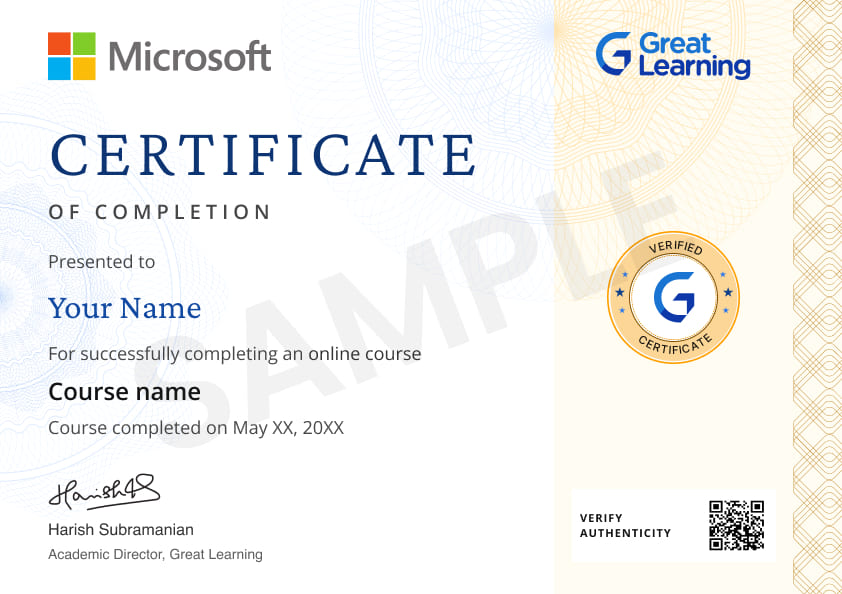
Stand out with an industry-recognized certificate

10,000+ certificates claimed, get yours today!

Get noticed by top recruiters

Share on professional channels

Globally recognised

Land your dream job

Certificate Image

Course outline

Introduction to Power BI

In this module, you’ll explore the Power BI environment, navigate Power BI Desktop, and import data for analysis.

Data Preparation and Modelling

In this module, you’ll learn the fundamentals of data modelling and create hierarchies for organizing data.

Data Analysis and Calculations

In this module, you’ll create calculations to perform data analysis and support reporting requirements.

Dashboard Development

In this module, you’ll build dashboards to present and monitor data through visualizations.

Master in-demand tools

Power BI

Get access to the complete curriculum once you enroll in the course

This course is ideal for

  • Beginners interested in Business Intelligence
  • Data analysts looking to visualize data effectively
  • Professionals wanting to create interactive dashboards
  • Students learning data storytelling tools

Data Visualization With Power BI

rating icon 4.52

3.0 Hours

Beginner

395.1K+ learners enrolled so far

Get free course content

Master in-demand skills & tools

Test your skills with quizzes

Level up with advanced skills & become job ready with Pro+

Subscribe to Pro+ today to build skills with 50+ Pro courses and prep for jobs with advanced AI tools.

PRO
Pro+ course thumbnail image
partner logo
Advanced Data Visualization using Power BI
1 project 11 hrs video content

Practice exercises

Certificate from Microsoft

AI Resume Builder

AI mock interviews

Start 7-Day Free Trial

Trusted by 10 Million+ Learners globally

Learner reviews of the Free Courses

4.52
69%
23%
6%
1%
1%
Reviewer Profile

5.0

Philippines
“Great Learning - Data Visualization with Power BI”
The course provided a comprehensive overview of Power BI, covering everything from basic functionalities to advanced data visualization techniques. The modules were well-structured, making complex concepts easy to grasp. I particularly appreciated the hands-on projects that allowed us to apply what we learned. Creating dashboards and reports using real-world datasets enhanced my understanding and confidence in using Power BI.
Reviewer Profile

5.0

India
“Awesome Course for Beginners with In-Depth and Easy-to-Learn Videos”
I recently completed the Analytics with Power BI course, and it exceeded my expectations! The course is well-structured, with engaging lessons that cover everything from the basics to advanced analytics techniques. The hands-on projects allowed me to apply what I learned in real-world scenarios, enhancing my understanding. The instructor was knowledgeable and responsive, making complex topics easy to grasp. I particularly appreciated the focus on data visualization and storytelling, which are crucial skills in today’s data-driven world.
Reviewer Profile

5.0

India
“The Course is Good and Easy to Understand”
The Power BI course was comprehensive and engaging, covering essential topics like data modeling, visualization techniques, and DAX functions. The hands-on exercises enhanced understanding, and the instructor's expertise made complex concepts easier to grasp. I feel well-equipped to apply these skills in real-world scenarios. Highly recommended for aspiring data analysts!
Reviewer Profile

5.0

India
“The Power BI Course Provided a Highly Enriching Learning Experience”
I recently completed the Power BI course, and it was an incredibly valuable learning experience. The course content was well-structured and comprehensive, covering everything from the basics to more advanced features. The step-by-step approach made it easy to follow along, even for someone with little prior experience in data visualization tools. The hands-on exercises were especially helpful in reinforcing the concepts and allowing me to apply what I learned in real-world scenarios. The instructor was knowledgeable and explained complex topics clearly.
Reviewer Profile

5.0

India
“Experiential Learning Methodology Was Top Notch”
I recently completed the Power BI Data Visualization course, and I must say it exceeded my expectations. The course was well-structured, offering a comprehensive introduction to the key features and functionalities of Power BI. It covered everything from the basics of data modeling to advanced techniques in visual storytelling. The instructors did a fantastic job of breaking down complex topics into digestible modules, using clear examples and real-world datasets to illustrate how different visualizations work.
Reviewer Profile

5.0

Morocco
“Data Visualization with Power BI Was Very Insightful”
The "Data Visualization with Power BI" course is exceptional! It provides a comprehensive and hands-on approach to mastering Power BI, covering everything from the basics to advanced techniques. The course is well-structured, with clear explanations, practical exercises, and real-world examples that make complex concepts easy to understand. The instructors are knowledgeable and responsive, creating an engaging learning environment. Highly recommended!
Reviewer Profile
Suhail Ahmed

5.0

“Interactive and Practical Learning Experience”
I particularly liked how the course combined theory with real-world applications, especially the sections on Power BI components and DAX. The interactive visuals and exercises helped solidify my understanding of creating effective data visualizations. The course structure was clear and well-organized, making complex topics easier to grasp.
Reviewer Profile

5.0

India
“The Course on Great Learning Was Exceptional”
The Power BI course on Great Learning exceeded my expectations. It offered a comprehensive, hands-on approach to mastering data visualization, with practical exercises that mirrored real-world applications. The expert instructors provided clear, engaging explanations, making complex concepts accessible and actionable. This course significantly boosted my skills and confidence in using Power BI effectively.
Reviewer Profile

5.0

India
“Comprehensive and Engaging Power BI Training: A Must for Data Enthusiasts”
The Power BI training was both comprehensive and engaging. It effectively covered essential features and practical applications, making it highly valuable for anyone looking to enhance their data visualization skills. The hands-on approach and clear explanations greatly facilitated learning and application.
Reviewer Profile

4.0

Malaysia
“Data Visualization with Power BI by Great Learning”
The Data Visualization with Power BI course from Great Learning was an excellent learning experience. The course content was well-structured, covering both the basics and advanced features of Power BI. The instructors explained the concepts clearly, making it easy for learners of all levels to understand the intricacies of data visualization. What I liked: 1) Comprehensive Coverage: The course covered a wide range of topics, from data importing and transformation to building interactive dashboards and reports.

What our learners enjoyed the most

Our course instructor

instructor img

Mr. R Vivekanand

Co-Founder and Director

Data Science Expert

learner icon
463.6K+ Learners
video icon
4 Courses
Vivek Anand is a data visualization consultant with 10 years of experience. His area of specialization includes Marketing and Econometrics. Vivek has an MBA from Monash University Melbourne Vic. He has worked as Sales & Marketing professional handling teams of leading Indian hospitality brands across the country. His most recent assignment was for India's largest Luxury hotel by ITC hotels in Chennai. He is a qualified trainer of Tableau 9.0 and has a passion for teaching

Frequently Asked Questions

Will I receive a certificate upon completing this free course?

Yes, upon successful completion of the course and payment of the certificate fee, you will receive a completion certificate that you can add to your resume.

Is this course free?

Yes, you may enroll in the course and access the course content for free. However, if you wish to obtain a certificate upon completion, a non-refundable fee is applicable.

Is this Power BI course a professional certification or a completion certificate?

This FreeData Visualization with Power BI course awards a certificate of completion, not a professional certification.

What skills will I gain from this free Power BI course with certificate?

The skills you will gain are:

Power BI Usage

  • Data Loading
  • Creating Reports
  • Dashboards
  • Slicers & Filters
  • Visual Interactivity

What will I learn in this free Power BI course?

You learn the fundamentals of business intelligence and data visualization using Power BI. The course covers what BI is, why data visualization matters, an overview of Power BI, its components, building blocks like datasets, reports, dashboards, and tiles, Power BI installation, the interface, basic DAX concepts, and a hands-on visual analytics demo. This is a practical Power BI course focused on reporting and insights.

Is this free Power BI course suitable for complete beginners?

Yes, This Power BI course for free is designed for beginners. You do not need prior experience in BI or data visualization. The course starts from the basics and builds concepts step by step.

Is Power BI a good tool for beginners in data visualization?

Yes, Power BI is user-friendly and suitable for beginners. It offers a range of easy-to-use tools to create effective data visualizations without the need for advanced programming skills.

How long does this free Power BI course take to complete?

The course takes about two hours of learning time. It is short, focused, and designed for quick skill-building through a free Power BI course format.

Will I get lifetime access to this free Power BI course?

Yes, After enrolling, you get continued access to the course content. You can revisit lessons anytime to refresh the concepts learned in this free Power BI course.

What is Power BI and what is it used for?

Power BI is a Microsoft business intelligence tool used to turn raw data into interactive visualizations, reports, and dashboards. Teams use it to analyze and present data in ways that improve decision-making and communicate complex information effectively. Its building blocks include datasets, reports, dashboards, and tiles, and Data Analysis Expressions (DAX) let you create dynamic calculations and custom metrics.

How will this free Power BI course help my career?

This Power BI course helps you build the reporting and visualization skills used in roles such as business analyst, reporting analyst, and data analyst. It gives you a strong foundation in BI tools and prepares you for more advanced Power BI learning paths.

Is this Power BI course helpful for students and early-career professionals?

Yes, The course is for students and early-career professionals who want foundational Power BI skills for reporting and analysis roles.

Does this free Power BI course include quizzes or assessments?

Yes, The course includes quizzes to test your understanding of key concepts. Completing these assessments is part of earning the free Power BI course with certificate.

Does this Power BI course cover data visualization best practices?

Yes, You learn why data visualization matters and how to choose visuals that effectively communicate insights.

Will this course help me understand Power BI terminology like DAX and tiles?

Yes, The course explains key Power BI terms such as datasets, reports, dashboards, tiles, and DAX in a simple way.

How can I learn Power BI for free?

You can learn Power BI for free by enrolling in this beginner-level Data Visualization with Power BI course, which takes about 2.25 learning hours. It covers business intelligence fundamentals, installing Power BI, navigating the interface, basic DAX concepts, and a hands-on visual analytics demo, with quizzes to test your understanding along the way. Over 384.9K learners have enrolled, and you can revisit the lessons anytime.

Subscribe to Academy Pro+ & get exclusive features

$29/month

No credit card required

Learn from 40+ Pro courses

Access 500+ certificates for free

700+ Practice exercises & guided projects

Prep with AI mock interviews & resume builder

FREE
Predict Footballer Transfer Market Value using Data Science
FREE
Popular Applications of Data Science
star   4.55 11.8K+ learners
1 hr
FREE
R for Data Science
star   4.55 15.5K+ learners
2 hrs
FREE
Introduction to Data Science
star   4.5 73.3K+ learners
1 hr

Related Data Science Courses

50% Average salary hike
Explore degree and certificate programs from world-class universities that take your career forward.
Personalized Recommendations
checkmark icon
Placement assistance
checkmark icon
Personalized mentorship
checkmark icon
Detailed curriculum
checkmark icon
Learn from world-class faculties

Other Data Science tutorials for you

Enroll For Free