1000+ Courses for Free

Free Microsoft Courses




University & Pro Programs
 UNIVERSITY



 PRO
PRO

.png "Course thumbnail image")



MIT IDSS
12 weeks • Online





 FREE
FREE







.jpg "Course thumbnail image")


Learn Microsoft for Free
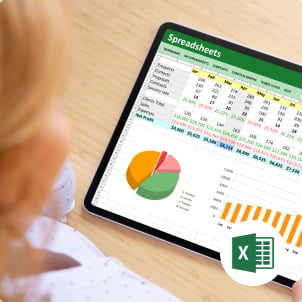
These free Microsoft courses cover core workplace and business tools in a single learning path, helping you build practical skills in data work, reporting, documentation, presentations, cloud basics, and modern Microsoft workflows. Whether you are starting with spreadsheets and office tools or building stronger skills in analytics and business systems, the courses teach the everyday Microsoft skills employers expect and show how to use them in real-world tasks.
Starting with core concepts, you will learn Excel fundamentals such as cell references, tables, date and time functions, sorting, filtering, and formula-based logic, then move into data summarization with pivot tables, charts, regression analysis, and VBA basics for automation. As you progress, you will learn Power BI reporting and dashboard creation, Word document formatting and design, PowerPoint slide creation and presentation design, Azure use cases such as chatbot and website building, Dynamics 365 concepts like CRM, ERP, and data management, and Microsoft 365 Copilot use across Word, Excel, PowerPoint, Outlook, and Teams. These free Microsoft courses for beginners will help you work faster, present information clearly, automate repeated tasks, and make better business decisions with Microsoft tools.
Skills You’ll Gain in These Best Free Microsoft Courses
AI & Machine Learning: Generative AI fundamentals, and AI services.
Cloud Computing (Azure): Azure Fundamentals (AZ-900), Administrator (AZ-104), and Solutions Architect (AZ-305).
Data & Analytics: Power BI Data Analyst, SQL Server, and Data Science, including Data Engineering.
- Productivity & Office: Microsoft 365 Fundamentals, Excel proficiency, and Copilot for Microsoft 365.

Get started with these courses

-min.jpeg "reviewer profile photo")
 - YOGESH KUMAR.jpg "reviewer profile photo")








Meet your faculty
Meet industry experts who will teach you relevant skills in Microsoft

Mr. R Vivekanand

-
◆
Expert in data visualization and marketing econometrics with 10+ years
-
◆
Qualified Tableau trainer passionate about teaching business analytics


Mr. Gaelim Holland

Mohit Batra
-
◆
20+ years in BI, Big Data, AI; Ex-Microsoft professional
-
◆
Author on Pluralsight, O'Reilly, ACloudGuru


Frequently Asked Questions
What will I learn in these free Microsoft courses?
The free Microsoft courses for beginners cover beginner to advanced learning across Excel, Word, Power BI, and cloud topics, and the course list adds PowerPoint, Azure, Dynamics 365, and Microsoft 365 Copilot. This gives you a strong base for office, analyst, and business support work.
Will I learn the basics of Excel for daily work through these free Microsoft training courses?
Yes. The Excel topics include cell referencing, tables and borders, date and time, sorting and filtering, IF logic, and general descriptive analysis functions. These skills help you clean, organize, and work with business data in a structured way.
Who should enroll in these free Microsoft courses?
These courses fit beginners who want core Microsoft skills, working professionals who want to improve job skills, and tech learners who want stronger Microsoft knowledge for projects and business work. The free Microsoft courses also state that the modules are suitable for learners of all levels.
Will I learn data visualization and dashboard building?
Yes. The topics include Power BI data loading, reports, dashboards, slicers, filters, and visual interactivity, as well as Excel charts and visualization work. This helps you present trends and performance clearly for teams and managers.
Do these free Microsoft courses for beginners teach analysis skills, not only formatting and office basics?
Yes. The free Microsoft training courses include Excel topics for descriptive functions, pivot-based summarization, and regression analysis. This helps you move from data entry work to insight-based work, where you explain patterns and support decisions.
Will I learn Word skills for professional documents?
Yes. The Word topics include interface basics, document types, headers and footers, tables and graphics, document design, themes, styles, and templates. These skills help you create clean reports, SOPs, proposals, and business documents
Will I learn PowerPoint for business presentations?
Yes. The PowerPoint topics include presentation elements, slide design, chart types, macros, and VBA code for creating a slide deck. This helps you build polished presentations with better structure and repeatable formatting.
Do these best free Microsoft courses include automation in Excel and PowerPoint?
Yes. The free Microsoft courses include Excel VBA basics, PowerPoint macros, and VBA-based slide deck work. This helps you reduce repetitive manual steps and improve consistency when creating files.
Will I learn Microsoft 365 Copilot in a practical way?
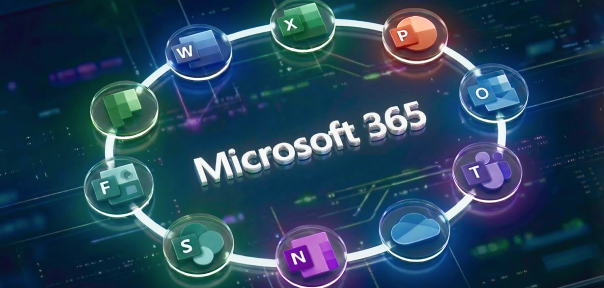
Yes. The Microsoft 365 Copilot topics include Copilot for Word, Excel, PowerPoint, Outlook, and Teams, as well as Microsoft Graph, large language model basics, system orchestration, and industry use cases. This helps you understand where AI fits in daily Microsoft work.
Do these free Microsoft training courses cover cloud basics in Microsoft tools?
Yes. The Azure course topics include building chatbots and websites. This gives you an entry point into Microsoft cloud use cases and helps you understand how cloud tools support real applications
Is this learning path useful for analyst and operations roles?
Yes. The combination of Excel, pivot tables, regression, Power BI dashboards, Word, PowerPoint, Dynamics 365, and Copilot aligns well with reporting, operations, coordination, and analyst-style work. You build skills used in daily tracking, reporting, and communication.
Will I learn business systems like CRM and ERP in these free Microsoft courses?
Yes. The Dynamics 365 topics include data management, CRM, ERP, unified data, and operational efficiency. This helps you understand how Microsoft business applications support sales, service, and operations teams.
Do these best free Microsoft courses cover both content creation and data work?
Yes. These free Microsoft courses for beginners combine data topics, such as Excel and Power BI, with communication tools, such as Word and PowerPoint. This helps you handle the full workflow from analyzing data to presenting findings in documents and slide decks.
How will Word and PowerPoint topics help me at work?
Word topics cover document structure, headers and footers, tables, graphics, themes, styles, and templates. PowerPoint topics cover slide design, chart types, and presentation elements. These skills help you produce cleaner reports, stronger proposals, and clearer presentations for teams and stakeholders.
Are these free Microsoft training courses self-paced?
Yes. These free Microsoft courses online highlight self-paced training that lets you learn on your schedule and complete topics in smaller study sessions.
Media spotlight and awards
-
Wharton Online Kickstarts the First Cohort for Its 12-Week Advanced Digital Marketing and Growth Strategies Program in Collaboration With Great Learning
Read Article
-
3 ways women can reach the C-suite even though research shows the odds are against them
Read Article
-
Helping High School Students Develop Real-Life Tech Skills
Read Article
-
How this leader is morphing education to meet the needs of today’s economy
Read Article
-
How Upskilling Can Help You Advance in Your Career
Read Article
-
OPINION: Companies will be more likely to retain top talent by investing in employees’ professional growth and development
Read Article
-
Learning opportunities will cultivate a talented, motivated workforce
Read Article
-
Great Learning Collaborates with Wharton Online to Expand Access to Premier Business Courses
Read Article
-
The Great Resignation & The Future Of Work: Mohan Lakhamraju Of Great Learning On How Employers and Employees Are Reworking Work Together
Read Article
-
Hispanic Heritage Month: Great Learning celebrates the inspiring stories of resilience and courage of its Hispanic American Learners
Read Article