

VLOOKUP in Excel Free Course
VLOOKUP in Excel
 4.57
Beginner level
1.5 learning hrs
4.57
Beginner level
1.5 learning hrs
Looking to master VLOOKUP in Excel? This comprehensive VLOOKUP in Excel course is designed to teach you everything you need to know about this powerful function. Start Now!
Instructor:
Edwin Thomas


What you'll learn


About this course
VLOOKUP IN EXCEL COURSE
This 1-hour course on VLOOKUP in Excel is designed to provide you with a comprehensive understanding of how to use this powerful function to search and retrieve data in Excel. Throughout the course, you will learn the fundamentals of VLOOKUP, including how to extract data from a table or range, use the exact match and approximate match options, and handle errors and inconsistencies in your data.
In addition, you will learn a variety of tips and tricks to help you get the most out of VLOOKUP, including how to use the IFERROR function to handle errors, how to use wildcard characters to search for partial matches, and how to use VLOOKUP with other functions such as INDEX and MATCH.
Taking a VLOOKUP in Excel course can be a great way to improve your Excel skills and make you a more valuable asset in the job market. By learning how to use VLOOKUP effectively, you can streamline your data analysis processes, increase your productivity, and make more informed decisions based on the data.
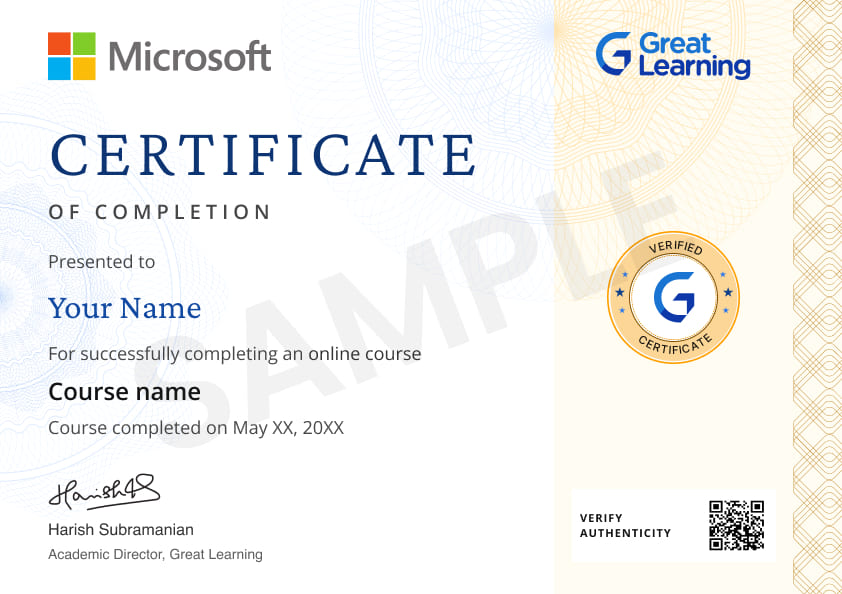
Enroll in this free VLOOKUP in Excel course and earn a certificate on completing the course.
Course outline
Get access to the complete curriculum once you enroll in the course
This course is ideal for
- Beginners wanting to learn essential Excel formulas.
- Students and job seekers building spreadsheet skills.
- Working professionals who look up data in Excel daily.
- Learners who want a VLOOKUP in Excel certificate.
 4.57
4.57
Level up with advanced skills & become job ready with Pro+
Subscribe to Pro+ today to build skills with 50+ Pro courses and prep for jobs with advanced AI tools.
 PRO
PRO



Practice exercises
Certificate from Microsoft
AI Resume Builder
AI mock interviews












What our learners enjoyed the most
Skill & tools
64% of learners found all the desired skills & tools
Our course instructor

Edwin Thomas
Research Analyst
IT & Software Expert


Frequently Asked Questions
Will I receive a certificate upon completing this free course?
Is this course free?
Will I get a certificate after completing this Vlookup in Excel free course?
Yes, you will get a certificate of completion for Vlookup in Excel after completing all the modules and cracking the assessment. The assessment tests your knowledge of the subject and badges your skills.
How much does this Vlookup in Excel course cost?
It is an entirely free course from Great Learning Academy. Anyone interested in learning the basics of Vlookup in Excel can get started with this course.
Is there any limit on how many times I can take this free course?
Once you enroll in the Vlookup in Excel course, you have lifetime access to it. So, you can log in anytime and learn it for free online.
Can I sign up for multiple courses from Great Learning Academy at the same time?
Yes, you can enroll in as many courses as you want from Great Learning Academy. There is no limit to the number of courses you can enroll in at once, but since the courses offered by Great Learning Academy are free, we suggest you learn one by one to get the best out of the subject.
Why choose Great Learning Academy for this free Vlookup in Excel course?
Great Learning Academy provides this Vlookup in Excel course for free online. The course is self-paced and helps you understand various topics that fall under the subject with solved problems and demonstrated examples. The course is carefully designed, keeping in mind to cater to both beginners and professionals, and is delivered by subject experts. Great Learning is a global ed-tech platform dedicated to developing competent professionals. Great Learning Academy is an initiative by Great Learning that offers in-demand free online courses to help people advance in their jobs. More than 5 million learners from 140 countries have benefited from Great Learning Academy's free online courses with certificates. It is a one-stop place for all of a learner's goals.
What are the steps to enroll in this Vlookup in Excel course?
Enrolling in any of the Great Learning Academy’s courses is just one step process. Sign-up for the course, you are interested in learning through your E-mail ID and start learning them for free online.
Will I have lifetime access to this free Vlookup in Excel course?
Yes, once you enroll in the course, you will have lifetime access, where you can log in and learn whenever you want to.
How do I use VLOOKUP in Excel?
Here is how to use VLOOKUP in Excel:
1. Open MS Excel spreadsheet
2. Click on the cell where you want to use VLOOKUP
3. Click on Formulas at the top menu
4. Now, Click on Lookup and Reference - a scrolling menu appears
5. Click on VLOOKUP which is at the bottom of the menu
6. Now you need to enter the values to obtain the data
Lookup_value - Specify the cell where you want the data
Table_array - Specify the data range that you want VLOOKUP to use for searching
Col_index_num - Specify the column number that VLOOKUP should use to search the data
Range_lookup - Specify FALSE or TRUE depending on whether you need an exact match or not
7. Click on OK to get the data
What is VLOOKUP function in Excel?
VLOOKUP is an abbreviation for 'Vertical Lookup'. It's a function that tells Excel to look for a specific value in a column in order to return a value from another column in the same row.
Why do we use VLOOKUP in Excel?
VLOOKUP function is used to find data/information in a large spreadsheet or looking for the existing information in different/same sheet. it works like a phone book where you can get details basis defined parameters.
What is the VLOOKUP formula in Excel?
VLOOKUP formula is generally
=VLOOKUP(What you want to look up, where you want to look for it, column numbers in the range containing values, return an Exact match or Approximate match – indicated as 1/TRUE, or 0/FALSE).




Recommended Free Microsoft Excel courses
 FREE
FREE


Similar courses you might like


Related IT & Software Courses

-

McCombs School of Business at The University of Texas at Austin
Post Graduate Program in Cyber Security20 weeks · Online
Know More


Relevant Career Paths >



Other IT & Software tutorials for you
Introduction to VLOOKUP in EXCEL
VLOOKUP is a powerful function in Microsoft Excel that is used to search and retrieve data from a table or range based on a specific value. It stands for "Vertical Lookup" and is commonly used in data analysis tasks such as sorting, filtering, and organizing data.
VLOOKUP is used when you have a large dataset and need to find and extract specific information from it quickly. For example, you may have a large table of sales data and need to find the total sales for a specific product or region. With VLOOKUP, you can quickly search the table for relevant information and retrieve it with just a few clicks.
Here's how it works in detail:
The Table Array:
The table array is the range of cells in your Excel worksheet containing the data you want to search. It's important to note that the first column of the table array must contain the values you want to search for. The remaining table array columns contain the data you want to return based on the lookup value. To specify the table array in a vlookup formula, you can use a cell reference that encompasses the entire range of cells, such as A1:D10, or you can give the range a name and use that name in the formula.
The Lookup Value:
The lookup value is the value you search for in the first column of the table array. It can be a static value, such as a string of text, a number, or a cell reference containing the value you want to search for. When using a cell reference, make sure that the cell reference matches the format of the array table's values in the first column. For example, if the values in the first column are text, ensure that the cell reference contains text, not a number.
The Column Index:
A column index is a number that represents the column in the table array that contains the data that you want to return. For example, if the data you want to return is in the second column of the table array, the column index would be 2. If the data you want to return is in the third column, the column index would be 3, and so on. It's important to note that the first column of the table array is considered to be column 1, the second column is column 2, and so on.
The Range Lookup:
The range lookup is an optional argument that specifies whether you want the vlookup function to return an exact match or a nearly exact match. If you use the optional argument "TRUE," the function will return the closest match that is less than or equal to the lookup value. If you use "FALSE," the function will only return an exact match. If the lookup value is not present in the table array's first column, the vlookup function will return the #N/A error.
Return Value:
The return value is the value that is returned by the vlookup function based on the lookup value and the column index. It will be taken from the mentioned column in the same row as the lookup value. For example, if the lookup value is found in the table array's first row and the column index is 2, the return value would be the value in the second column of the first row.
Error Handling:
The vlookup function returns the #N/A error if the lookup value is not present in the first column of the table array. To handle this error, you can use the IFERROR function in combination with the vlookup function. The IFERROR function allows you to specify a value to return if the vlookup function returns an error, such as #N/A. For example, you can use the IFERROR function to return a default value, such as "Not Found," or a different value based on the result of another calculation.
Limitations
The vlookup function has a few limitations that you should be aware of:
- The lookup value is in the table array's first column.
- The function only returns a single value, not a range of values.
- The function is case-sensitive, so it will only return a match if the lookup value and the values in the table array's first column match exactly, including letter case.
There are several reasons why someone should take up a free course on VLOOKUP in Excel, including:
- Improving data analysis skills: VLOOKUP can help you quickly and easily analyze large amounts of data, making it a valuable skill for anyone working with data on a regular basis.
- Increasing productivity: Learning how to use VLOOKUP effectively can save you time and increase your productivity, as it can automate many data manipulation tasks that would otherwise require manual effort.
- Enhancing career prospects: Many employers require proficiency in Excel, and having a strong understanding of VLOOKUP can make you a more valuable asset in the job market.
- Making more informed decisions: By using VLOOKUP to analyze data, you can make more informed decisions and identify trends or patterns that may not be immediately apparent.
- Simplifying complex data: VLOOKUP can help you to simplify complex data sets and make it easier to understand, which can be particularly useful when communicating findings to others.
Great Learning's free VLOOKUP course is an excellent resource for anyone looking to improve their Excel skills and become more efficient in their data analysis tasks. The course provides a comprehensive overview of VLOOKUP, including its syntax, usage, and best practices. You will learn how to use VLOOKUP to search and retrieve data, handle errors and inconsistencies in your data, and use VLOOKUP in conjunction with other Excel functions.
The course is designed to be beginner-friendly and easy to follow, with step-by-step instructions and real-world examples to help you apply your newfound knowledge. Overall, a free course on VLOOKUP in Excel can help you improve your data analysis skills, increase your productivity, enhance your career prospects, make more informed decisions, and simplify complex data sets.