Earn a certificate & get recognized
Excel for Data Science for Beginners
 4.49
Beginner level
2.25 learning hrs
4.49
Beginner level
2.25 learning hrs
Enroll in this free course to be knowledgeable of the key functionalities in Excel for Data Science. Learn to perform different operations in Excel for data recording, visualizing, tracking, and analyzing with demonstrations.
Instructor:
Denver Dias


About this course
This beginner-level course on Excel for Data Science is designed to help you learn Excel fundamentals to work for Data Science tasks. The course introduces you to Excel and then discusses navigation, rows, columns, and cell concepts in Excel. It then demonstrates basic mathematical operations, aggregation, and date and time functions in Excel. It explains lookups, filtering, sorting, and pivot operations with demonstration and discusses different types of errors in the latter part of this course. Qualify in the quiz and earn a course completion certificate for Excel for Data Science course.
After this free, beginner-level Excel for Data Science course, continue to learn in the Data Science domain. The Great Learning platform provides advanced-level Data Science courses covering all the concepts in depth to benefit your career.
Course outline
Excel Introduction
This section provides insights into why Excel is popular and discusses its employment in Data Tracking, Data Science tasks, and Data Engineering. It also discusses why Excel is used for Data Analytics purposes.
Excel Navigation
This section explains cells, tabs, and workbooks and the different functionalities Excel offers to perform different tasks with demonstration.
Rows, Columns and Cells in Excel
This section explains various functionalities that can be performed in cells, rows, and columns, including working with formulae for different data types to record, track, visualize and analyze data systematically.
Basic Math with Excel
This section explains basic mathematical operations in Excel, like rounding up/down numbers, decimals, and calculations with demonstration.
Aggregation in Excel
This section discusses the important concept in mathematical concepts in Excel, Aggregation. It demonstrates operations like sum, min, max, average, standard deviation, and variance in aggregate functions.
Basics of Date and Time in Excel
This section explains the basic operational function of Date and Time in Excel with a demonstration.
Finding difference between Dates in Excel
This section demonstrates the Date difference between two or more data or datasets.
Lookups in Excel
This section discusses VLookups, an important function used to extract data from different tables with demonstrated examples.
Filtering and Sorting in Excel: This section demonstrates Sorting and Filtering datasets in Excel.
Filtering and Sorting in Excel
This section demonstrates Sorting and Filtering datasets in Excel.
Pivots in Excel
This section briefly introduces you to pivot tables and discusses their use in Excel with a demonstration.
Types of Errors in Excel
This section discusses various errors, like Division by Zero, Name, N/A, Num, Value, and Reference errors, with examples. It also explains how to check if the cell has an error with the demonstration.
Get access to the complete curriculum once you enroll in the course
 4.49
4.49
Level up with advanced skills & become job ready with Pro+
Subscribe to Pro+ today to build skills with 50+ Pro courses and prep for jobs with advanced AI tools.
 PRO
PRO



Practice exercises
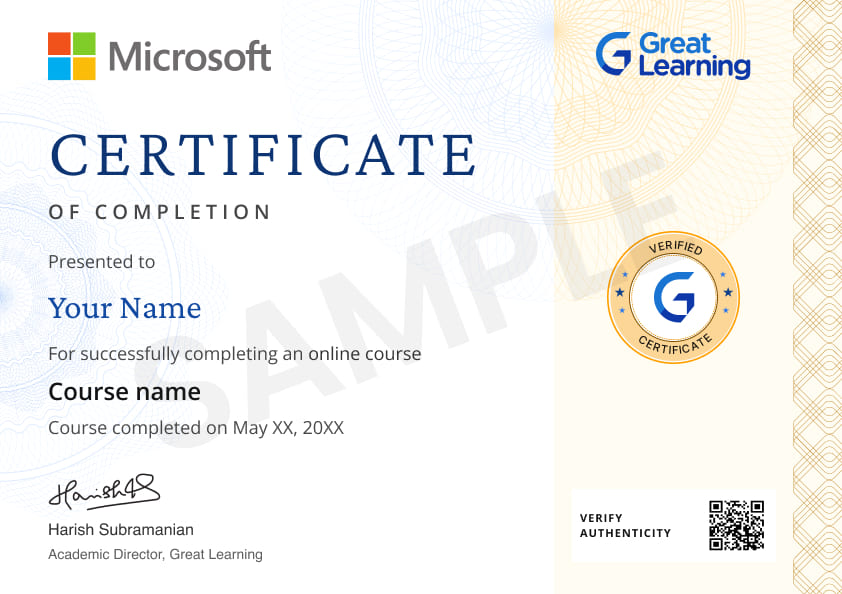
Certificate from Microsoft
AI Resume Builder
AI mock interviews






 Nigeria


 Indonesia
 Nigeria

 Nigeria
 Nigeria
 Indonesia


 India
India
What our learners enjoyed the most
Skill & tools
64% of learners found all the desired skills & tools
Our course instructor

Denver Dias
Senior Data Science Consultant
Data Science Expert


Frequently Asked Questions
Will I receive a certificate upon completing this free course?
Is this course free?
What prerequisites are required to learn this Excel for Data Science course?
The free Excel for Data Science course doesn’t require any prerequisites. Anyone can take this course and learn from it without prior knowledge.
Will I have lifetime access to the free course?
Yes, the free course comes with lifetime access. Any learner who wants to improve their skills can revisit and retake the course.
What are my next learning options after this Excel for Data Science course?
Enthusiasts of the Data Science field can opt for Great Learning’s professional Master in Data Science course covering all the essential skills to build a promising career.
Is it worth learning Excel for Data Science?
Yes, Excel is an essential part of Data Science. Learners looking to build a solid career in the Analytics, Data Engineering industries also need an understanding of Excel. So, it provides excellent worth learning Excel for both Data Science and Data Engineering enthusiasts.
What is Excel in Data Science used for?
Excel is fundamentally employed in Data Science and Data Engineering industries to gather, track, visualize and translate data insights into actionable events. Data Scientists use Excel to analyze data patterns and derive conclusions from them. This provides strategies for businesses to grow in the market.
Why is Excel for Data Science so popular?
Excel is a prevalent term in Data Science because of its user-friendliness, support of mathematical and statistical tools, employment in data preprocessing, visualization, Exploratory Data Analysis (EDA), predictive modeling, and its competence to integrate with other platforms. These are the reasons why it is essential for data scientists and analysts.
What jobs demand that you learn Excel for Data Science?
- Data Science is the fastest-growing field, and several jobs require learning Excel operations for Data Science. Some of these jobs are:
- Data Administrator
- Data Engineer
- Data Scientist
- ML Engineer
- Business IT Analyst
- Data Architect
- Market Analyst
Will I get a certificate after I learn Excel for Data Science?
Yes, once you finish the course modules, you can take the quiz that will reward you with a course completion certificate. The certificate showcases your skills in your professional career.
What knowledge and skills will I gain upon completing this Excel for Data Science course?
This free course will help you to understand the basic Excel concepts and their functionalities used in Data Science, including cells, rows, columns, basic maths, aggregation, date, and time. You will have thorough knowledge to work with VLookups, pivot tables filtering and sorting techniques, and handle different types of errors in Excel. The course is beneficial for developing Excel skills for the learner.
How much does this Excel for Data Science course cost?
The course is entirely free of cost. So aspirants can enroll in this course and start learning basic Excel concepts in Data Science.
Is there a limit on how many times I can take this Excel for Data Science course?
No, the course does not set any limit to learning it. Learning enthusiasts can take this course as many times as they want. Hence, you can revisit the course and start learning again whenever you feel like revising your learnings.
Can I sign up for multiple courses from Great Learning Academy at the same time?
Yes, there are several courses that you can enroll yourself in and start learning. You can sign up for multiple courses simultaneously with Great Learning Academy.
Why choose Great Learning Academy for this Excel for Data Science course? Great Lea
Great Learning Academy is a huge platform that provides self-paced courses in various domains. Learners take benefit from these courses in their professional careers. There are more than 6 million learners worldwide who are benefitted from these courses. This Statistics for Data Science course is helpful for enthusiasts looking forward to building a career in the Data domain. This course will help you familiarize yourself with Data Science's Excel functions like Data and Time, VLookups, Pivot Tables, and handle Errors.
Who is eligible to take this Excel for Data Science course?
The free course does not require any eligibility to enroll. Hence, any learner intending to learn basic Excel concepts and functionalities for Data Science can take the course without any nudge.




Recommended Free Data Science courses
 FREE
FREE
 FREE
FREE
 FREE
FREE

Similar courses you might like
FREE
 FREE
FREE
 FREE
FREE
 FREE
FREE
Related Data Science Courses

-

12 weeks · Online
Know More
-
MIT Professional Education
Applied AI and Data Science Program14 Weeks · Live Online · Weekdays & Weekend
Know More
-
Deakin University
Master of Data Science (Global) Program24 Months · Online
Top 1% UniversityKnow More