

Free PowerPoint Course for Beginners
PowerPoint for Beginners
 4.53
Beginner level
3.0 learning hrs
4.53
Beginner level
3.0 learning hrs
Learn PowerPoint basics, from creating and reviewing presentations to animations, SmartArt, Slide Master, and charts. Enroll in this free PowerPoint course and build practical presentation skills.
Instructor:
Mr. Anirudh Rao


What you'll learn


About this course
This PowerPoint course will help you learn PowerPoint from the basics and get familiar with the features used to create effective presentations. You’ll explore templates and transitions, learn how to use Slide Master and create basic animations, and understand how these features can improve your presentations.
You’ll also learn to create SmartArt, bring Excel data into PowerPoint, and work with charts and live charts. With demonstrations and practical tips, this Microsoft PowerPoint course will help you develop useful presentation skills and create clear, engaging PPTs for different work needs.
Course outline
Learning PowerPoint
This module enlightens you on the purpose of learning PowerPoint and its importance in all working sectors.
Getting Started With PowerPoint
This module helps you get started with PowerPoint by introducing you to its various features.
Presenting and Reviewing a ppt
This module will teach you about transitions and templates to make PowerPoint more appealing.
What are the unique factors of my ppt?
This module contains a demo of how PowerPoint works and explains the factors that make it more effective.
Slide Master
A slide master is a PowerPoint slide containing the information you want to appear on all or a group of slides in your presentation. This module explains slide master in detail and its importance along with a demonstration.
Creating Basic Animations
This module explains how to create a simple animation for your PowerPoint from scratch with a demonstration.
SmartArt
SmartArt is a feature in Microsoft PowerPoint that allows users to create professional-looking diagrams and charts. This module discusses SmartArt and the steps to create it with a demonstration.
Excel Data Dump
Representing the data and extracting it from excel to PowerPoint is now simple. This module explains the feature and its purpose and uses.
Charts in PowerPoint
Charts are a popular element of PowerPoint, and this module discusses the feature and their implementation.
Live Charts
This module demonstrates how you can apply live charts in PowerPoint as we are always keen on live updates.
Tips For Creating a Good PPT
In this module, you will gain some crucial tips that will help you make your PowerPoint from good to great.
Get access to the complete curriculum once you enroll in the course
This course is ideal for
- Beginners with no prior PowerPoint experience.
- Students and job seekers preparing presentations.
- Working professionals who present ideas at work.
- Learners who want a PowerPoint certificate.
 4.53
4.53
Level up with advanced skills & become job ready with Pro+
Subscribe to Pro+ today to build skills with 50+ Pro courses and prep for jobs with advanced AI tools.
 PRO
PRO



Practice exercises
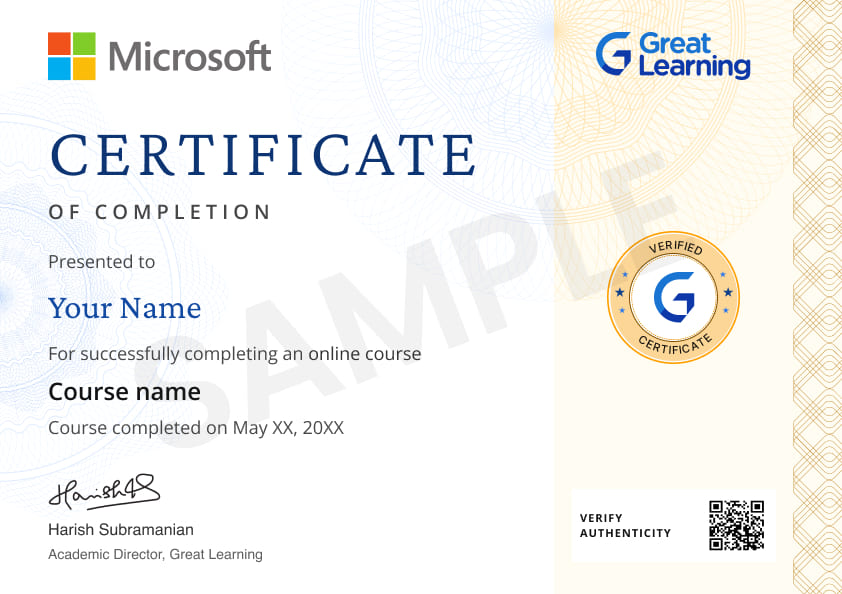
Certificate from Microsoft
AI Resume Builder
AI mock interviews






What our learners enjoyed the most
Skill & tools
65% of learners found all the desired skills & tools
Our course instructor

Mr. Anirudh Rao
IT & Software Expert


Frequently Asked Questions
Will I receive a certificate upon completing this free course?
Is this course free?
What will I learn in this free PowerPoint course?
You’ll learn how to work with PowerPoint features, templates, transitions, Slide Master, animations, SmartArt, Excel data, and charts to create more effective presentations.
Will this course help me learn PowerPoint from the basics?
Yes. The course starts with an introduction to PowerPoint and gradually covers presentation features, Slide Master, animations, SmartArt, charts, and other practical presentation techniques.
What PowerPoint presentation skills will I develop through this course?
You’ll learn how to improve presentations using templates, transitions, animations, SmartArt, Slide Master, and charts, along with practical tips for creating better PPTs.
Will I learn how to use Slide Master in PowerPoint?
Yes. You’ll learn how Slide Master works, why it is useful, and how it can be used to apply information consistently across presentation slides.
Will I learn how to create animations in PowerPoint?
Yes. The course includes a demonstration on creating basic PowerPoint animations from scratch.
Will I learn how to create SmartArt for PowerPoint presentations?
Yes. You’ll learn how to use SmartArt to create professional-looking diagrams and charts and explore the steps involved in creating them.
Can I learn how to add Excel data to PowerPoint presentations?
Yes. The course covers how Excel data can be extracted and represented in PowerPoint using the Excel Data Dump feature
Will I learn how to use charts in PowerPoint?
Yes. You’ll learn how charts can be added to presentations and explore both regular and live chart functionality
Will this PowerPoint presentation course teach me how to make better PPTs?
Yes. Along with presentation features and demonstrations, the course includes practical tips for improving the overall quality and effectiveness of your PPTs.
Is this PowerPoint course suitable for beginners?
Yes. The course begins with the fundamentals of PowerPoint and progressively introduces presentation features, animations, SmartArt, charts, and other practical skills.
Will I learn how to make my PPT presentations more effective?
Yes. You’ll explore transitions, templates, animations, SmartArt, charts, and practical tips that can help you improve the quality of your PPTs.
Will I learn to create basic animations from scratch?
Yes. The course includes a demonstration that takes you through the process of creating a basic PowerPoint animation
Is this PowerPoint course for beginners who want to improve their PPT skills?
Yes. The course begins with fundamental PowerPoint features and progressively introduces tools and techniques that can help you create more effective presentations.
What are the steps to enroll in this course?
- Search for the free "PowerPoint" course through Great Learning Academy's search bar.
- Register in the free course through enroll button and start learning.
Can I sign up for multiple courses from Great Learning Academy at the same time?
Yes, you can sign up for multiple free courses by Great Learning Academy that support your career path.
What knowledge and skills will I gain upon completing this PowerPoint for beginners course?
You will learn about various beneficial PowerPoint features like Slide Master and SmartArt. You will learn to create animations, extract data from Excel to PowerPoint, and about charts along with live charts.
What jobs demand that you learn PowerPoint?
The jobs that demand you learn PowerPoint typically require you to give presentations or lead training sessions. It is used in several jobs, including sales, marketing, teaching, and training.
How long does it take to complete this free PowerPoint course?
This course contains 3hours of self-paced learning video content.
What are the prerequisites required to learn this PowerPoint for beginners course?
There is no prior knowledge required to enroll in this free PowerPoint course.




Recommended Free IT & Software courses
 FREE
FREE



Similar courses you might like


Related IT & Software Courses

-

12 weeks · Online
Know More
-
MIT Professional Education
Applied AI and Data Science Program15 Weeks · Live Online · Weekdays & Weekend
Know More
-
Deakin University
Master of Data Science (Global) Program24 Months · Online
Top 1% UniversityKnow More






Relevant Career Paths >

Other IT & Software tutorials for you
PowerPoint for Beginners
PowerPoint is a popular presentation software developed by Microsoft Corporation. It is widely used for creating visual aids, including slideshows and presentations, for educational, business, and personal purposes. PowerPoint offers a user-friendly interface and a wide range of tools and features that allow users to create visually appealing and engaging presentations quickly and easily.
PowerPoint presentations are typically created by combining text, images, and other multimedia elements on individual slides. Users can choose from a variety of pre-designed templates, themes, and color schemes to create their presentations, or they can design their own custom layouts. The software offers a range of formatting tools that allow users to change font styles, sizes, and colors, as well as add animations, transitions, and multimedia elements to their presentations.
One of the key features of PowerPoint is its ability to incorporate multimedia elements into presentations. Users can easily insert images, videos, audio files, and other multimedia elements into their slides, making presentations more engaging and interactive. The software also offers a range of animation and transition effects that can be used to add visual interest and emphasize important points in a presentation.
PowerPoint also allows users to collaborate on presentations in real-time. Multiple users can work on the same presentation simultaneously, making it easier for teams to collaborate and share ideas. The software also offers a range of sharing options, including the ability to share presentations online or to save them as PDFs for easy distribution.
In addition to its use in education and business, PowerPoint has become popular for personal use as well. Users can create presentations for special occasions, such as weddings or birthdays, or share their travel experiences or hobbies with friends and family.
While PowerPoint is a powerful tool for creating presentations, it is important to use it effectively to avoid overwhelming or boring audiences. Good PowerPoint presentations should be clear, concise, and visually appealing, with a balance of text and multimedia elements. Presenters should also be prepared to engage with their audiences and answer questions during and after the presentation.
In recent years, there has been some criticism of PowerPoint, with some arguing that it promotes a style of presenting that is overly reliant on visuals and lacks substance. Others have argued that PowerPoint presentations can be overly complex and difficult to follow, particularly for audiences who are unfamiliar with the subject matter.
Despite these criticisms, PowerPoint remains a widely used tool for creating presentations. Its user-friendly interface, wide range of tools and features, and ability to incorporate multimedia elements make it a popular choice for individuals and organizations alike.
In conclusion, PowerPoint is a versatile and powerful tool for creating presentations for educational, business, and personal purposes. Its ability to incorporate multimedia elements and facilitate real-time collaboration makes it an essential tool for many individuals and organizations. However, it is important to use it effectively and thoughtfully to ensure that presentations are engaging, informative, and easy to follow.