Most developers use AI for one thing: writing simple scripts.
But that is a mistake.
To get real value, you need to move beyond basic code generation. You need to fix "Integration Paralysis."
This is the state where you have the tools (like Copilot or ChatGPT), but you don't know how to fit them into your existing workflow without breaking things.
This is the state where you have the tools (like Copilot or ChatGPT), but you don't know how to fit them into your existing workflow without breaking things. Professionals looking to practically implement AI-powered workflows can benefit from this Microsoft Copilot Course.
Learn to create agentic workflows, automate repetitive tasks, and build AI-powered solutions with this Microsoft Copilot Course designed for real-world business productivity.
In this guide, we are going to show you exactly how AI applies to every stage of the Software Development Life Cycle (SDLC).
Let’s dive right in.
The Core Shift: From Writer to Architect
AI changes your fundamental role.
- The Old Way: Deterministic Construction. You memorize syntax and type every character.
- The New Way: Probabilistic Intent. You describe the outcome. The AI handles the implementation.
Your job is no longer just "writing code." Your job is to verify logic and manage system integration.
To successfully transition from a traditional coder to an AI-empowered software architect, you need more than just a basic understanding of ChatGPT.
If you are ready to master this new workflow and permanently upgrade your development speed, the Professional Certificate in Generative AI and Agents for Software Development by the McCombs School of Business at The University of Texas at Austin is the exact blueprint you need.
GenAI for Software Development
Build, test, and deploy AI-powered web applications. Gain hands-on experience with full-stack development using Node.js, Express, MongoDB, and React while integrating Generative AI into real-world applications.
How This Program Transforms Your Workflow?
This 14-week online curriculum bridges the gap between basic prompting and enterprise-grade software engineering, teaching you how to build entire systems alongside AI:
- Comprehensive Full-Stack Engineering: Deepen your technical foundation by constructing robust web applications from scratch utilizing the MERN framework (Node.js, Express, React, and MongoDB).
- AI-Integrated Development Environments: Stop switching contexts. Learn to natively embed tools like GitHub Copilot into VS Code to generate complex logic, write boilerplate, and instantly debug errors.
- Engineering Autonomous Agents: Move past standard chatbot APIs. You will learn to architect sophisticated, multi-step AI agents using LangChain and Claude Code to automate complex developer tasks.
- Intelligent Testing & Deployment: Adopt an adversarial mindset by using AI to generate rigorous test cases in Vitest, followed by securely deploying your full-stack architectures to AWS.
- Tangible Proof of Expertise: Build an impressive e-portfolio comprising over 10 real-world projects, while earning a globally respected Certificate of Completion from UT Austin to showcase your new capabilities.
By adopting the specialized AI techniques taught in this curriculum, you will eliminate developer bottlenecks and position yourself at the forefront of the modern software engineering era.
1. Requirements and System Design
The first application of AI happens before you write code. It bridges the gap between business requirements and technical specifications.
How it works:
You feed a Product Requirement Document (PRD) into an LLM. The AI converts ambiguous text into structured technical diagrams.
Key Use Case:
Use AI to generate Mermaid.js charts. You can instantly create sequence diagrams or database schemas to visualize data flow.
- Tools: Eraser.io, ChatGPT (Advanced Data Analysis).
- Benefit: Find logic errors in the architecture stage.
2. The Coding Phase (Context-Aware Development)
This is where the biggest efficiency gains happen. But it is not just about autocomplete.
It is about RAG (Retrieval-Augmented Generation) for Code.
Standard AI tools guess. Advanced AI tools (like Cursor or Windsurf) index your entire codebase. They understand how a change in one API endpoint affects a module in a different folder.
Top Applications in Coding:
- Legacy Refactoring: You can highlight complex, old code (spaghetti code) and instruct the AI to "Refactor this using the Factory Pattern."
- Boilerplate Generation: Instantly create CRUD endpoints, DTOs, and unit test skeletons.
- Documentation: Automatically generate comments that explain the why behind the logic, not just the how.
3. Testing and QA (Adversarial Testing)
Developers often struggle to test their own code. They naturally test the "happy path" (where everything works).
AI excels at Adversarial Testing.
You instruct the AI to act as a QA Engineer. Its goal is to break your code.
The Workflow:
- Provide the function to the AI.
- Ask it to generate test cases for boundary values, null inputs, and large payloads.
- Implement these tests in your framework (e.g., Jest, PyTest).
- Tools: CodiumAI (analyzes code behavior), Playwright (for E2E testing).
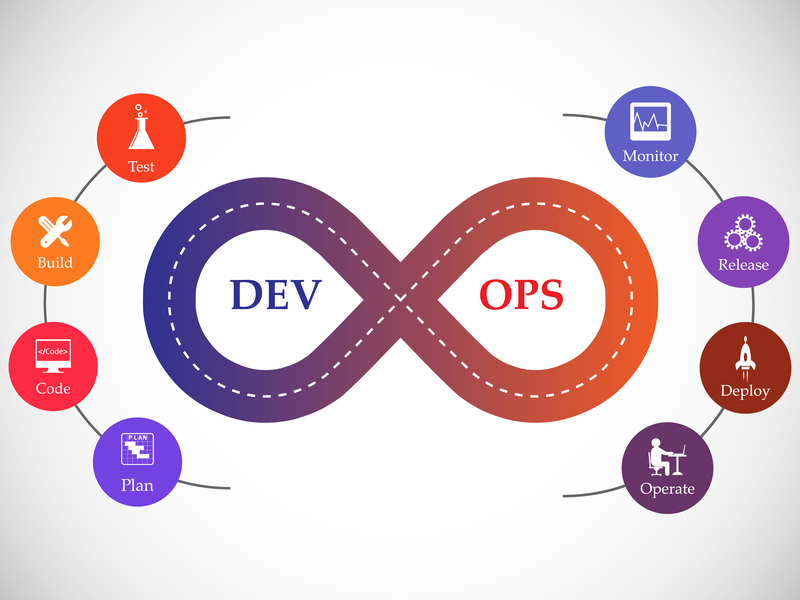
4. DevOps and Observability
AI is now a critical part of Infrastructure as Code (IaC) and server maintenance.
Log Analysis:
When a production server fails, reviewing thousands of log lines is slow. AI tools ingest these logs and identify the root cause.
- Example Output: "Crash caused by memory leak in image processing service at line 402."
Code Translation:
AI is an expert translator for infrastructure. It can convert Terraform configurations into Pulumi, or AWS CloudFormation into Azure ARM templates.
The Risks (What to Watch Out For)
To use AI effectively, you must manage its limitations.
- The Junior Developer Trap: Committing AI-generated code without reviewing it. If you cannot explain how the code works, do not commit it.
- Library Hallucinations: AI may suggest importing libraries that do not exist or have security vulnerabilities (common in NPM and Python).
- Context Window Limits: Large monolithic architectures may exceed the AI's "memory," leading to loss of global context.
The Modern AI Tech Stack
If you are building a software team today, this is the optimized toolset.
| Tool | Category | Primary Function |
|---|---|---|
| Cursor | IDE | A fork of VS Code. Allows multi-file editing via natural language ("Composer" mode). |
| Claude 3.5 Sonnet | LLM | Currently the industry standard for logic and coding tasks. |
| CodiumAI | Testing | Analyzes code behavior to suggest missing test cases. |
| Warp | Terminal | AI-integrated command line. Converts natural language into shell commands. |
Summary
AI in software development is not a replacement for engineers. It is a tool for removing drudgery.
By automating boilerplate, syntax lookups, and basic testing, you free up time for high-value tasks: System Architecture and Business Logic.
What to do next:
Open your IDE. Instead of typing a function manually, open a chat window and prompt: "Create a function to calculate cart totals with regional tax rates. Use strong typing."
Review the output. That is your new workflow.