A resume is a crucial tool for creating a lasting impression on an employer. But for the hiring manager to see your resume, it has to go through an Applicant Tracking System (ATS) review, which is now a standard part of the recruitment process. Since this software is used by nearly all Fortune 500 companies for resume shortlisting, many qualified candidates may have their resumes overlooked if they are not ATS-optimized.
What Is an ATS and Why Does It Matter?
An Applicant Tracking System (ATS) is a software application used by companies to organize, rank, and screen resumes that recruiters then review personally.
How Does an ATS Work?
Once you upload your resume to an ATS, the system reads it to identify specific requirements that help determine whether you are best suited for the position you are applying for. Here’s what ATS looks for:
1. Keywords
The ATS is programmed to scan keywords from the job description, such as individual skills and certifications, or job titles. The more your resume resembles these keywords, the greater your chances of passing the ATS screening. For example, when a job requires project management skills, ensure you include those terms in your resume word-for-word.
Beyond simply including keywords, consider using variations and synonyms that an ATS might recognize through latent semantic indexing (LSI). For example, if a job description mentions 'project management,' also include terms like 'program coordination' or 'scrum master' if relevant to your experience.
Additionally, strategically place keywords throughout your resume, not just in a dedicated 'skills' section, to demonstrate their application in your work experience.
2. Simple Formatting
ATS is unable to reliably parse complex fonts, graphics, and complicated resume structures. It requires a clear and readable resume with no tables, columns, or pictures. The simpler, the better.
3. Standard Section Headers
For ATS, it is highly important to use common section heads, such as, but not limited to, Work Experience, Education, and Skills. If you are creative with the titles of these sections, such as Career History (not Work Experience), the system might not interpret them correctly.
4. Readable Fonts
ATS prefers easy-to-read resumes and thus, uses conventional fonts such as Arial, Calibri, or Times New Roman. Additionally, it is advisable to avoid using fonts that are difficult to read or overly decorative.
5. Contact Information
Include your name, phone, and email information in the body of your resume and not in the header or footer because some of the ATS overlook what is written in the header and footer.
The Solution: Great Learning’s Resume Builder
With many resume-building tools available, it can be challenging to choose one. For those looking to build a professional, ATS-friendly resume quickly, one option is Great Learning’s Resume Builder. It’s an advanced AI-based tool designed to help you create an ATS-friendly resume that not only looks great but is also optimized for ATS.
Easy Step-by-Step Guide to Build an ATS-Friendly Resume
Follow these easy steps to create an ATS-friendly resume in a few minutes:
Step 1: Sign Up & Launch the Builder
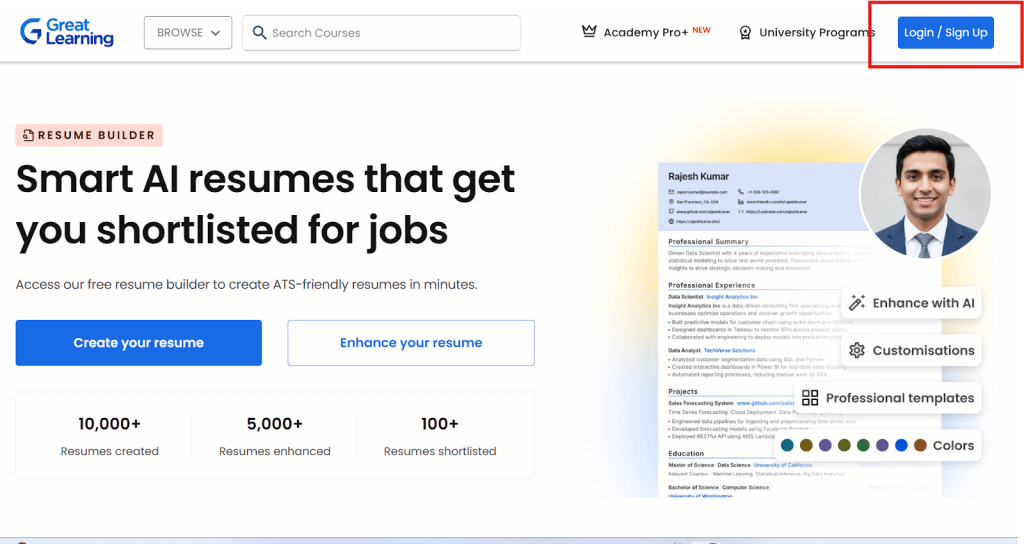
- Go to the AI Resume Builder page on Great Learning Academy Pro
- Create an account or log in if you already have one
- Start the 7-day free trial to get access to all features and unlimited downloads
Step 2: Choose Your Starting Point
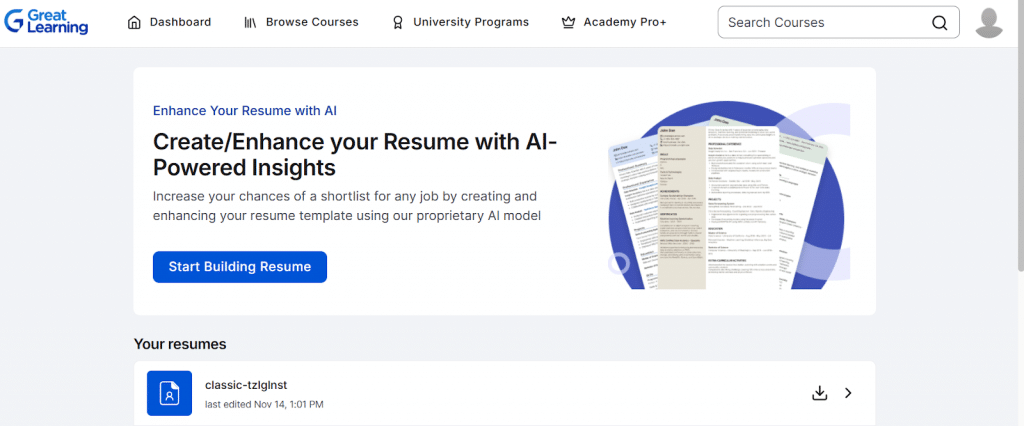
You can either:
- Create a new resume from scratch
- Enhance an existing resume by uploading it and letting the AI improve it
Step 3: Pick Your Template
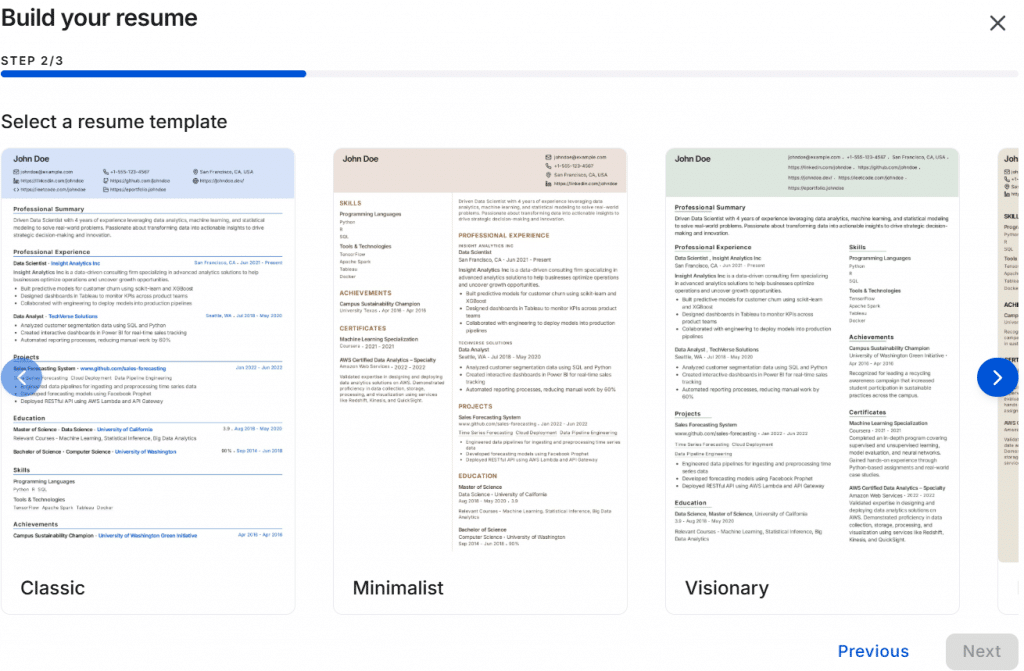
Select a template that aligns with your experience and the job you are targeting. Options include:
- Classic for traditional roles
- Minimalist for modern positions
- Visionary for senior roles
- Elegant for versatile use
Step 4: Fill in Core Sections
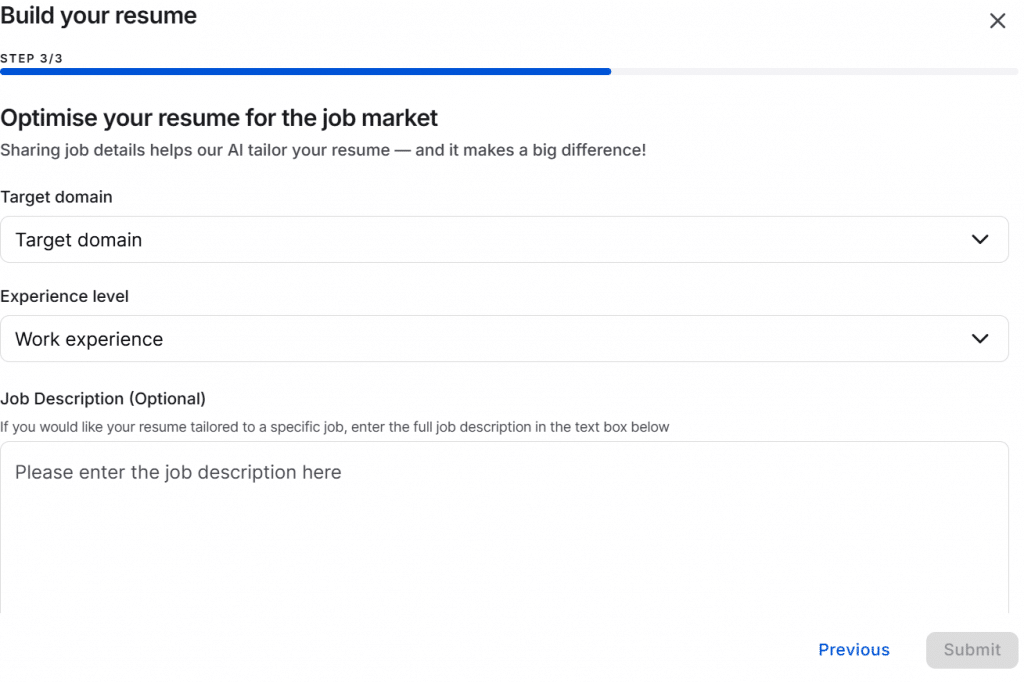
The AI Resume Builder will guide you to fill in standard sections, such as:
- Target Domain
- Experience Level
- Job Description (Optional)
Ensure that you focus on achievements and quantifiable outcomes in each job entry.
Step 5: Apply AI Editing
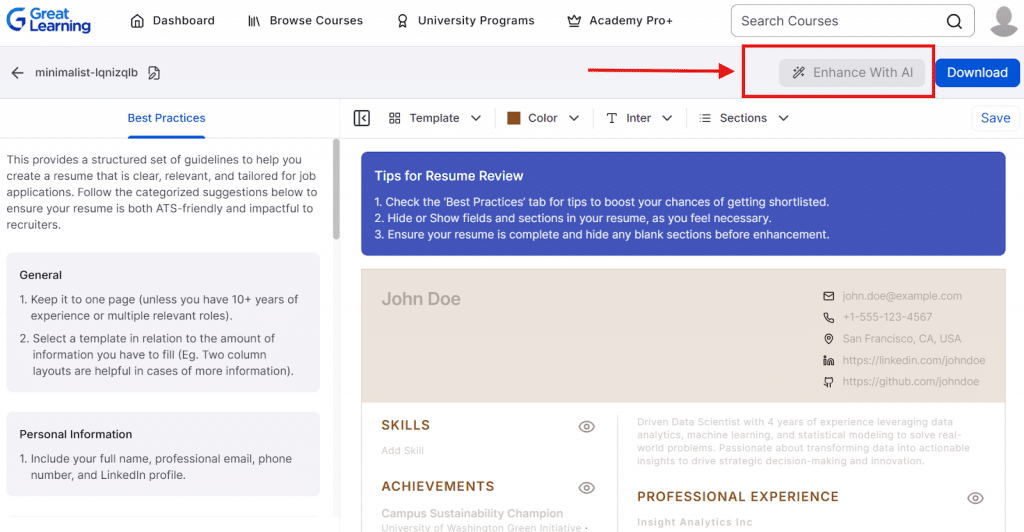
After entering your content, use the AI editing feature to:
- Fix grammar and improve sentence flow
- Refine the tone to match professional standards
- Optimize the structure for ATS readability
Step 6: Fine-Tune Layout & Sections
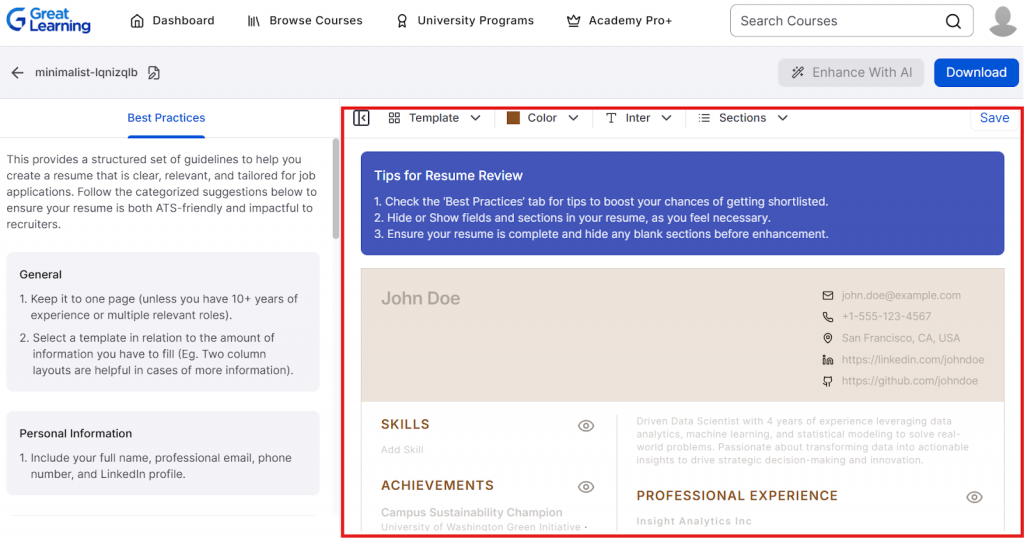
- Reorder sections based on your job target (e.g., Skills at the top for technical roles)
- Ensure that section headings are clear and standard (e.g., "Work Experience," "Skills")
Step 7: Download & Save Versions
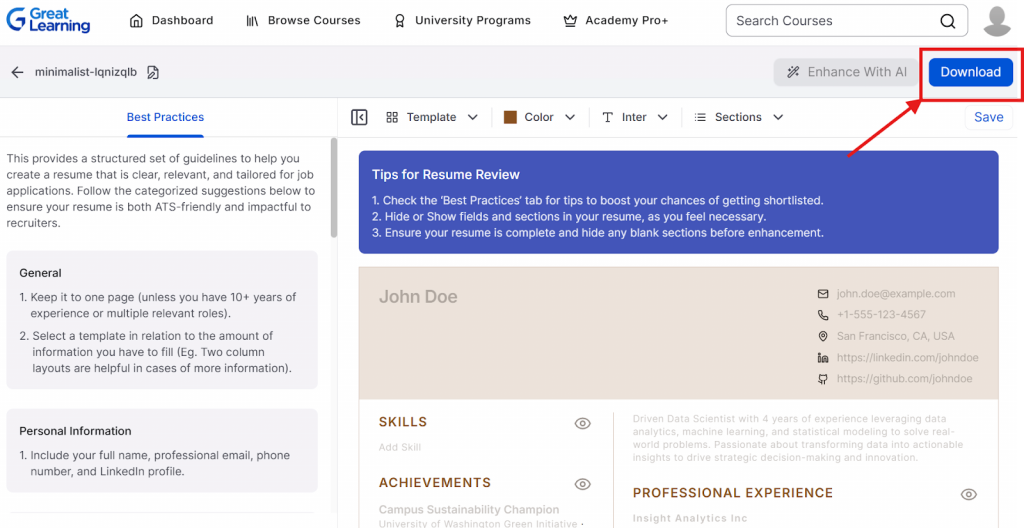
Once done with editing and proper layout, you can follow these steps:
- Preview your final resume
- Download it in PDF format, which is preferred by most ATS systems
- Save multiple versions for different roles
Key Features of Great Learning AI Resume Builder
ATS-Friendly Templates
The tool offers a variety of pre-designed templates that are optimized for ATS. These templates ensure that your resume has the right structure to be read by both the ATS and a recruiter. You can choose from styles like:
- Classic: A traditional format for a clean, professional look
- Minimalist: A modern and straightforward layout, great for tech or creative industries
- Visionary: A design that suits senior roles with a little more flair
- Elegant: A professional but stylish format, suitable for all levels
These templates ensure that the ATS can easily scan the resume without getting confused by unnecessary design elements.
Smart Customization & AI Editing
With AI-powered customization, the builder automatically suggests improvements to your resume. You can accept, reject, or modify these AI suggestions as per your preference, giving you complete control over your final resume.
Tailored to Your Experience & Domain
The builder adapts based on your years of experience and the domain you’re targeting (e.g., data science, marketing, software development). It allows you to:
- Choose templates based on your experience level
- Highlight the skills and experiences relevant to your target job
- Focus on key achievements rather than just listing responsibilities
This ensures that the resume you create is specific to the roles you're applying for, increasing your chances of getting noticed.
Speed & Convenience
Great Learning claims that most users can complete their resume in under 15 minutes. This speed is made possible by:
- ATS-friendly templates that guide the structure of the resume
- AI-powered suggestions that help you refine your content quickly
- Real-time preview of your resume, so you can instantly see changes as you make them
Free Trial & Integration
Great Learning offers a 7-day free trial for users who want to test the full capabilities of the AI Resume Builder. During the trial, you can:
- Create unlimited resumes and download them in PDF format
- Access other career support tools, like mock interviews and resume-building courses
After the trial, you can continue using the builder with a Pro+ subscription, which also gives you access to other Great Learning Academy resources, such as courses, certificates, and career workshops.
FAQs
Q1. Should I use tables, columns, and graphics in my resume?
Generally, ATS do not recognize or read tables, columns, graphics, icons, and non-standard layouts. Consequently, it would be better to play it safe and use only one column and text-based formatting.
Q2. Should I tailor my resume to each job that I am applying for?
Yes, by tailoring every resume you send with the most appropriate keywords for the particular job and making your experience look like it meets the job description you increase the chances of your resume being picked by the ATS significantly.
Q3. Should we include personal hobbies or interests to make a resume ATS-friendly?
If someone includes hobbies or interests that are directly related to the job, that is fine; otherwise, they should focus on skills and professional achievements.
Q4. Which file format is preferable for ATS resumes: PDF or DOCX?
Most modern ATS systems can process both DOCX and PDF files effectively. PDF is often preferred for preserving your resume's formatting, but always check the job posting for specific file format requirements. If no preference is stated, PDF is generally a safe choice.
Q5. Would it be beneficial to list my certifications and online courses to pass an ATS?
Yes. For both the bot and the human, professional certifications and online courses can be very useful for keyword matching and also demonstrate that you keep developing yourself professionally.
Check out Great Learning to earn professional certificates from top universities.