
Free Excel VBA Course for Beginners

Excel VBA for Beginners

star 4.49  Beginner level 2.25 learning hrs 19.5K+ Learners

Excel VBA online free course lessons connect datasets, metrics, and analysis choices with practical examples, so the subject feels useful for analytics projects, not just theory.

Key Highlights

Get free course content

Master in-demand skills & tools

Test your skills with quizzes

About this course

This free excel vba for beginners course is built for analytics, data science, and business learners who want the topic explained with context and usable examples. The course introduces data preparation, model thinking, visual analysis, and evaluation in a way that shows how the pieces work together. Instead of treating excel vba for beginners as a list of terms, it explains what to look for, how to reason through common tasks, and why the subject appears in real projects, teams, or business decisions.


The course is a good fit if you want to turn data, models, or analysis outputs into clearer decisions. You can use it to prepare for assignments, interviews, workplace conversations, or a first hands-on project depending on your goal. After finishing, you should be able to explain the core idea of excel vba for beginners, recognize when it is relevant, and choose a sensible next step such as practice exercises, deeper tools, related frameworks, or a more advanced course.

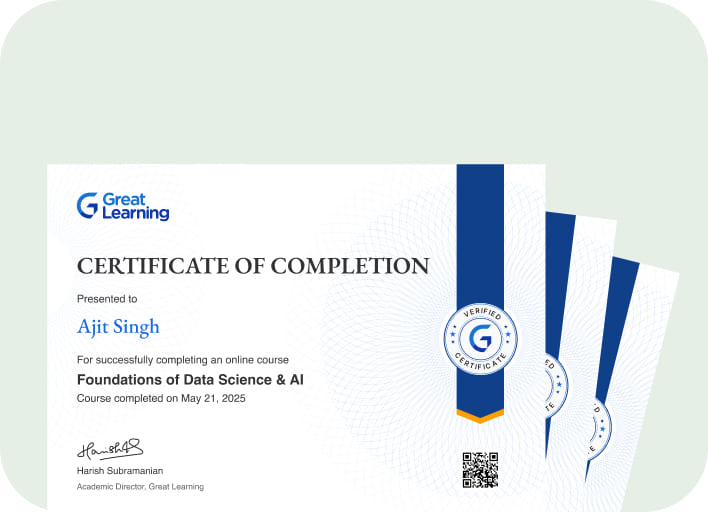
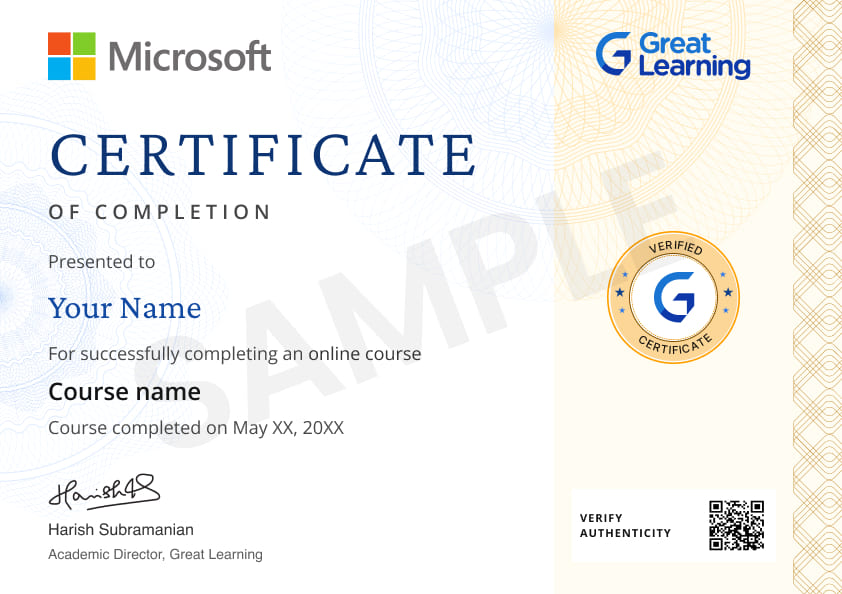
Stand out with an industry-recognized certificate

10,000+ certificates claimed, get yours today!

Get noticed by top recruiters

Share on professional channels

Globally recognised

Land your dream job

Certificate Image

Course outline

Introduction to VBA

Using the VBA

Excel object model

Types of elements

Important concepts of VBA

VBA Elements

Get access to the complete curriculum once you enroll in the course

Excel VBA for Beginners

rating icon 4.49

2.25 Hours

Beginner

19.5K+ learners enrolled so far

Get free course content

Master in-demand skills & tools

Test your skills with quizzes

Level up with advanced skills & become job ready with Pro+

Subscribe to Pro+ today to build skills with 50+ Pro courses and prep for jobs with advanced AI tools.

PRO

Pro+ course thumbnail image
partner logo
Excel Training: Beginners to Advanced
2 projects 9 hrs video content

Practice exercises

Certificate from Microsoft

AI Resume Builder

AI mock interviews

Start 7-Day Free Trial

Trusted by 1 Crore+ Learners globally

Learner reviews of the Free Courses

4.49
★★★★
★ ☆
★
★
★
★
★
69%
★
★
★
★
☆
21%
★
★
★
☆
☆
7%
★
★
☆
☆
☆
1%
★
☆
☆
☆
☆
2%
Reviewer Profile

4.0

★★★ ★ ☆
India
“Learning the Fundamentals of VBA Empowers Users to Automate Tasks and Enhance Productivity in Excel”
Learning the fundamentals of VBA (Visual Basic for Applications) empowers users to automate tasks and enhance their productivity in Excel and other Microsoft Office applications. Key highlights include understanding how to create macros to perform repetitive tasks quickly, learning to write and edit code in the VBA editor, and utilizing built-in functions to manipulate data. Additionally, mastering VBA allows for creating custom user forms and controls, enabling personalized interactions and more sophisticated data analysis.
Reviewer Profile

5.0

★★★★ ★
India
“Comprehensive Learning Experience in VBA Excel”
In a VBA Excel course, there are several aspects that learners typically appreciate. First, VBA (Visual Basic for Applications) enables powerful automation capabilities within Excel, which is a standout feature. Through VBA, repetitive tasks, complex calculations, and custom workflows can be automated, saving a tremendous amount of time and reducing the potential for human error. Learning VBA also means gaining control over Excel’s core functions, allowing users to create customized solutions tailored to specific needs, from data analysis to report generation.
Reviewer Profile

5.0

★★★★ ★
India
“Here’s My Feedback About This Course”
I've had a fantastic learning experience with this online Excel course. The content is well-structured and easy to follow, making complex concepts accessible and understandable. The instructors are knowledgeable and responsive, providing valuable insights and support throughout the course. Overall, it's been an enriching journey that has enhanced my skills and productivity. Highly recommend this course to anyone looking to master Excel! Thank you, Great Learning!
Reviewer Profile

5.0

★★★★ ★
India
“In a VBA Excel Course from Great Learning, Key Highlights Typically Include: Fundamentals of VBA”
In a VBA Excel course from Great Learning, key highlights typically include: Fundamentals of VBA: Understanding the basics of Visual Basic for Applications, including syntax, variables, and control structures. Automating Tasks: Learning how to automate repetitive tasks in Excel, which can save significant time and effort. Creating User Forms: Gaining skills in designing user-friendly forms to enhance user interaction with spreadsheets.
Reviewer Profile

5.0

★★★★ ★
India
“I Enjoyed the VBA Course and Found It to Be Both Informative and Engaging”
I enjoyed the VBA course and found it to be both informative and engaging. The practical exercises were particularly helpful in reinforcing the concepts. While I initially found VBA syntax a bit daunting, the clear explanations and step-by-step guidance made it easier to grasp.
Reviewer Profile

5.0

★★★★ ★
“Excellent VBA Course to Start Learning”
Good first step to learning VBA. It is very short but provides precise information about it.
Reviewer Profile

5.0

★★★★ ★
India
“Detailed and Elaborated Video with Easy Follow-Ups”
The topics covered were very easy to follow, and the instructor gave in-depth detail on each and every topic, which was very useful and knowledgeable.
Reviewer Profile

4.0

★★★ ★ ☆
India
“The Instructor Was Really Good, Explained Everything in Depth by Showing Which Tools Are Used for What”
The instructor explained everything in a detailed manner, and the concepts were clear.
Reviewer Profile

5.0

★★★★ ★
India
“I Am Clear on the Fundamentals of VBA”
The course Fundamentals of VBA was structured and conveyed very well.
Reviewer Profile

5.0

★★★★ ★
India
“Excel Essentials: A Beginner's Guide to Mastering Basics”
Great intro course; clear, easy, helpful, and well-structured for beginners.

What our learners enjoyed the most

Frequently Asked Questions

Will I receive a certificate upon completing this free course?

Yes, upon successful completion of the course and payment of the certificate fee, you will receive a completion certificate that you can add to your resume.

Is this course free?

Yes, you may enroll in the course and access the course content for free. However, if you wish to obtain a certificate upon completion, a non-refundable fee is applicable.

What are the prerequisites required to learn this Excel VBA for Beginners course?

You do not need any prior knowledge except knowing what Excel and VBA is to learn this Excel VBA for Beginners course.

What will I learn in this free Excel VBA for Beginners course?

You will study Excel, analytics, core concepts, and examples so the topic learningls easier to use in real learning situations. The focus is on useful foundations, not memorizing terms.

How long does it take to complete this free Excel VBA for Beginners course?

Excel VBA for Beginners is a 1.5 hours long course but it is self-paced. Once you enroll, you can take your own time to complete the course.

Who should start with this Excel VBA for Beginners course?

This course is useful for beginners who want practical context before moving into deeper study or projects. It starts with the basics, then shows how Excel and analytics connect to practical decisions.

Will I have lifetime access to the free course?

Yes, once you enroll in the course, you will have lifetime access to any of the Great Learning Academy’s free courses. You can login and learn whenever you want to.

How does Excel VBA for Beginners help in practical learning?

Excel VBA for Beginners becomes useful when you can understand the basics, apply examples, and explain why each step matters. The course keeps those ideas tied to beginner-friendly practice.

Will I get a certificate after completing this Excel VBA for Beginners free course?

Yes, you will get a certificate of completion after completing all the modules and cracking the assessment. 

What Excel VBA for Beginners basics should I know before advanced study?

Focus first on Excel, analytics, core concepts, and the common mistakes beginners make. These basics make advanced lessons easier to follow later. It keeps the learning practical without adding unrelated admin details.

How much does this Excel VBA for Beginners course cost?

It is an entirely free course from Great Learning Academy. Anyone interested in learning Excel VBA for Beginners and understanding the basics can start this course.

Can beginners learn Excel VBA for Beginners online through this course?

Beginners can use the lessons to build a clear starting point for Excel VBA for Beginners. The flow keeps concepts, examples, and practice connected so online learning learningls structured.

Is there any limit on how many times I can take this free course?

Once you enroll in the Excel VBA for Beginners course, you have lifetime access to it. So, you can log in anytime and learn it for free online.

What makes this Excel VBA for Beginners training useful for projects?

The training helps you connect Excel with analytics and core concepts, which is important when turning a lesson into an assignment, portfolio task, or workplace example.

Who is eligible to take this Excel VBA for Beginners course?

You do not need any prerequisites to learn the course, so enroll today and learn it for free online.

How should I practice after finishing Excel VBA for Beginners?

After finishing, revisit the core terms, repeat one small example, and explain your steps aloud. Then move into practice examples, related tools, applied projects, and a deeper follow-up course based on your goal.

What questions does this free Excel VBA for Beginners course answer for learners?
It answers how Excel VBA for Beginners works, where it is used, which basics matter first, and how learners can move from definitions to practical examples without getting lost in advanced details.

Subscribe to Academy Pro+ & get exclusive features

$29/month

No credit card required

Learn from 40+ Pro courses

Access 500+ certificates for free

700+ Practice exercises & guided projects

Prep with AI mock interviews & resume builder

Similar courses you might like

Enroll For Free