Data Analytics using Excel Free Course
Data Analytics using Excel
 4.67
Beginner level
2.25 learning hrs
4.67
Beginner level
2.25 learning hrs
Learn data cleaning, sorting and filtering, lookup functions, conditional formatting, and pivot tables to analyze and visualize data. Enroll in this free Data Analytics using Excel course for beginners.
Instructor:
Mr. Gaelim Holland


What you'll learn


About this course
Learn to perform Data Analytics using excel in this course. This free course has been designed to prepare you for meaningful opportunities in the future pertinent to Data Analytics. The course starts with the Introduction to Data Analytics and explains the phases of the Data Analytics project. It will further guide you to use different functions of excel with regard to Data Analytics like Sort and Filter, Lookup functions, conditional formatting, Pivot tables, and more. The final phase of this course will cover Data Visualization, in which you will be able to learn how to represent data using pictorial charts and tables. Using various examples, the instructor explains Data Visualization in the course. Attend a quiz after completing the course that lets you test your knowledge and claim your course certificate once you pass it.
Launch your Data Analytics career by extending your knowledge with the best Data Analytics Courses. Learn the foundations and advanced concepts to secure a job in the industry.
Course outline
Data Cleansing Operations: Text-to-Columns, TRIM, and Deduplication
Sanitize dirty datasets for analysis. Use TRIM and CLEAN to remove whitespace, Text-to-Columns for parsing delimiters, and Remove Duplicates to ensure data quality. Handle Null Valueseffectively.
Analytics Framework: Descriptive, Diagnostic, Predictive, and Prescriptive
Define the four pillars of analytics: Descriptive (What happened?), Diagnostic (Why?), Predictive (What will happen?), and Prescriptive(Actionable steps). Position Excel as a Self-Service BI tool.
The Data Lifecycle: ETL (Extract, Transform, Load) in Excel
Master the data pipeline: Data Collection(Extraction), Staging/Cleaning(Transformation), and Reporting(Visualization). Manage the workflow from raw CSVs to actionable insights.
Data Integrity Controls: Drop-down Lists and Error Alerts
Prevent "Garbage-In, Garbage-Out" errors. Construct Drop-down Lists to standardize data entry. Configure Input Messages and Error Alerts(Stop/Warning/Information) to enforce business rules.
Pivot Table Mastery: Slicers, Calculated Fields, and Grouping
Summarize millions of rows without formulas. Segment data using Slicers and Timelines. Create custom metrics with Calculated Fields and execute Frequency Grouping (e.g., grouping dates by Month/Quarter).
Statistical Analysis: SUMIFS, COUNTIFS, and Descriptive Statistics
Perform multi-condition aggregation using SUMIFS and COUNTIFS. Calculate Central Tendency (Mean, Median, Mode) and dispersion (Standard Deviation) using the Analysis ToolPak.
Advanced Data Querying: Multi-Level Sort and Advanced Filter
Organize complex datasets with Multi-Level Sorting (sorting by Region, then Revenue). Extract specific subsets using the Advanced Filter tool with logical criteria ranges (AND/OR logic).
Retrieval Functions: VLOOKUP, INDEX-MATCH, and XLOOKUP
Merge datasets effectively. Master the classic VLOOKUP (Exact Match), overcome its limitations using INDEX & MATCH, and deploy the modern dynamic array function XLOOKUP.
Visual Analytics: Heat Maps, Data Bars, and Icon Sets
Highlight patterns and outliers instantly. Visualize magnitude using Data Bars, create in-cell Heat Maps with Color Scales, and track KPIs using Icon Sets(Traffic Lights).
Dashboarding & Storytelling: Histograms, Pareto, and Scatter Plots
Visualize distributions with Histogramsand the 80/20 rule with Pareto Charts. Analyze correlations via Scatter Plotsand assemble interactive Dashboards for stakeholder reporting.
AI-Augmented Analytics: Regression Modeling & Code Gen with ChatGPT
Execute Univariate Analysis and Linear Regression on the Car-MPG dataset. Leverage ChatGPT to generate Python scripts for Excel, explain complex formulas, and automate summary statistics.
Get access to the complete curriculum once you enroll in the course
This course is ideal for
- Beginners wanting to learn Excel data analysis.
- Students and job seekers targeting analyst roles.
- Working professionals who report on data in Excel.
- Learners who want a Data Analytics Using Excel certificate.
 4.67
4.67
Level up with advanced skills & become job ready with Pro+
Subscribe to Pro+ today to build skills with 50+ Pro courses and prep for jobs with advanced AI tools.
 PRO
PRO



Practice exercises
Certificate from Microsoft
AI Resume Builder
AI mock interviews











What our learners enjoyed the most
Skill & tools
62% of learners found all the desired skills & tools
Easy to Follow
60% of learners found the course easy to follow
Our course instructor

Mr. Gaelim Holland
Senior Data Scientist
Data Science Expert


Frequently Asked Questions
Will I receive a certificate upon completing this free course?
Is this course free?
Will I get a certificate after completing this Data Analytics Using Excel free course?
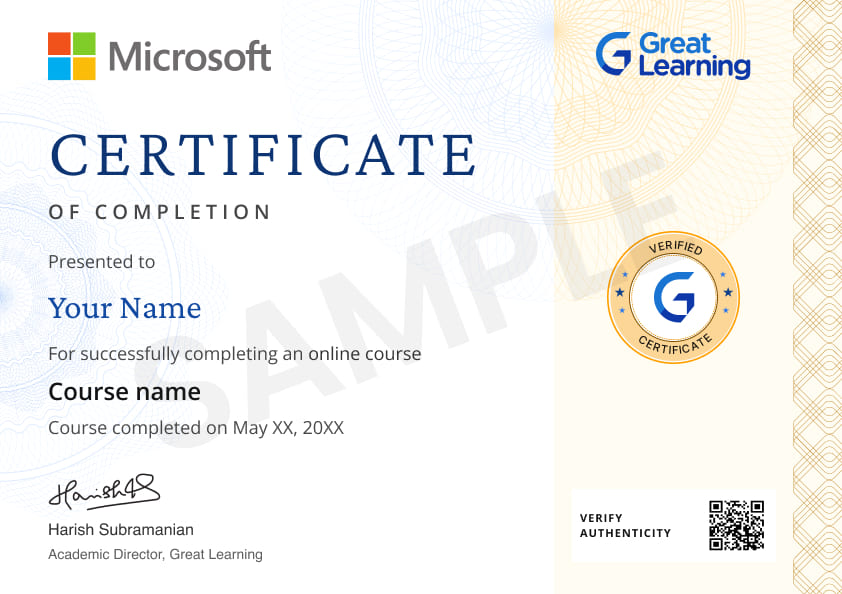
Yes, you will get a certificate of completion for Data Analytics Using Excel after completing all the modules and cracking the assessment. The assessment tests your knowledge of the subject and badges your skills.
How much does this Introduction to Data Analytics using Excel course cost?
It is an entirely free course from Great Learning Academy. Anyone interested in learning the basics of Excel Data Analytics can get started with this course.
Is there any limit on how many times I can take this free course?
Can I sign up for multiple courses from Great Learning Academy at the same time?
Yes, you can enroll in as many courses as you want from Great Learning Academy. There is no limit to the number of courses you can enroll in at once, but since the courses offered by Great Learning Academy are free, we suggest you learn one by one to get the best out of the subject.
Why choose Great Learning Academy for this free Data Analytics using Excel course?
Great Learning Academy provides this Data Analytics using Excel course for free online. The course is self-paced and helps you understand various topics that fall under the subject with solved problems and demonstrated examples. The course is carefully designed, keeping in mind to cater to both beginners and professionals, and is delivered by subject experts.
Great Learning is a global ed-tech platform dedicated to developing competent professionals. Great Learning Academy is an initiative by Great Learning that offers in-demand free online courses to help people advance in their jobs. More than 5 million learners from 140 countries have benefited from Great Learning Academy's free online courses with certificates. It is a one-stop place for all of a learner's goals.
What are the steps to enroll in this Introduction to Data Analytics using Excel course?What are the steps to enroll in this Introduction to Data Analytics using Excel course?
Enrolling in any of the Great Learning Academy’s courses is just one step process. Sign-up for the course, you are interested in learning through your E-mail ID and start learning them for free online.
Will I have lifetime access to this free Introduction to Data Analytics using Excel course?
Yes, once you enroll in the course, you will have lifetime access, where you can log in and learn whenever you want to.




Recommended Free Data Science courses
 FREE
FREE


.jpg "Course thumbnail image")
Similar courses you might like


Related Data Science Courses

-

12 weeks · Online
Know More
-
MIT Professional Education
Applied AI and Data Science Program15 Weeks · Live Online · Weekdays & Weekend
Know More
-
Deakin University
Master of Data Science (Global) Program24 Months · Online
Top 1% UniversityKnow More