Excel Tips and Tricks Free Course Course
Excel Tips and Tricks
 4.55
Beginner level
1.5 learning hrs
4.55
Beginner level
1.5 learning hrs
Looking to master Excel? Enroll in our Excel Tips and Tricks course and learn the best tips, tricks and shortcuts to save time, increase productivity and take your Excel skills to the next level. Sign up now!



What you'll learn


About this course
EXCEL TIPS AND TRICKS
Excel Tips and Tricks is a course designed to help users of all levels learn advanced techniques and best practices for using Microsoft Excel. This course covers a wide range of topics, from keyboard shortcuts and conditional formatting to advanced formulas and functions, data analysis and modeling, charting and graphing, and macros and automation.
- The course is ideal for beginners who want to learn the basics of Excel as well as for intermediate and advanced users who want to enhance their skills and productivity. Whether you use Excel for data analysis, project management, financial reporting, or any other task, this course will provide you with valuable tips and tricks to make your work more efficient and effective.
- The course is taught by experienced instructors who have extensive knowledge of Excel and its features. They will guide you through the course step-by-step, providing hands-on exercises and real-world examples to help you apply what you have learned.
- This course teaches you how to work with large data sets, use advanced functions such as VLOOKUP and IF, create dynamic charts and graphs, and automate repetitive tasks using macros. You will also learn how to protect cells and sheets, collaborate with others, and use shortcuts and tips to save time and increase productivity.
Excel Tips and Tricks is a valuable course that can help you master Excel and become a more efficient and productive user. With the skills you learn in this course, you can take your Excel skills to the next level and become a more valuable asset to your organization. So, enroll in the Excel Tips and Tricks course today and start improving your skills!
Being an Ed-Tech organization, we aim to empower our learners with everything they need to be global industry fits. Great Learning holds out Post-Graduate Programs in various domains. You can register with us and explore our Software Engineering Courses today. Join us today to learn with millions of aspirants across the globe. Happy Learning!
Course outline
Basics of Excel
This module will help you understand the basics of excel. You will learn basics from what is a cell in excel to the entire layout of the excel worksheet.
Basic level tips
In this module, you will learn a few of the basic excel tips which are commonly used by all excel users.
Intermediate level tips
In this module, you will learn the intermediate level of excel tips and tricks. These tips and tricks play a crucial role for an user who works on excel on a regular basis.
Advanced level tips
In this module, you will learn the advanced level of excel tips that would help you increase your productivity. These tips will require practice and are used in certain situations where the mundane process can be substituted.
Get access to the complete curriculum once you enroll in the course
This course is ideal for
- Beginners wanting to learn Excel from the basics.
- Students and job seekers building spreadsheet skills.
- Working professionals who create reports in Excel.
- Learners who need certified proof of Excel Tips and Tricks skills.
 4.55
4.55









What our learners enjoyed the most
Skill & tools
69% of learners found all the desired skills & tools
Frequently Asked Questions
Will I receive a certificate upon completing this free course?
Is this course free?
What are some cool Microsoft Excel tricks?
1. One Click to Select All
2. Open Excel Files in Bulk
3. Shift Between Different Excel Files
4. Create a New Shortcut Menu
5. Add a Diagonal Line to a Cell
6. Add More Than One New Row or Column
7. Speedily Move and Copy Data in Cells
8. Speedily Delete Blank Cells
9. Generate a Unique Value in a Column
10. Transpose Data from a Row to a Column
11. Compose Text with &
12. Input Values Starting with 0
What are the top 7 things you can use Excel for?
1. Accounting
2. Data Entry, Storage, and Verification
3. Data Visualisation
4. Data Forecasting
5. Inventory Tracking
6. Project Management
7. Creating Forms
How do you Excel in Microsoft Excel tricks and tips?
1. Use MS Excel Format Painter
2. Select Entire Spreadsheet Columns or Rows
3. Import Data into Excel Correctly
4. Enter The Same Data into Multiple Cells
5. Display Excel Spreadsheet Formulas
6. Freeze Excel Rows and Columns
7. Enter Data Patterns Instantly
8. Hide Spreadsheet Rows and Columns
9. Copy Formulas or Data Between Worksheets
What are the shortcut keys in Excel?
1. Alt + F--File menu options in the current program.
2. Alt + E--Edits options in the current program.
3. F1--Universal help (for any sort of program).
4. Ctrl + A--Selects all text.
5. Ctrl + X--Cuts the selected item.
6. Ctrl + Del--Cut selected item.
7. Ctrl + C--Copy the selected item.
8. Ctrl + N: To create a new workbook.
9. Ctrl + O: To open a saved workbook.
10. Ctrl + S: To save a workbook.
What is the fastest way to improve Excel skills?
One of the fastest ways to learn Excel is by practicing hands-on by taking up free courses from Great Learning Academy
How can I learn tricks and tips in Excel?
You can learn Excel Tips and Tricks by taking up our free Excel Tips and Tricks course from Great Learning Academy. You can also master MS Excel by taking up other free courses from Great Learning Academy with certificates.
What are the 5 functions in Excel?
There are several excel functions that are important. Here are a few of them:
1. SUM Function
2. VLOOKUP Function
3. AVERAGE Function
4. TEXT Function
5. CONCATENATE Function
Will I get a certificate after completing this Excel Tips and Tricks free course?
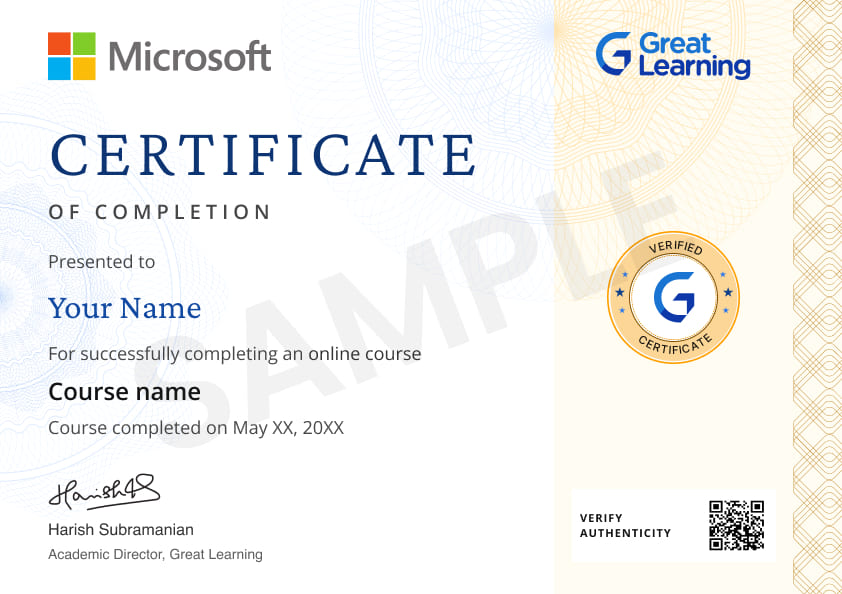
Yes, you will get a certificate of completion for Excel Tips and Tricks after completing all the modules and cracking the assessment. The assessment tests your knowledge of the subject and badges your skills.
How much does this Excel Tips and Tricks course cost?
It is an entirely free course from Great Learning Academy. Anyone interested in learning the basics of Excel Tips and Tricks can get started with this course.
Is there any limit on how many times I can take this free course?
Once you enroll in the Excel Tips and Tricks course, you have lifetime access to it. So, you can log in anytime and learn it for free online.
Can I sign up for multiple courses from Great Learning Academy at the same time?
Yes, you can enroll in as many courses as you want from Great Learning Academy. There is no limit to the number of courses you can enroll in at once, but since the courses offered by Great Learning Academy are free, we suggest you learn one by one to get the best out of the subject.
Why choose Great Learning Academy for this free Excel Tips and Tricks course?
Great Learning Academy provides this Excel Tips and Tricks course for free online. The course is self-paced and helps you understand various topics that fall under the subject with solved problems and demonstrated examples. The course is carefully designed, keeping in mind to cater to both beginners and professionals, and is delivered by subject experts. Great Learning is a global ed-tech platform dedicated to developing competent professionals. Great Learning Academy is an initiative by Great Learning that offers in-demand free online courses to help people advance in their jobs. More than 5 million learners from 140 countries have benefited from Great Learning Academy's free online courses with certificates. It is a one-stop place for all of a learner's goals.
What are the steps to enroll in this Excel Tips and Tricks course?
Enrolling in any of the Great Learning Academy’s courses is just one step process. Sign-up for the course, you are interested in learning through your E-mail ID and start learning them for free online.
Will I have lifetime access to this free Excel Tips and Tricks course?
Yes, once you enroll in the course, you will have lifetime access, where you can log in and learn whenever you want to.




Recommended Free Microsoft Excel courses
-
FREE

-
FREE
5 hrs
-
FREE
-
FREE
-
FREE
-
FREE
-
FREE
 FREE
FREE




Similar courses you might like
-
FREE
-
FREE
-
FREE
-
FREE




Related IT & Software Courses

-
McCombs School of Business at The University of Texas at Austin
Post Graduate Program in Cyber Security20 weeks · Online
Know More