- What Human-in-the-Loop Means
- Agentic AI Governance: Using Review Gates to Catch Errors and Verify Project Objectives
- Drafting Work Breakdowns and Validating Scope and Priorities
- Interpreting AI Signals for Schedule Delays and Cost Overruns
- How to Set Escalation Rules
- A Practical AI Workflow Model: Automating Status Drafts, Escalating Risks, and Team Execution
- PM Implementation Checklist: Establishing Ownership, Escalation Thresholds, and Audit Trails
- Common Mistakes to Avoid
- Conclusion
- Frequently Asked Questions (FAQ’s)
A human-in-the-loop AI workflow gives project teams the speed of AI without giving up control. In practice, that means AI agents can draft updates, summarize project data, and flag risks, while project managers decide what gets approved, edited, escalated, or rejected.
Microsoft’s 2026 Work Trend Index found that 49% of Copilot conversations support cognitive work such as analysis, problem-solving, and evaluation. As AI becomes more involved in project operations, teams need workflows that balance automation with human oversight.
What Human-in-the-Loop Means
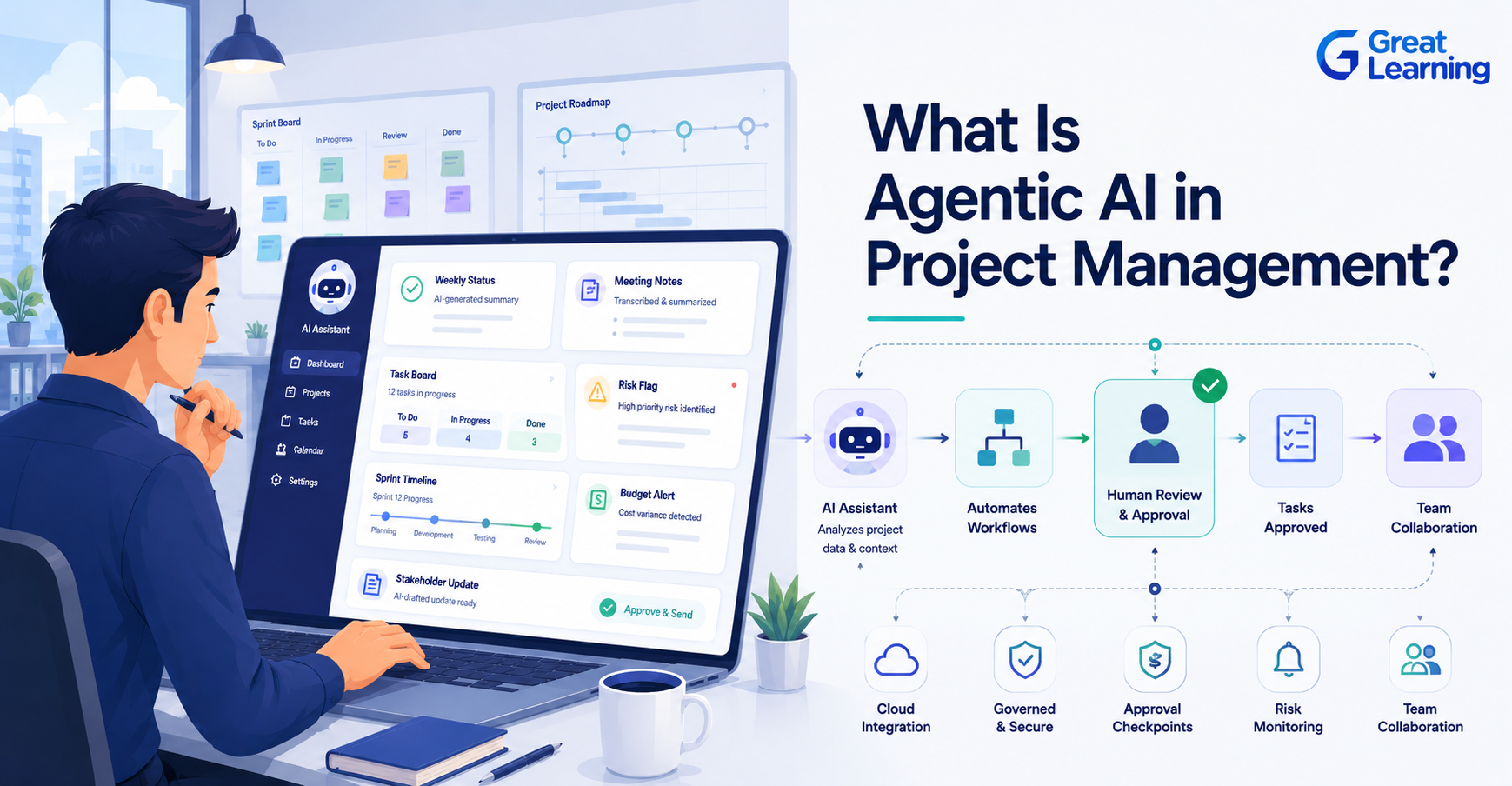
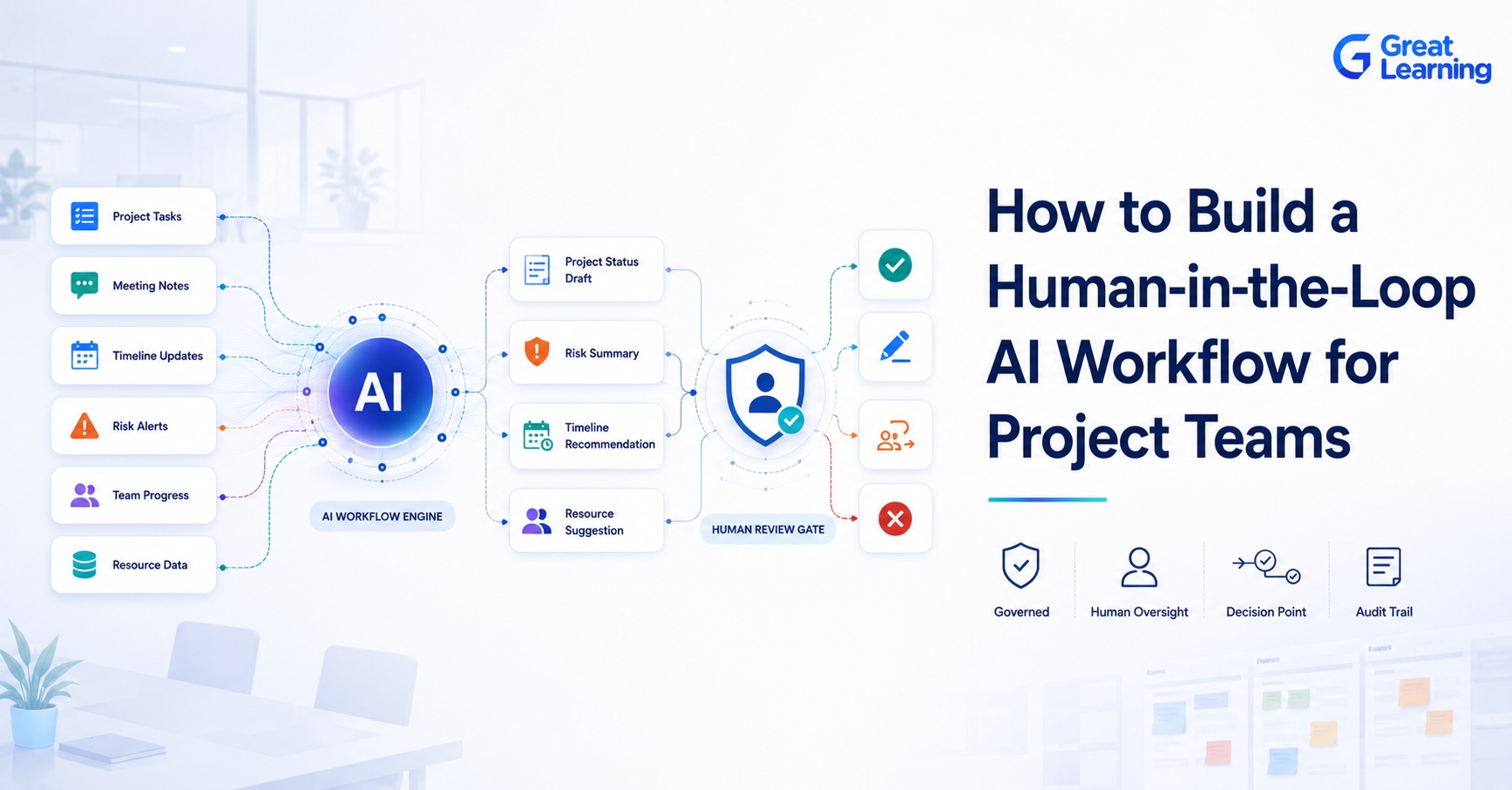
Human-in-the-loop means AI assists with the work, but people remain responsible for decisions. The agent can gather information, generate recommendations, create reports, or identify potential issues, but a project manager, PMO leader, or reviewer makes the final call.
In project environments, AI is most effective when it handles repetitive and data-heavy tasks while humans focus on judgment, stakeholder communication, prioritization, and decision-making. This approach allows teams to work faster without losing accountability.
Not every project activity requires the same level of review. A draft status update may only need a quick check, while a budget adjustment or risk escalation should go through a formal approval process.
Agentic AI Governance: Using Review Gates to Catch Errors and Verify Project Objectives
AI agents can significantly reduce administrative effort, but project decisions often affect timelines, budgets, resources, compliance requirements, and stakeholder expectations.
Review gates create checkpoints where AI-generated outputs can be verified before action is taken. These checkpoints help teams catch inaccuracies, provide additional context, and ensure recommendations align with project objectives.
This governance layer is a key part of how Agentic AI becomes a managed workflow, enabling organizations to balance automation with human oversight.
For teams adopting Agentic AI for Project Managers, review gates help ensure AI-generated outputs remain accurate, aligned with project objectives, and appropriate for the level of decision being made.
Without review gates, small errors can quickly become larger problems. With them, teams gain the efficiency benefits of automation while maintaining confidence in project outcomes.
Drafting Work Breakdowns and Validating Scope and Priorities
Planning is one of the most valuable areas for AI assistance. Agents can help draft work breakdown structures, organize requirements, identify dependencies, and suggest milestone sequences.
However, decisions that affect project scope, priorities, ownership, timelines, or delivery strategy should always be reviewed and approved by the project lead.
A practical approach is to let AI create the first draft while humans validate assumptions, confirm priorities, and approve the final plan. This speeds up planning without introducing unnecessary risk.
Interpreting AI Signals for Schedule Delays and Cost Overruns
Risk and budget management require stricter controls than routine reporting because they directly affect project performance.
AI can monitor project data and identify signals such as schedule delays, cost overruns, resource bottlenecks, or recurring blockers. It can also highlight trends that might otherwise go unnoticed.
The responsibility for interpreting those signals, however, should remain with project leaders. Humans provide context, assess business impact, and decide whether action is necessary.
The same principle applies to budgets. An AI agent may identify potential overspending or forecast variance, but funding decisions, resource reallocations, and financial approvals should remain under human control.
How to Set Escalation Rules
Escalation rules make AI-assisted workflows predictable and manageable.
Start by identifying events that require additional review. Common examples include:
- Budget variance above a predefined threshold
- Delays affecting critical milestones
- High-priority risks with significant business impact
- Compliance concerns
- Conflicts between AI-generated recommendations and project documentation
For each trigger, define:
- What event requires escalation
- Who reviews the issue
- What approval authority they have
- How quickly a decision must be made
When escalation paths are documented in advance, teams can move faster while maintaining consistent governance.
A Practical AI Workflow Model: Automating Status Drafts, Escalating Risks, and Team Execution
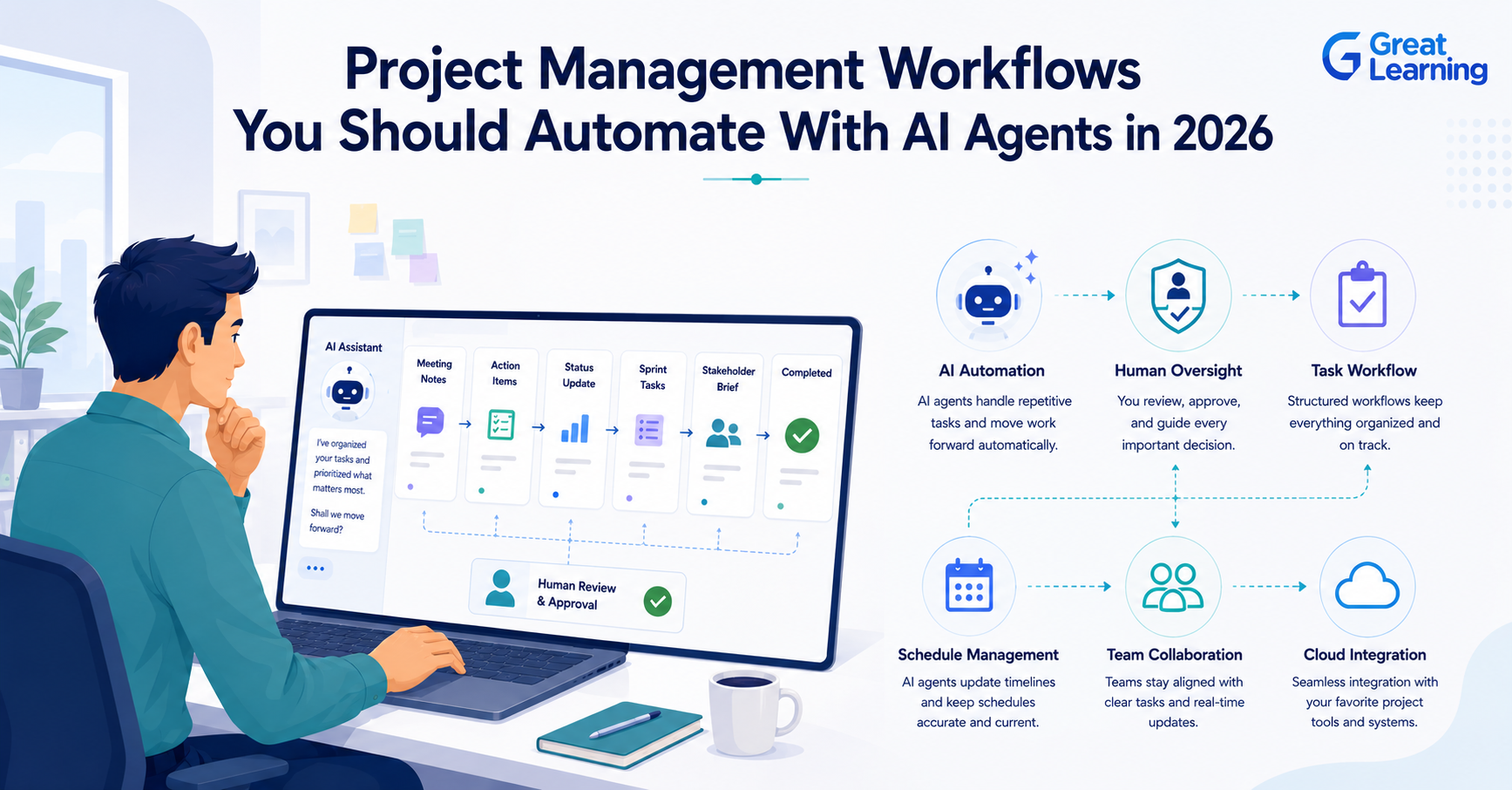
A practical human-in-the-loop workflow might look like this:
- The AI agent gathers information from project management tools, meeting notes, and task trackers.
- The agent drafts a weekly project status update.
- The project manager reviews the draft for accuracy, completeness, and context.
- Any significant risks, delays, or budget concerns are escalated to the appropriate reviewer.
- Approved updates are shared with stakeholders.
- The team executes the next steps based on the reviewed and approved information.
In this model, AI accelerates preparation and analysis while humans remain responsible for decisions and outcomes.
PM Implementation Checklist: Establishing Ownership, Escalation Thresholds, and Audit Trails
Before implementing a human-in-the-loop AI workflow, make sure the following controls are in place:
- A clearly assigned owner for every AI-assisted workflow
- Defined approval points for planning, risk, budget, and stakeholder communications
- Escalation thresholds for exceptions and high-impact changes
- A documented review process for approvals and overrides
- Clear guidelines on when human intervention is required
- Audit trails for important decisions and approvals
These controls help ensure that AI remains a support system rather than an uncontrolled decision-maker.
If your team is moving from experiments to real project automation, the next step is learning to design AI-assisted workflows with built-in governance. The AI Native Course by Great Learning is a relevant option for building that foundation.
How this program helps: Learners gain hands-on experience building autonomous AI agents and practical AI-driven workflows that automate repetitive work, improve efficiency, and enhance day-to-day productivity.
AI-Native Professional: Workflows & Agents for Productivity
Transition from basic AI usage to building automated, multi-step workflows and deploying AI agents. Perfect for functional professionals with no coding background.
Common Mistakes to Avoid
Teams often encounter problems when they introduce AI without clear governance. Some of the most common mistakes include:
- Treating AI-generated content as final without review
- Allowing AI recommendations to bypass approval processes
- Using inconsistent escalation criteria across projects
- Failing to document decisions and overrides
- Automating high-risk activities before establishing review procedures
Avoiding these mistakes helps create a more reliable and scalable AI workflow.
Conclusion
Human-in-the-loop design is one of the most effective ways to introduce AI into project management. It allows teams to automate repetitive work while maintaining control over decisions that affect delivery, budget, compliance, and stakeholder trust.
The goal is not to slow down automation. The goal is to apply automation where it creates value and add human oversight where judgment matters most.
By defining approval points, escalation paths, and review responsibilities, project teams can build AI-assisted workflows that are both efficient and accountable.
Frequently Asked Questions (FAQ’s)
1. What is a human-in-the-loop AI workflow?
A human-in-the-loop AI workflow is a process where AI generates recommendations, drafts content, or performs analysis, but a human reviews and approves the output before it is executed.
2. Where should human approval be added first?
Start with planning, risk management, budget decisions, and stakeholder communications. These activities directly impact project outcomes and typically require human judgment.
3. Should AI agents be allowed to execute project tasks automatically?
AI can automate low-risk, rule-based tasks, but important decisions involving scope, budgets, compliance, or stakeholder commitments should remain under human oversight.
4. Why do project teams need escalation rules?
Escalation rules define when additional review is required and who is responsible for making decisions. They help ensure consistency, accountability, and risk control.
5. Is human-in-the-loop only for compliance teams?
No. Human-in-the-loop workflows are valuable for project managers, PMO leaders, delivery teams, operations teams, and compliance functions. Any team using AI for decision support can benefit from structured oversight.
6. What is the biggest benefit of a human-in-the-loop workflow?
The biggest benefit is balance. Teams gain the efficiency and speed of AI while maintaining human judgment, accountability, and control over critical decisions.