
- What Is an Enterprise AI Agent?
- What an Enterprise AI Agent Workflow Looks Like
- How AI Agents Plan and Break Down Complex Tasks
- How AI Agents Use Enterprise Tools
- How MCP Helps AI Agents Access Enterprise Context
- How Memory Helps AI Agents Work Across Tasks
- How AI Agents Reason and Decide What to Do Next
- How Multiple AI Agents Work Together
- How to Build Enterprise AI Agents that are Safe and Reliable
- How to Evaluate AI Agents
- How an Agentic AI Course Can Build Enterprise AI Agent Skills
- Final Thoughts
- Frequently Asked Questions
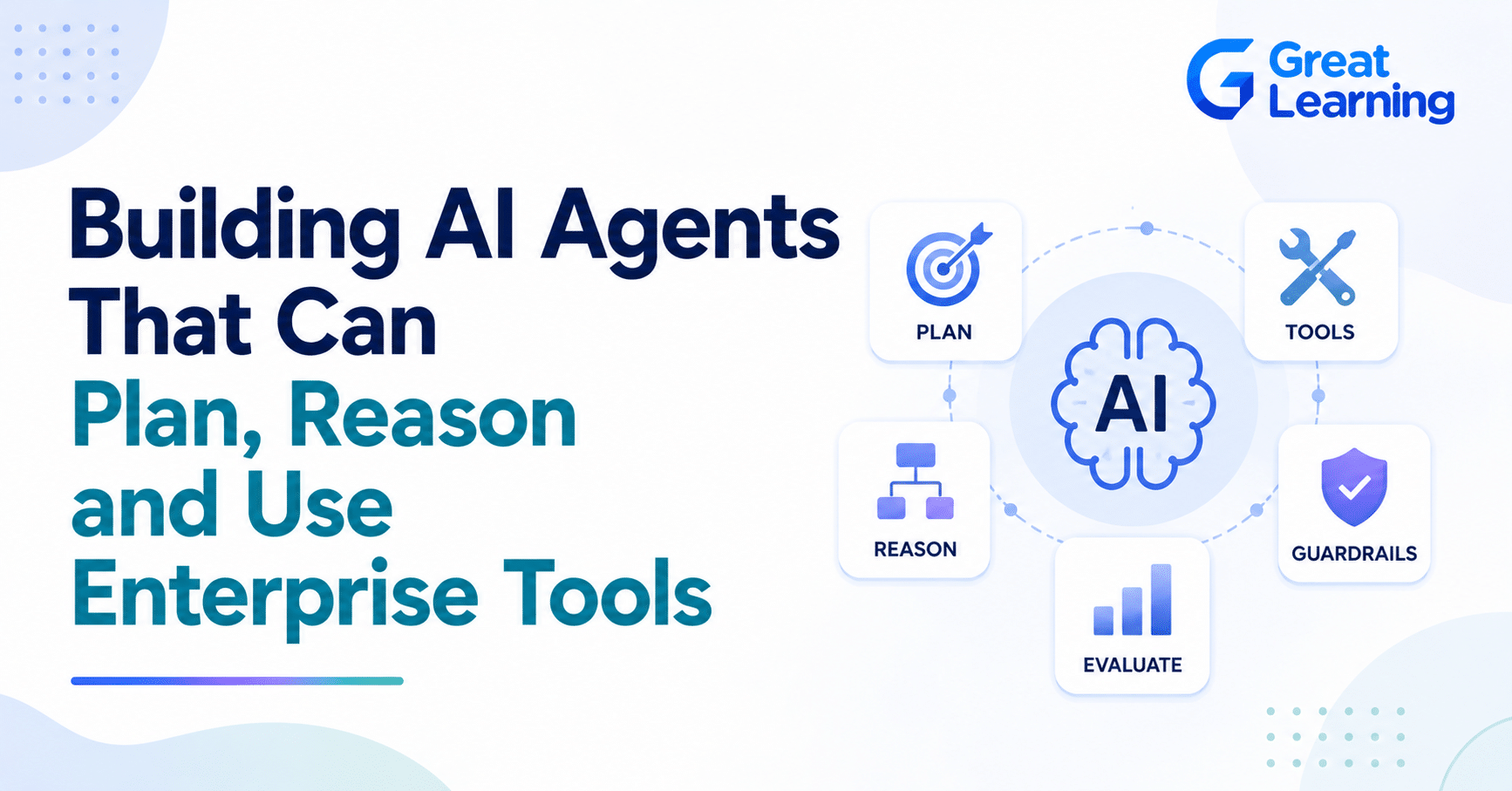
AI agents are moving beyond simple question-and-answer interactions. Modern AI agents can interpret a goal, break it into smaller tasks, retrieve information, use external tools, evaluate results, and take actions with appropriate human oversight.
This shift is particularly relevant for enterprises, where AI systems need to work with databases, APIs, internal knowledge bases, CRM platforms, and business applications.
Gartner predicts that 40% of enterprise applications will include task-specific AI agents by the end of 2026, up from fewer than 5% in 2025, highlighting the growing shift from AI that generates responses to AI that can execute workflows.
This global forecast signals product direction. The figure does not mean every process needs an agent. Teams still need a clear use case, reliable data, measurable success criteria, and safeguards before deployment.
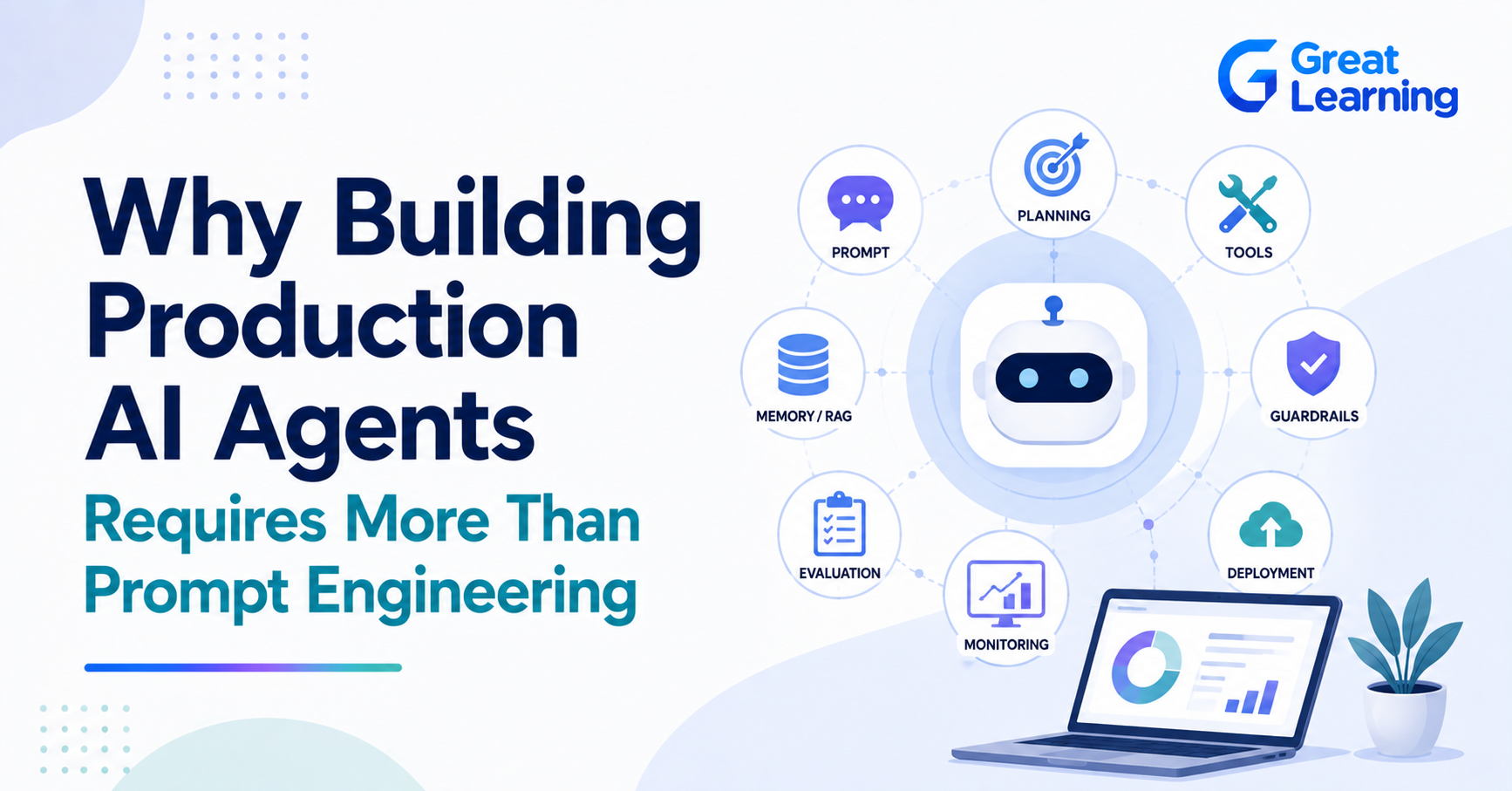
For AI professionals, building these systems requires more than prompt engineering. It involves understanding AI agent architecture, planning, reasoning, tool calling, memory, orchestration, evaluation, and security.
The progression can be viewed as:
Understand a Goal → Plan Tasks → Use Tools → Evaluate Results → Take Action
In this blog, we’ll explore how AI agents plan and reason, interact with enterprise tools, use memory and RAG, coordinate across multiple agents, and operate with the security, evaluation, and oversight needed for real-world applications.
What Is an Enterprise AI Agent?
An enterprise AI agent is a software workflow using a model to interpret a goal, choose among approved actions, call tools, observe results, and stop or escalate under defined rules. Autonomy should match task risk. Read-only research needs fewer controls than an agent that creates a purchase order or changes a customer record. Readers new to the topic should start with what AI agents are.
What an Enterprise AI Agent Workflow Looks Like
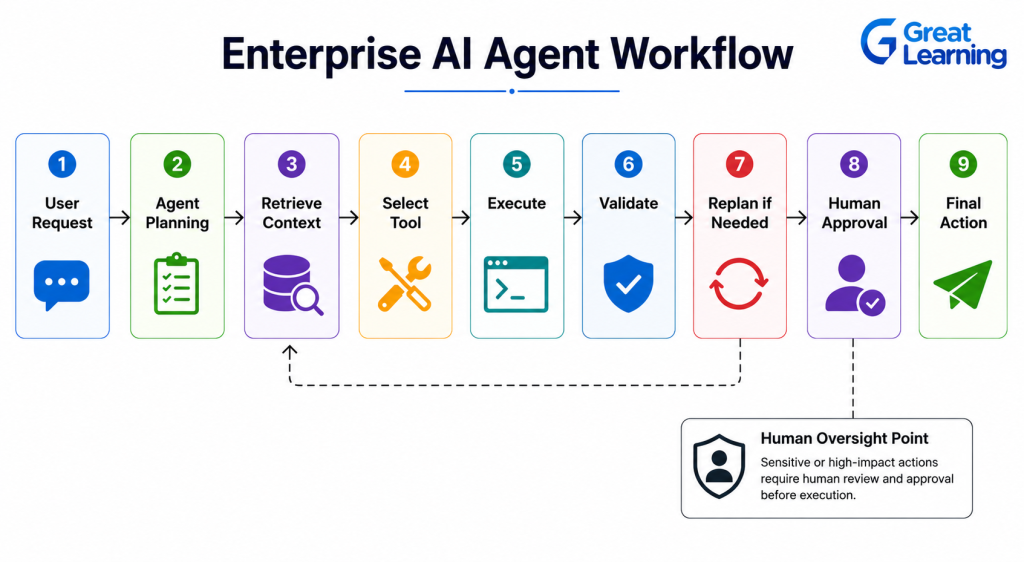
An enterprise AI agent typically combines planning, context retrieval, tool use, validation, and human oversight into a single workflow. Instead of simply generating a response, the agent can determine what needs to happen and coordinate the steps required to complete the task.
A typical workflow can look like:
User Request → Agent Planning → Retrieve Context → Select Tool → Execute → Validate → Replan if Needed → Human Approval → Final Action
For example, consider an AI agent helping a procurement team:
- Understand the request: Identify the product, quantity, and business requirements.
- Plan the task: Determine which information and tools are required.
- Retrieve context: Check inventory, supplier records, and purchasing policies.
- Use tools: Query databases or call approved procurement APIs.
- Validate: Check pricing, availability, and policy requirements.
- Replan: Request additional information or try another approved source if something is missing.
- Human approval: Route the purchase request to an authorized employee.
- Take action: Submit the approved order through the relevant business system.
This workflow shows how AI agents can connect reasoning with enterprise tools and business processes. The agent handles information-intensive steps while predefined controls determine where automation stops and human decision-making begins.
How AI Agents Plan and Break Down Complex Tasks
AI agents become more useful when a business request involves multiple steps rather than a single question.
Instead of producing an immediate response, an agent can break a larger goal into smaller tasks, determine the execution order, and adjust the plan as new information becomes available.
For example, consider an enterprise request to prepare a monthly sales analysis:
Business Goal → Task Decomposition → Data Retrieval → Analysis → Validation → Report Generation
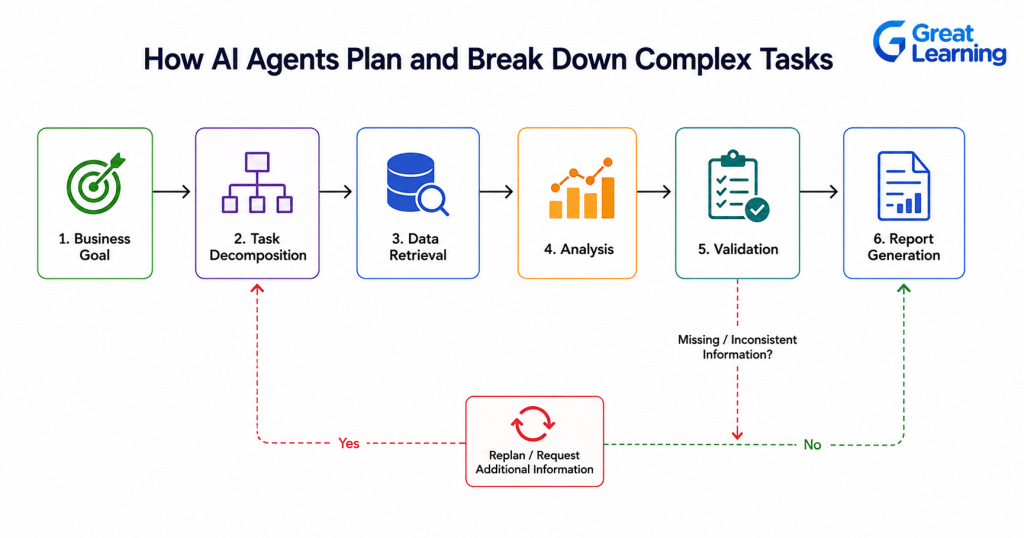
The agent could:
- Identify the required sales metrics.
- Query the appropriate business database.
- Analyze revenue, customer, and product trends.
- Check the results for missing or inconsistent information.
- Generate a structured report.
- Replan or request additional information if a required data source is unavailable.
This ability to break down tasks makes AI agent development different from designing a simple prompt-response application. The agent must decide what to do next, which tool to use, and whether the result is sufficient to continue.
For enterprise applications, this planning capability can help AI agents handle workflows that would otherwise require several manual steps across different systems.
How AI Agents Use Enterprise Tools
Planning alone does not make an AI agent useful in an enterprise environment. Agents also need controlled access to the tools, data, and applications required to complete their tasks.
Through tool calling or function calling, an agent can interact with systems such as:
- Databases: Retrieve and analyze business data.
- APIs: Access external or internal services.
- CRM platforms: Retrieve customer information or update records.
- Knowledge bases: Search policies, documents, and internal resources.
- Business applications: Trigger approved workflows or actions.
- Code execution environments: Run calculations or process data.
For example, a sales agent could receive a request to identify high-value customers at risk of churn. It could query the CRM, retrieve customer activity, call an analytics service, compare the results with business rules, and prepare recommendations for a sales manager.
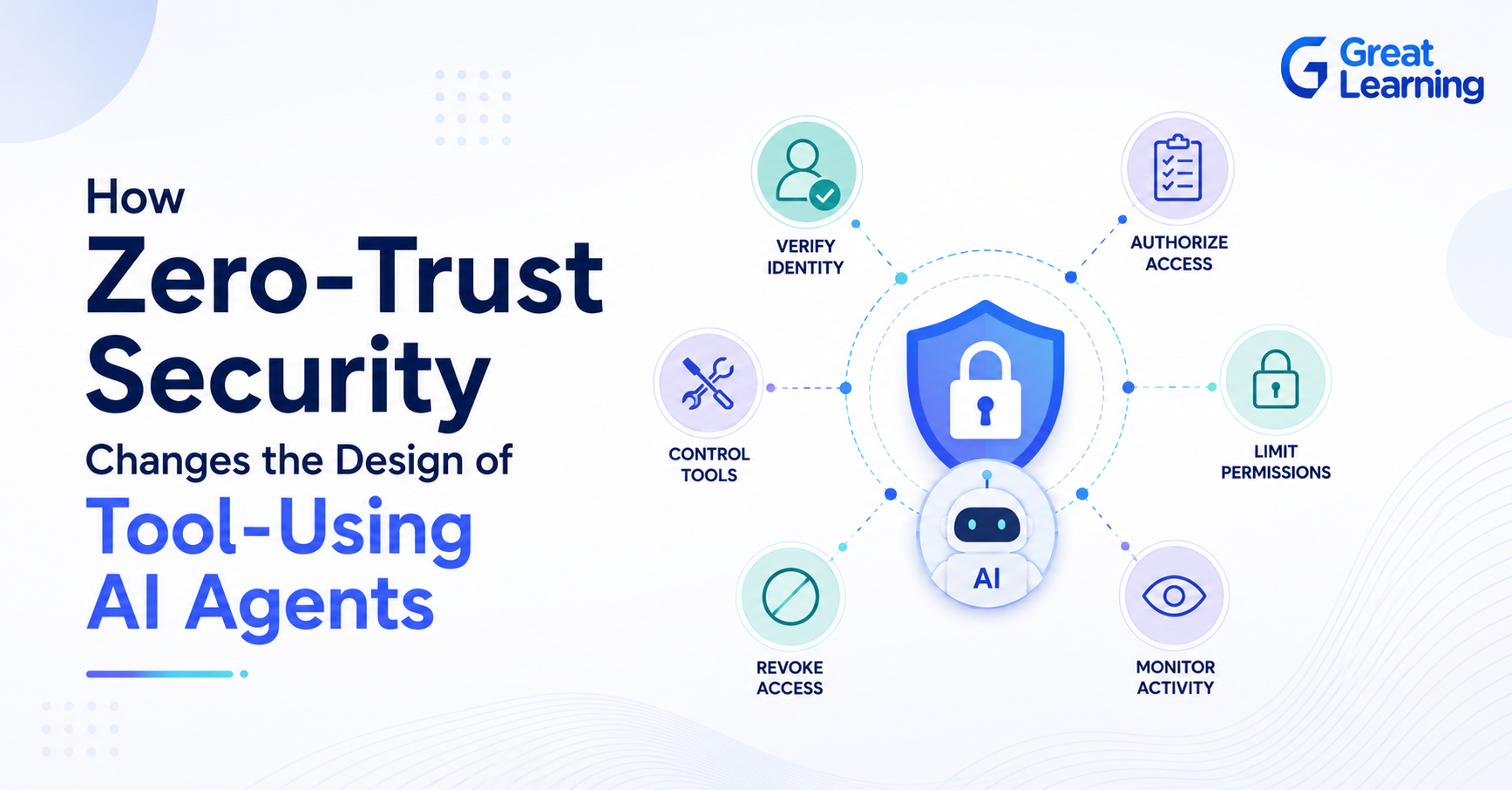
The agent should not have unrestricted access to every enterprise system. Tool permissions, authentication, validation, and human approval help ensure that agents can perform useful actions without creating unnecessary security or operational risks.
This makes the tool central to enterprise AI agent development, connecting an agent's reasoning capabilities with the systems where business work happens.
How MCP Helps AI Agents Access Enterprise Context
As AI agents interact with more enterprise systems, connecting each agent to different tools and data sources can become complex. Model Context Protocol (MCP) provides a standardized way for AI applications to connect with external tools, data sources, and services.
Instead of building a separate integration for each AI application, MCP provides a common interface for accessing approved enterprise capabilities.
For example, an AI agent could use MCP to access:
- Internal knowledge bases
- Databases
- APIs and business applications
- File systems and documents
- Search services
- Development and productivity tools
An enterprise research agent could use these connections to retrieve information from an internal database, search approved documents, and combine the results before preparing a response. Review the Great Learning MCP explainer for additional examples.
For AI professionals, understanding MCP is becoming relevant to enterprise AI agent development because it helps separate the agent's reasoning and orchestration from the systems and tools it needs to access.
How Memory Helps AI Agents Work Across Tasks
Memory lets AI agents retain relevant information beyond a single interaction. This is useful when an agent needs to work across multiple steps, conversations, or stages of an enterprise workflow.
Two common forms of memory are:
| Memory Type | Purpose |
| Short-term memory | Maintain context during the current task or workflow |
| Long-term memory | Retain relevant information for future interactions or tasks |
For example, an enterprise customer-support agent could remember the current issue, previous troubleshooting steps, customer preferences, and relevant case history while working toward a resolution.
Memory can also work alongside RAG. While RAG retrieves information from an external knowledge base, memory can maintain the context of the agent's ongoing interaction or task. The Great Learning's RAG guide provides a longer implementation overview.
Enterprise memory should store only authorized, necessary data, with strong controls for privacy, security, access, and retention.
Data should be isolated, retained only as needed, and deleted or corrected when required. In India, deployments should also comply with the Digital Personal Data Protection Act, 2023, including requirements for lawful processing, safeguards, and erasure.
This makes memory a key component of AI agent architecture, especially when agents need to handle longer, multi-step workflows without losing context.
How AI Agents Reason and Decide What to Do Next
Planning gives an AI agent a sequence of tasks, but enterprise workflows often require the agent to respond to changing information. AI agent reasoning helps the system determine what action to take based on the current context, tool results, and task requirements.
A practical agent loop can look like:
Observe → Decide → Act → Evaluate → Continue
For example, if an agent is analyzing a business report and discovers that a required dataset is missing, it can recognize the gap, retrieve the information from an approved source, and continue the workflow instead of producing an incomplete result.
Several approaches can support agent reasoning, including:
- ReAct: Combines reasoning with actions and observations.
- Plan-and-Solve: Creates a plan before executing individual tasks.
- Reflection: Reviews previous outputs and identifies potential improvements.
- Feedback loops: Uses tool or environment results to determine the next action.
The important point is that reasoning should be grounded in available data, tools, and defined objectives. An agent should not simply generate a plausible answer.
It should determine what information is required, use approved tools, evaluate the results, and adjust its workflow when necessary.
This is particularly important for enterprise AI agent development, where an incorrect action can affect business data, customers, or operational processes.
How Multiple AI Agents Work Together
Some enterprise tasks are too complex for a single agent to handle efficiently. Multi-agent systems divide a larger objective among specialized AI agents, with each agent responsible for a specific part of the workflow.
For example, an enterprise research workflow could use:
| Agent | Responsibility |
| Research Agent | Gather information from approved sources |
| Analysis Agent | Analyze and interpret the information |
| Planning Agent | Coordinate the overall workflow |
| Execution Agent | Perform approved actions using enterprise tools |
| Review Agent | Validate results before completion |
The agents can communicate through defined handoffs, share relevant context, and coordinate their actions to complete the broader task.
For instance:
Research → Analysis → Planning → Execution → Review
Multi-agent systems can be useful when different tasks require different tools, capabilities, or decision rules. However, adding more agents does not automatically make a system better.
Clear responsibilities, reliable communication, access controls, and effective evaluation are essential for preventing unnecessary complexity.
This makes multi-agent orchestration an important area of AI agent development, particularly for enterprise workflows involving multiple systems and specialized tasks.
How to Build Enterprise AI Agents that are Safe and Reliable
Enterprise AI agents can access business data and take action across connected systems, so reliability and security must be considered from the start.
A well-designed agent should have clear boundaries around what it can access, what actions it can perform, and when human approval is required.
Key safeguards include:
- Human-in-the-loop: Require approval for high-impact or irreversible actions.
- Guardrails: Restrict agents to approved tasks, tools, and workflows.
- Access control: Give agents only the permissions required for their assigned tasks.
- Prompt injection protection: Prevent untrusted content from manipulating agent behavior.
- Validation: Check tool inputs, outputs, and important decisions before proceeding.
- Monitoring: Track agent actions, tool calls, errors, and workflow outcomes.
- Auditability: Maintain records that allow teams to understand what the agent did and why.
For example, an AI agent could prepare a purchase order based on inventory data but require a procurement manager to approve it before submitting the order. This approach allows organizations to benefit from automation while maintaining human accountability and operational control.
Reliable enterprise AI agents therefore need more than strong reasoning capabilities. They also require well-defined permissions, safeguards, monitoring, and escalation mechanisms.
How to Evaluate AI Agents
Building an AI agent is only part of the process. Enterprise teams also need to determine whether the agent can complete tasks reliably, use tools correctly, and respond appropriately when something goes wrong.
Important evaluation areas include:
| Evaluation Area | What to Measure |
| Task completion | Whether the agent successfully achieves its assigned goal |
| Tool-call accuracy | Whether the correct tool is selected and used properly |
| Retrieval quality | Whether the agent retrieves relevant and reliable information |
| Workflow performance | Whether tasks are completed in the correct sequence |
| Error handling | How the agent responds to failed tools or missing information |
| Cost and latency | How efficiently the agent completes a task |
| Human escalation | Whether uncertain or high-risk cases are correctly routed to people |
Evaluation should cover the entire agent workflow, not just the final response. An agent may produce a convincing answer while using the wrong data source, making unnecessary tool calls, or failing to follow an important business rule.
For enterprise AI agent development, continuous evaluation helps teams identify these problems before agents are trusted with larger workflows or more sensitive business operations.
How an Agentic AI Course Can Build Enterprise AI Agent Skills
Building enterprise AI agents requires practical knowledge across planning, reasoning, tool use, memory, orchestration, security, and evaluation. A structured learning path can help professionals connect these concepts rather than learning each technology in isolation.
The Agentic AI course by IIT Bombay covers areas including AI agent workflows, planning and reasoning, tool use, MCP, RAG, multi-agent systems, guardrails, and agent evaluation. It also provides practical exposure to building and deploying agentic AI applications.
IIT Bombay Certificate in Agentic AI
Master Agentic AI with IIT Bombay. Build dynamic, autonomous agentic systems and master multi-agent orchestration using LangGraph and CrewAI.
For professionals looking to move from understanding AI agents to building them for real-world workflows, this combination can help develop the technical foundation needed to design, orchestrate, evaluate, and secure enterprise AI agents.
Should You Use One Agent or Multiple Agents?
Start with one agent and a small tool set. Add specialized agents only when separate domains, permissions, instruction sets, or handoffs make the boundary useful.
AutoGen research shows how multiple agents communicate to complete tasks, while current agent design guidance recommends maximizing a single agent before adding coordination overhead.
More agents introduce extra model calls, latency, cost, handoff errors, context loss, and evaluation work.
A multi-agent design needs clear ownership, limited shared state, authenticated handoffs, and tests for routing decisions. See the Great Learning guide on multi-agent cost and performance.
Single Agent, Multi-Agent, or Deterministic Workflow?
| Pattern | Best fit | Main benefit | Main risk |
| Single agent | Narrow workflow and shared tool set | Simpler orchestration | Prompt and tool complexity |
| Multi-agent | Distinct domains, permissions, or handoffs | Clear specialization | Routing, latency, and context loss |
| Deterministic workflow | Stable rules and known sequence | High predictability | Limited response to unstructured exceptions |
Final Thoughts
Building enterprise AI agents requires more than connecting an LLM to a prompt. Effective agents need to understand goals, plan tasks, use enterprise tools, maintain context, evaluate results, and operate within clearly defined safeguards.
The most useful approach is to treat agent development as an end-to-end engineering discipline:
Plan → Reason → Retrieve → Act → Evaluate → Escalate
For AI professionals, developing these capabilities can help bridge the gap between experimental AI applications and reliable enterprise workflows.
The Agentic AI course by IIT Bombay provides a structured pathway to explore agent workflows, planning and reasoning, tool use, MCP, RAG, multi-agent systems, and AI agent evaluation.
Frequently Asked Questions
1. What is MCP and why is it important for AI agents?
Model Context Protocol (MCP) provides a standardized way for AI applications to connect with external tools, data sources, and services. It can simplify how agents access approved enterprise capabilities.
2. What is the difference between single-agent and multi-agent systems?
A single-agent system uses one agent to manage a workflow, while a multi-agent system divides responsibilities among specialized agents that coordinate to complete a broader task.
3. How do you evaluate an AI agent?
You can evaluate AI agents using metrics such as task completion, tool-call accuracy, retrieval quality, error handling, workflow performance, cost, latency, and appropriate human escalation.
4. How can I learn to build enterprise AI agents?
Professionals can build these skills by learning AI agent architecture, planning and reasoning, tool use, RAG, MCP, multi-agent systems, guardrails, and evaluation through practical projects. The Agentic AI course by IIT Bombay covers these areas as part of its curriculum.
5. What should a team test before giving an AI agent write access?
Test tool selection, argument validation, authorization, approval gates, duplicate prevention, rollback, prompt injection resistance, error handling, and complete audit events. Start in a sandbox, then use limited permissions and monitored production traffic.
6. Do applicants need programming experience for IIT Bombay's Certificate in Agentic AI?
Yes. The Agentic AI course by IIT Bombay states that prior programming exposure is required. Applicants also need a recognized three-year or four-year undergraduate degree and at least two relevant years of work experience.